
Changing a link name — also called “changing anchor text” — can make your emails, documents, websites, or social media posts look cleaner and more professional. Instead of displaying a messy URL, you can show a clickable word or phrase. This 2025 guide explains how to change a link name across different platforms easily and correctly.
What Does Changing a Link Name Mean?
Basic Definition
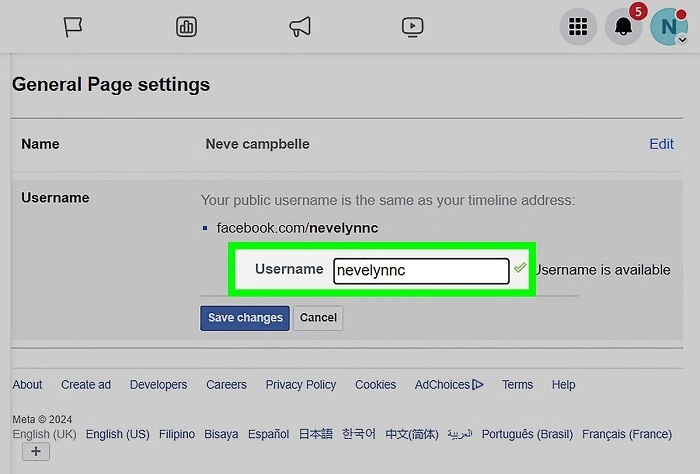
Changing a link name means replacing a visible URL with a readable word or phrase that, when clicked, still directs to the intended website.
Why It Matters
Using descriptive link names improves readability, SEO (for websites), user experience, and aesthetics in emails, documents, and websites.
Understanding the purpose behind changing a link name helps you create more polished communication.
How to Change a Link Name in Different Platforms
Change a Link Name in Microsoft Word
- Highlight the text you want to turn into a link.
- Press Ctrl + K (or right-click and choose Link).
- Enter the URL into the address field.
- Click OK to save.
Now, the visible text is clickable, leading to the URL you entered.
Change a Link Name in Gmail
- Compose a new email.
- Highlight the text you want to hyperlink.
- Click the Insert Link icon (it looks like a chain).
- Paste the URL and click OK.
This makes the selected word or phrase act as a clickable link.
Change a Link Name in HTML (Websites)
Use the following basic syntax:
html
CopyEdit
<a href=”https://example.com”>Click Here</a>
Replace “Click Here” with whatever link name you want to show.
This method is essential for websites and online content creation.
Change a Link Name in Google Docs
- Highlight the text you want to link.
- Click Insert > Link or press Ctrl + K.
- Add the URL and apply it.
Changing link names in Google Docs works almost identically to Gmail.
Understanding the methods for each platform ensures you always create neat and functional links.
Best Practices for Changing Link Names
Use Descriptive Words
Instead of generic words like “Click here,” use meaningful text like “Download the Annual Report” or “Visit Our Blog.”
Keep It Short and Clear
Long, complicated link names can confuse users. Short, direct phrases are better.
Avoid Misleading Links
The visible link name should accurately describe where the user will be taken when they click.
Check the Link After Changing
Always test the link to ensure it correctly directs to the intended destination.
Following these practices enhances clarity, trust, and professionalism in your communication.
Common Mistakes When Changing Link Names
Using Entire URLs as Text
Instead of displaying the full link, shorten it to a meaningful word or sentence for better readability.
Example: Instead of showing https://www.example.com/about, display About Us.
Inconsistent Styles
Mixing different fonts, colors, or underline styles for links can confuse users. Keep link formatting consistent.
Forgetting Accessibility
Screen readers read link text aloud. Using vague names like “Click here” can confuse users with disabilities. Be descriptive.
Avoiding these mistakes helps you create better experiences for all readers.
How to Change a Link Name Safely on Social Media
Facebook and LinkedIn
You cannot change the link name once the preview appears automatically. However, you can:
- Edit your text description above the link.
- Shorten the link with tools like Bitly to make it less intrusive.
You cannot create clickable links in normal posts. You can only use clickable links in your bio or through special features like Stories.
Twitter automatically shortens links using their t.co system. You can phrase your tweet to lead into the link naturally without needing to rename it.
Understanding platform-specific limitations helps you adapt your linking strategy.
Frequently Asked Questions (FAQs)
Can I change the name of an already posted link?
It depends on the platform. In Word or email drafts, yes. On social media posts, generally no unless you delete and repost.
Will changing a link name break the link?
No, changing the display name does not affect the underlying URL if done correctly.
Is it better for SEO to have keyword-rich link names?
Yes, descriptive anchor text improves SEO and helps users understand where they are going.
Can I change link names in mobile apps?
Most mobile email and document apps allow you to edit links by long-pressing the text and using the “Edit Link” option.
Why does my changed link name sometimes revert back to the URL?
Some apps or platforms strip formatting or disallow hyperlinking. Always check compatibility before finalizing.
Final Thoughts on How to Change a Link Name
Changing a link name is a simple but powerful way to improve clarity, professionalism, and user experience in your emails, websites, and documents. By learning the basic methods for different platforms and following best practices, you can easily create neat, effective links that enhance your communication and boost trust with your audience.
