
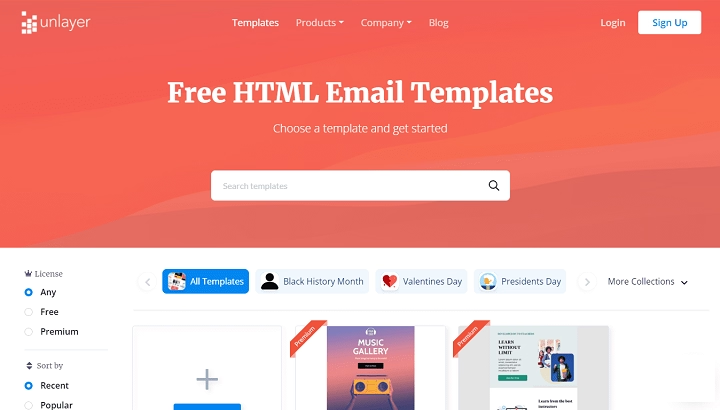
If you’re sending marketing newsletters, business updates, or branded content, using an HTML email template can completely change how your emails look and perform. Unlike plain text messages, HTML emails allow you to include visuals, colors, links, and responsive layouts that catch your reader’s attention.
This guide will walk you through what an HTML email template is, why it’s important, how to use one, and what to avoid when designing emails in HTML. Whether you’re a beginner or a business professional, this will help you send better, more effective emails.
What Is an HTML Email Template?
An HTML email template is a pre-designed email layout coded using HTML and inline CSS. It allows you to format your emails with headers, footers, images, columns, buttons, and responsive elements so that the email appears visually rich across devices.
It is different from a plain-text email, which only contains raw text with no formatting. HTML templates are used in marketing, announcements, welcome series, ecommerce updates, and transactional messages.
Why Use HTML Email Templates?

Using HTML email templates provides several key advantages:
- Consistent branding with logos, fonts, and colors
- Mobile responsiveness for better reading on phones
- Enhanced click-throughs using buttons and visuals
- Automated personalization using dynamic content
- Easier A/B testing with modular content blocks
If you run a business or manage client communication, this format can drastically improve how your audience engages with your emails.
How to Create an HTML Email Template
There are two primary ways to create an HTML email template:
Use an Email Marketing Tool
Platforms like Mailchimp, Sendinblue, Constant Contact, and ConvertKit allow you to drag and drop design elements to build your template without needing to code.
- Steps:
- Choose a pre-designed template
- Drag blocks like text, images, and buttons
- Customize branding and colors
- Add dynamic fields like the recipient’s name
- Save and reuse for future campaigns
These tools make HTML template design easy and scalable.
Write Your Own HTML Code
For developers or advanced users, writing HTML directly provides full control over the design.
Here’s a basic HTML email template structure:
html
CopyEdit
<!DOCTYPE html>
<html>
<head>
<meta charset=”UTF-8″>
<title>Your Email Title</title>
</head>
<body style=”font-family: Arial, sans-serif; margin: 0; padding: 0;”>
<table width=”100%” cellpadding=”0″ cellspacing=”0″ border=”0″>
<tr>
<td align=”center” bgcolor=”#f4f4f4″>
<table width=”600″ cellpadding=”0″ cellspacing=”0″ border=”0″>
<tr>
<td bgcolor=”#ffffff” style=”padding: 40px;”>
<h1>Welcome to Our Newsletter</h1>
<p>Thank you for subscribing. Stay tuned for the latest updates and offers.</p>
<a href=”https://yourwebsite.com” style=”background-color: #007BFF; color: #ffffff; padding: 10px 20px; text-decoration: none; display: inline-block;”>Visit Us</a>
</td>
</tr>
<tr>
<td bgcolor=”#eeeeee” style=”padding: 20px; text-align: center;”>
<p>© 2025 Your Company Name. All rights reserved.</p>
</td>
</tr>
</table>
</td>
</tr>
</table>
</body>
</html>
This structure uses nested tables for layout, which is the most reliable method across email clients.
Where to Get Free HTML Email Templates
Several websites offer ready-to-use email templates you can download and customize:
- Mailchimp
- Litmus
- EmailOctopus
- Stripo.email
- BeeFree.io
- HubSpot Template Marketplace
These templates are often categorized by purpose: newsletters, welcome emails, sales offers, product launches, and more.
How to Send an HTML Email
Once you’ve designed or chosen your template, you can send it through:
Email Marketing Platforms
Most platforms allow HTML input and provide testing tools.
Gmail or Outlook (Manual Method)
- Open your HTML file in a browser
- Copy everything visually from the browser window
- Paste into Gmail or Outlook compose window
- Add subject line and recipients
- Send as normal
Note: This works for basic templates but may break for advanced layouts or styles.
Custom Web Applications
If you manage your own CRM or automation system, use email-sending services like SendGrid, Mailgun, or Amazon SES to send HTML content via API.
Best Practices for HTML Email Design

To ensure your HTML email renders well across devices and inboxes:
Keep It Simple
Avoid overcomplicating with too many columns or effects. Stick to a clean structure.
Use Inline CSS
Many email clients strip external or embedded styles. Inline CSS ensures consistent rendering.
Make It Mobile-Responsive
Use fluid layouts and media queries if possible, or use mobile-friendly templates.
Include a Text Version
Always provide a plain-text version of your HTML email for better deliverability and accessibility.
Test Before Sending
Use tools like Litmus or Email on Acid to preview your email across different clients like Gmail, Outlook, Yahoo, and mobile apps.
Avoid JavaScript and External Scripts
Most email clients block scripts, and their presence may send your message to spam.
Use ALT Text for Images
This ensures your message is still readable even if images don’t load.
Add Unsubscribe and Contact Links
It’s required by law (CAN-SPAM, GDPR) and builds trust with subscribers.
When Should You Avoid HTML Email?
There are a few scenarios where plain-text emails may work better:
- One-on-one business communications
- Emails with high privacy requirements
- Messages sent to audiences that use basic mobile phones or limited connectivity
- Security alerts or legal messages
Plain-text emails are fast-loading, less likely to trigger spam filters, and often feel more personal.
Frequently Asked Questions
What is an HTML email template?
An HTML email template is a pre-coded layout used to create visually formatted emails with structure, images, and links.
Can I create an HTML email without coding?
Yes. Many email marketing tools offer drag-and-drop builders that require no HTML knowledge.
How do I send an HTML email through Gmail?
You can paste HTML-rendered content into Gmail’s compose window or use browser extensions to insert HTML code.
Are HTML emails mobile-friendly?
They can be, but only if designed using responsive techniques or mobile-optimized templates.
Can I test how my HTML email looks before sending?
Yes. Use platforms like Litmus or Preview tools in your email software to test how the template appears on different devices and inboxes.
