
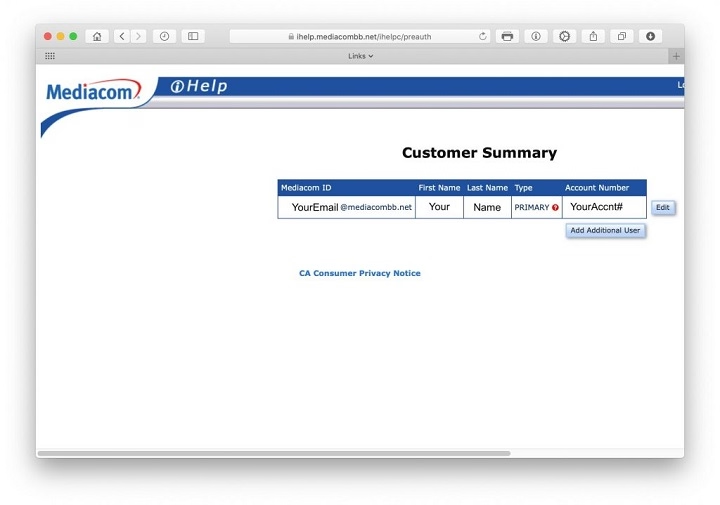
If you’re a Mediacom broadband subscriber, you have access to a free Mediacombb.net Mail account. Whether you’re new to Mediacom email or need help setting it up, this guide covers all the essentials to get started and manage your inbox efficiently.
What is Mediacombb.net Mail?
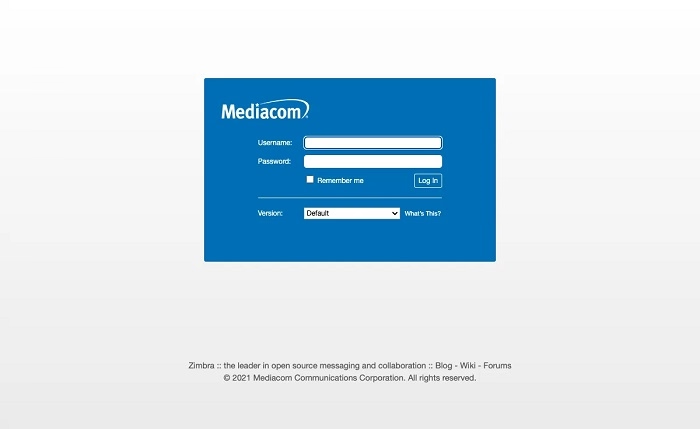
Mediacombb.net Mail is the email service provided by Mediacom Communications, primarily available to Mediacom broadband customers. Subscribers receive a free email address ([email protected]) that can be accessed via webmail or configured with email clients.
Key Features of Mediacombb.net Mail
- Free email service with Mediacom subscription.
- Webmail access from any browser.
- Compatible with IMAP and POP3 protocols.
- Supports major email clients (Outlook, Apple Mail, Thunderbird).
- Spam filtering and security options.
- Multiple mailbox creation for families or businesses.
How to Access Mediacombb.net Webmail
Visit Mediacom Webmail Portal
- Go to https://webmail.mediacombb.net.
- Enter your full Mediacombb.net email address and password.
Navigate Inbox & Settings
Once logged in, you can:
- Compose, read, and reply to emails.
- Manage folders, filters, and spam settings.
- Adjust account preferences.
How to Set Up Mediacombb.net Mail in Email Clients
Incoming Mail Server Settings (Choose POP3 or IMAP):
- IMAP Server: mail.mediacombb.net
- Port: 993 (SSL)
- POP3 Server: mail.mediacombb.net
- Port: 995 (SSL)
Outgoing Mail Server (SMTP):
- SMTP Server: smtp.mediacombb.net
- Port: 465 (SSL)
Authentication: Required (use your full Mediacombb.net email and password)
Common Issues & Troubleshooting Mediacombb.net Mail
| Issue | Solution |
| Forgotten Password | Reset via Mediacom Account Portal. |
| Unable to Send Emails | Check SMTP settings and authentication. |
| Receiving Too Much Spam | Adjust spam filter settings in webmail. |
| Not Receiving Emails | Ensure the mailbox isn’t full and check the junk folder. |
| Sync Issues with Email Clients | Re-enter server settings and verify ports. |
FAQs About Mediacombb.net Mail
Is Mediacombb.net Mail free?
Yes, it’s included with your Mediacom broadband subscription.
Can I access Mediacombb.net Mail on my phone?
Yes, using mobile email apps and the correct server settings.
What is the mailbox storage limit?
Limits may vary. You can check or upgrade storage via your Mediacom account portal.
Can I create additional email addresses?
Yes, multiple mailboxes can be created based on your plan.
How do I recover my Mediacombb.net password?
Visit the Mediacom customer portal and use the password recovery tool.
Mediacombb.net Mail provides a reliable and secure way for Mediacom customers to manage their email communication. Whether accessing via webmail or an email client, understanding the setup and features ensures a seamless experience.
