
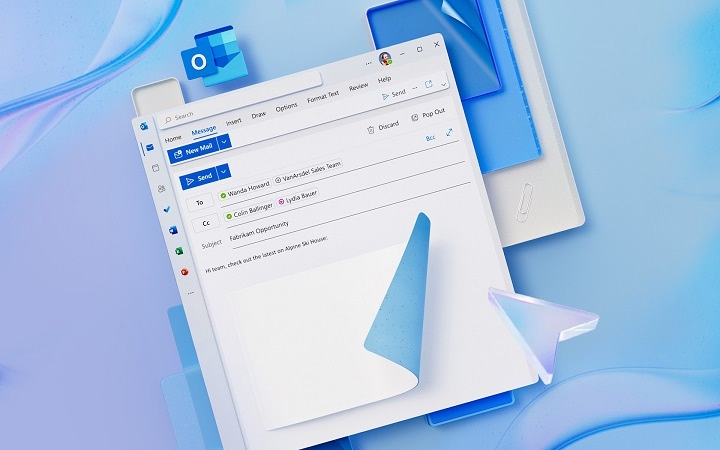
Microsoft has revamped its email platform with the introduction of the New Outlook, providing users with enhanced features and a modern interface. Here’s a comprehensive guide to setting up, accessing, and utilizing the New Outlook email.
What is New Outlook Email?
The New Outlook is an updated version of Microsoft’s classic email client, integrating improved design, better organization tools, and seamless connectivity across devices. It’s available for Windows, Mac, web, and mobile devices.
How to Access New Outlook Email
Access via Web Browser

- Visit https://outlook.office.com
- Log in using your Microsoft account credentials
Download Outlook App (Desktop & Mobile)
- Download the Outlook app from Microsoft’s website or app store
- Sign in with your email account (Outlook, Hotmail, Gmail, Yahoo, etc.)
Key Features of New Outlook Email
Unified Inbox: Manage multiple email accounts from one interface
Focused Inbox: Prioritizes important emails and filters out distractions
Calendar Integration: Easily schedule meetings, events, and reminders
Enhanced Search Functionality: Find emails, contacts, and files quickly
Customization Options: Personalize appearance, themes, and email organization
Microsoft 365 Integration: Access Word, Excel, PowerPoint, and OneDrive directly from your inbox
Security: Improved protection with encryption and phishing detection
How to Set Up New Outlook Email on Mobile Devices
For iPhone/Android:
- Download the Outlook app from the App Store or Google Play
- Open the app and tap Add Account
- Enter your email address and password
- Follow on-screen instructions to complete setup
Common New Outlook Email Issues & Solutions
| Issue | Solution |
| Trouble logging in | Double-check credentials and clear cache |
| Missing emails | Check Focused/Other inbox tabs and spam folders |
| Sync issues | Verify account settings and ensure stable internet |
| App crashes | Update to the latest app version or reinstall |
FAQs About New Outlook Email
Is the New Outlook free to use?
Yes, the basic features are free. Additional features are available with Microsoft 365 subscriptions.
Can I add non-Microsoft accounts to New Outlook?
Yes, you can add Gmail, Yahoo, and other email accounts.
How do I customize the look of my inbox?
Use the Settings → Appearance → Theme options to personalize.
Is the New Outlook secure?
Yes, it offers robust security measures including encryption and spam filtering.
Can I revert to the old Outlook version?
In some cases, you may have the option to switch back, though Microsoft is phasing out the old version.
The New Outlook email offers a powerful, user-friendly experience with enhanced features to streamline communication and improve productivity. Whether on desktop or mobile, it’s designed to meet both personal and professional email needs effectively.
