
Can You Send Emails to OneNote?
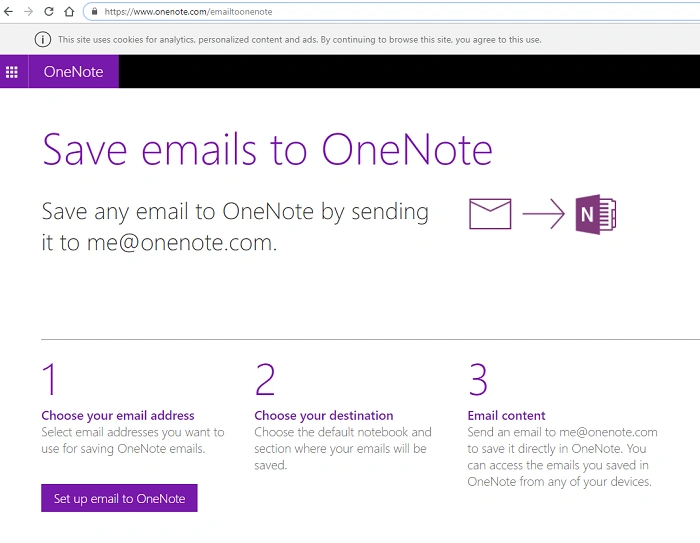
Yes, Microsoft OneNote allows you to send emails directly to your notebooks for easy organization and reference. By forwarding emails to OneNote, you can store important messages, receipts, or notes in a structured format within your OneNote account.
How to Enable Email to OneNote
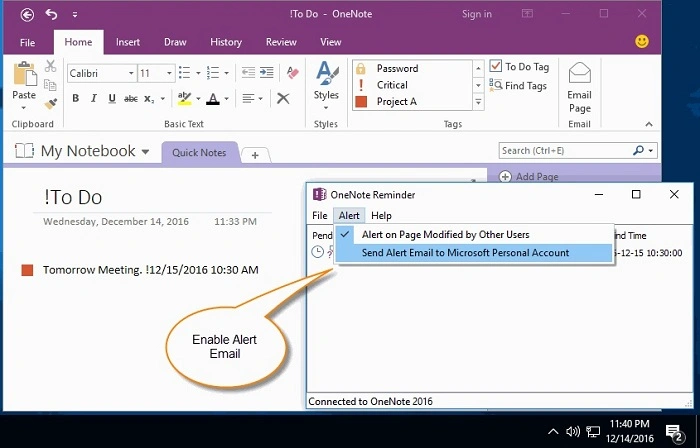
Before sending emails to OneNote, you need to set up the feature in your Microsoft account.
1. Set Up Email to OneNote
- Go to the OneNote Email Settings page.
- Sign in with your Microsoft account.
- Select the email address(es) you want to use for sending emails to OneNote.
- Choose a default notebook and section where emails will be saved.
- Click Save to confirm the settings.
2. Send an Email to OneNote
Once email-to-OneNote is enabled, you can forward any email to [email protected] from your registered email address.
- Open an email in Gmail, Outlook, Yahoo, or any email service.
- Click Forward and enter [email protected] in the recipient field.
- Press Send, and the email will be saved in your default OneNote notebook.
Where Do Emails Appear in OneNote?
By default, emails sent to OneNote are saved in the Quick Notes or a selected section of your notebook. You can customize the storage location in the OneNote Email Settings.
Why Can’t I Send Emails to OneNote?
If your emails are not appearing in OneNote, check for these common issues:
1. Incorrect Email Address
Make sure you are sending the email from the registered email address linked to OneNote.
2. OneNote Email Feature is Not Enabled
Verify that you have set up the [email protected] feature in OneNote Email Settings.
3. Microsoft Account Issues
If your Microsoft account is not active or has issues, try signing in and reactivating the feature.
4. OneNote Storage is Full
If OneNote reaches storage limits, emails may not be saved. Free up space if necessary.
Best Uses for Sending Emails to OneNote
Sending emails to OneNote is useful for:
- Saving important emails for later reference.
- Organizing receipts, invoices, and travel details in a notebook.
- Keeping meeting notes and work-related emails accessible in OneNote.
- Storing research, links, and articles for quick access.
Alternatives to Emailing OneNote
If email-to-OneNote isn’t working for you, consider these alternatives:
1. Use OneNote Web Clipper
- Install the OneNote Web Clipper extension to save emails and web content directly.
2. Print to OneNote
- Use the “Print to OneNote” feature in Windows to save emails as notes.
3. Copy and Paste
- Manually copy the email content and paste it into OneNote.
FAQs
1. What is the email address to send emails to OneNote?
Send emails to [email protected] from a registered email address.
2. Can I send emails to a specific OneNote section?
Yes, you can specify a section by adding @SectionName in the subject line.
3. Does email formatting stay intact in OneNote?
Most formatting, including text, images, and links, is preserved in OneNote.
4. How do I change the default notebook for emails?
Visit the OneNote Email Settings page to update the default notebook.
5. Can I send multiple emails to OneNote at once?
Yes, you can forward multiple emails, but each will be saved as a separate note.
