
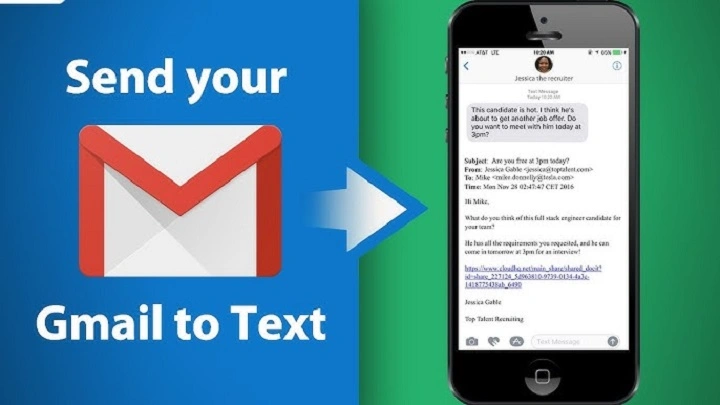
Sometimes you need to reach someone fast. But calling isn’t right. Texting isn’t convenient. And email feels too slow.
That’s where “email to text” comes in. You send an email from Gmail, Outlook, Yahoo, or any service — and it arrives as a text message on someone’s phone. No apps. No logins. No downloads. Just a simple message delivered straight to their SMS inbox.
Most people don’t realize how easy this is. Every major carrier has a “text via email” gateway. You just send an email to a special address based on the phone number and carrier.
This 2025 guide shows you every method. Every carrier. Every trick. Clean, simple and step-by-step.
Why Sending Email to Text Is Useful
Email-to-text helps when you:
- need to notify someone fast
- want to send info without calling
- don’t have your phone nearby
- need to message employees or students
- want to send reminders or alerts
- need to reach someone whose phone can’t access email
- want to bypass messaging apps
It works for nearly any phone, even basic flip phones.
How Email to Text Works
Every phone number has a hidden email address provided by its carrier.
When your email arrives:
- the carrier converts it to SMS
- sends it as a text message
- the recipient sees it like a normal text
- replies come back to your email
All you need is:
- the person’s phone number
- their carrier name (AT&T, Verizon, T-Mobile, etc.)
Send Email to Text Using the SMS Gateway
SMS gateways deliver standard text messages.
Steps:
- open your email (Gmail, Outlook, Yahoo, anything)
- click Compose
- in the “To” field, type the phone number + carrier gateway
- write message
- click Send
That’s it — your email becomes a text.
Common SMS gateways:
AT&T:
[email protected]
Verizon:
[email protected]
T-Mobile:
[email protected]
Boost Mobile:
[email protected]
Cricket:
[email protected]
US Cellular:
[email protected]
Replace “number” with the 10-digit phone number.
Example:
To text a Verizon number 555-123-4567:
[email protected]
Send Email to Text Using the MMS Gateway (Long Messages & Photos)
SMS has limits.
MMS gateways allow:
- longer messages
- images
- attachments
- group-style delivery
Steps:
- compose a new email
- use the MMS gateway address
- attach files if needed
- send
MMS gateways:
AT&T:
[email protected]
Verizon:
[email protected]
T-Mobile:
[email protected] (same for SMS)
Boost Mobile:
[email protected]
Cricket:
[email protected]
US Cellular:
[email protected]
Tip: MMS is better for long messages.
Send Email to Text From Gmail
Steps:
- open Gmail
- click Compose
- in “To,” enter phone number + carrier gateway
- type your message
- click Send
Gmail handles everything instantly.
Tip: avoid long signatures — they appear in the text.
Send Email to Text From Outlook
Steps:
- open Outlook
- click New Email
- enter gateway address
- type message
- send
Outlook supports SMS texting for any carrier.
Send Email to Text From Phone Email Apps (Android & iPhone)
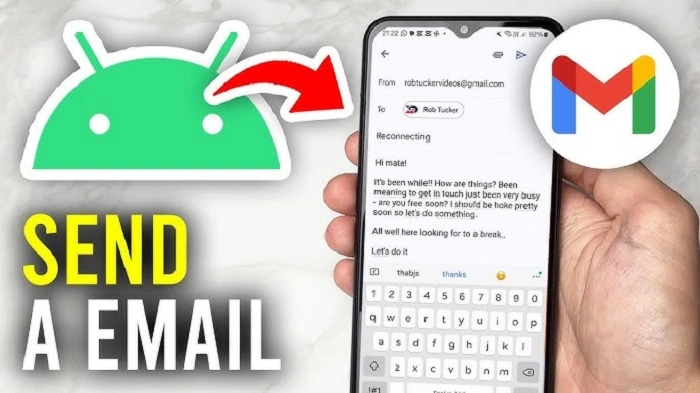
If you prefer mobile email:
Steps:
- open Mail, Gmail, or Outlook mobile app
- tap Compose
- enter the SMS/MMS gateway
- type your message
- tap Send
This works even if you’re messaging from one phone to another.
How Replies Work
If the person replies to your text:
- their reply goes to the email gateway
- it arrives in your email inbox
- you can reply again by email
- they receive it as text
Text conversations work both ways.
What to Do if You Don’t Know the Person’s Carrier
Use a carrier lookup tool:
Steps:
- go to freecarrierlookup.com
- enter the phone number
- complete captcha
- view the carrier
Then choose the right gateway and send your email-to-text message.
Send Email to Text With Attachments (Photos or Documents)
Use MMS gateways.
Steps:
- attach image or PDF
- keep attachments under 2–3MB for best success
- send
The recipient receives the file as a multimedia text.
Send Bulk Texts by Email (For Teams, Students, or Employees)
If you need to notify many people:
Steps:
- collect their phone numbers
- identify each carrier
- add each gateway to your contact list
- send one email to all
Great for:
- school alerts
- weather notices
- work updates
- emergency messages
Tip: BCC large lists to avoid exposing numbers.
Limitations of Email-to-Text
Be aware of:
- SMS character limits (160 chars)
- MMS size limits
- messages may show your email address
- cannot format text
- long messages split into multiple texts
- attachments may shrink to fit carrier limits
Still, for quick communication, it works perfectly.
When Email-to-Text Doesn’t Work
Check if:
- number is wrong
- you used the wrong gateway
- carrier changed services
- MMS file is too large
- the phone is out of service
- you typed the address incorrectly
Fix:
- verify carrier
- try the MMS version
- shorten message
- resend
- check signal on the receiver side
Most failures happen because of the wrong gateway.
Alternative Ways to Send Email to Text
If carriers block your message, try:
- Google Voice
- TextFree
- TextNow
- WhatsApp
- Signal
- Messenger
- iMessage (Apple users)
These don’t require knowing the carrier.
Troubleshooting: Why Your Message Shows as Multiple Texts
SMS splits long messages automatically.
Fix:
- use MMS gateway
- shorten message
- remove long signatures
- avoid line breaks
MMS keeps messages together.
Organization Tips After Using Email-to-Text
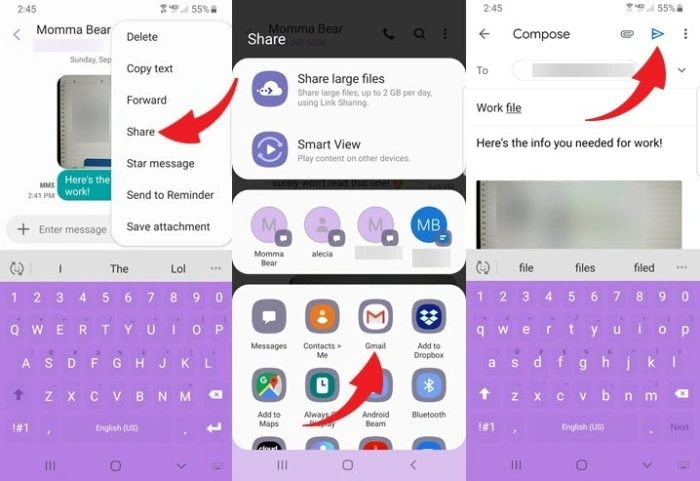
To manage conversations:
- save gateway contacts
- label numbers for easy use
- delete outdated SMS contacts
- keep message templates for common alerts
- check replies regularly
- turn on notifications
Helps keep communication clean and simple.
Quick Summary
How to send email to text:
- get their phone number
- find their carrier
- use SMS gateway (short messages)
- use MMS gateway (long messages + images)
- send from Gmail, Outlook, or any email app
- replies arrive in your inbox
- use lookup tools if you don’t know carrier
- organize contacts for fast messaging
Two steps — and your email becomes a text message.
FAQs
Can I send a text from email for free?
Yes — all email-to-text gateways are free.
What happens if the phone is turned off?
They receive your text when the phone reconnects.
Can I send photos or PDFs?
Yes — use the MMS gateway.
Will the recipient see my phone number?
No. They see your email address.
Can I text international numbers from email?
Only if the carrier supports international gateways.
