
Verizon no longer runs its own email service. But millions of people still use Verizon addresses every day. Your address may end in @verizon.net or @verizon.com. Yet your inbox now lives inside Yahoo Mail. Many users still get confused about the login page. Some try to access old Verizon portals. Others cannot recover passwords or cannot load their inbox on phone apps.
This 2025 guide makes everything simple. You will learn how to open your Verizon Yahoo email on desktop, web, iPhone and Android. How to reset your password. How to fix login issues. How to set it up in Outlook or Apple Mail. Clean, clear and step by step guide.
What Verizon Yahoo Email Actually Is

Verizon moved all email accounts to Yahoo Mail. Your email address stays the same but the inbox is now powered by Yahoo.
Your login looks like this:
- Your address stays @verizon.net
- Your inbox loads through Yahoo Mail
- Your password is stored in your Yahoo account
You cannot access Verizon Mail directly anymore. Everything goes through Yahoo.
Why You May Need Verizon Yahoo Email Access
People still depend on Verizon Yahoo email for:
- bank alerts
- bill notifications
- password resets
- school updates
- personal messages
- receipts and confirmations
- newsletters and subscriptions
- work or organization communication
Many people have years of saved messages, so access matters.
Method 1: How to Log In to Verizon Yahoo Email on a Computer
This is the primary way most users open their inbox.
Steps:
- open your browser
- go to the official Yahoo Mail login page
- type your @verizon.net email
- click Next
- enter your password
- click Sign In
- wait for your inbox to appear
Your Verizon email now opens inside Yahoo Mail just like any Yahoo account.
Tip:
- make sure you enter the full email address including @verizon.net
Method 2: How to Log In to Verizon Yahoo Email on a Phone Browser
If you want quick access without installing an app:
Steps:
- open your phone browser
- go to mail.yahoo.com
- enter your Verizon email
- enter your password
- tap Sign In
- check your inbox normally
This mobile layout is clean and fast.
Method 3: How to Use Verizon Yahoo Email in the Yahoo Mail App (iPhone and Android)

The Yahoo Mail app is the easiest long-term solution.
Steps:
- download the Yahoo Mail app
- tap Sign In
- enter your Verizon email
- enter your password
- tap Next
- allow permissions if asked
Now your inbox syncs automatically.
Benefits of the app:
- instant notifications
- fast attachment preview
- easy folder access
- spam control
- simple password update
Method 4: How to Set Up Verizon Yahoo Email in Outlook (Windows)
Outlook works perfectly with Verizon Yahoo if you add the correct settings.
Steps:
- open Outlook
- click File
- click Add Account
- type your @verizon.net email
- choose IMAP
- enter password
- Outlook fills in most settings for you
- click Done
If Outlook asks for manual settings:
- Incoming (IMAP): imap.mail.yahoo.com
- Port: 993
- Security: SSL
- Outgoing (SMTP): smtp.mail.yahoo.com
- Port: 465 or 587
- Security: SSL
Method 5: How to Set Up Verizon Yahoo Email in Apple Mail (Mac)
Mac Mail supports Verizon Yahoo with IMAP.
Steps:
- open System Settings
- click Internet Accounts
- click Add Account
- choose Yahoo
- enter your @verizon.net address
- enter your password
- confirm access
- save
Your inbox loads inside the Mac Mail app.
Method 6: How to Add Verizon Yahoo Email to iPhone Mail App
This is a clean and simple setup.
Steps:
- open Settings
- tap Mail
- tap Accounts
- tap Add Account
- choose Yahoo
- sign in using your Verizon email
- enter your password
- tap Allow
- sync Mail
Your Verizon inbox appears in the iPhone Mail app.
Method 7: How to Add Verizon Yahoo Email to Android Email App
Android supports IMAP through the default Email or Gmail app.
Steps:
- open Email or Gmail app
- tap Add Account
- choose Yahoo
- enter your Verizon email
- type your password
- confirm sign in
Your inbox syncs right away.
Method 8: How to Reset Verizon Yahoo Email Password
If you cannot sign in, your password may be outdated or forgotten.
Steps:
- go to the Yahoo Sign In Helper
- enter your Verizon email
- verify with recovery phone or email
- create a new password
- sign in again
Use a strong password that you can remember easily.
Method 9: How to Fix Verizon Yahoo Email Not Working
If your inbox will not open or will not sync, check:
- wrong password
- outdated Yahoo Mail app
- poor internet connection
- old saved login in browser
- Yahoo server issues
- incorrect IMAP settings
- two-step verification not set up properly
Fix:
- clear cookies
- restart Yahoo Mail
- update the app
- delete the account then add it again
- check IMAP settings
- try logging in on desktop to confirm the account works
Most problems clear up quickly once passwords and settings are updated.
Method 10: How to Organize Verizon Yahoo Email
Keeping your inbox clean helps you find things faster.
Steps:
- create folders for bills, receipts and personal messages
- delete old newsletters
- star important messages
- move old conversations to archive
- empty the spam folder often
- use Yahoo filters if needed
A tidy inbox makes daily life easier.
Troubleshooting: When Verizon Yahoo Email Still Will Not Open
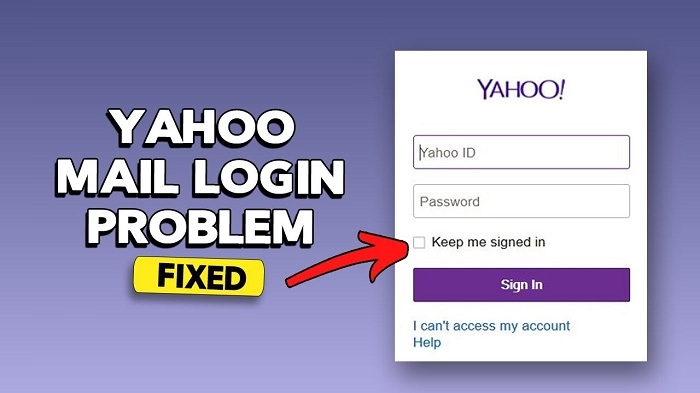
If nothing works, the issue may be:
- temporary Yahoo outage
- browser block
- wrong username format
- security lock from too many login attempts
- disabled recovery options
Fix:
- try another browser
- try the Yahoo Mail app
- wait a few minutes
- reset password
- check your recovery phone or email
- contact Yahoo Support for account recovery
Support can restore your account if it is locked or inactive.
Quick Summary
How to access Verizon Yahoo Email:
- Web: mail.yahoo.com
- Yahoo App: sign in with @verizon.net address
- Outlook: add account with IMAP
- Mac: add Yahoo account in Internet Accounts
- iPhone: Mail → Add Account → Yahoo
- Android: Yahoo sign in
- Password issues: reset through Yahoo
- Sync issues: update apps and server settings
Two steps and your Verizon Yahoo inbox loads again.
FAQs
1. Is Verizon email still active in 2025?
Yes. It works through Yahoo Mail.
2. Can I still use my @verizon.net address?
Yes. It remains valid.
3. Why can’t I log in on Verizon websites?
Verizon no longer hosts email. Use Yahoo Mail.
4. Can I add my Verizon email to Outlook?
Yes. Use IMAP settings for Yahoo Mail.
5. What if I forgot my password?
Use Yahoo’s password recovery tool.
