
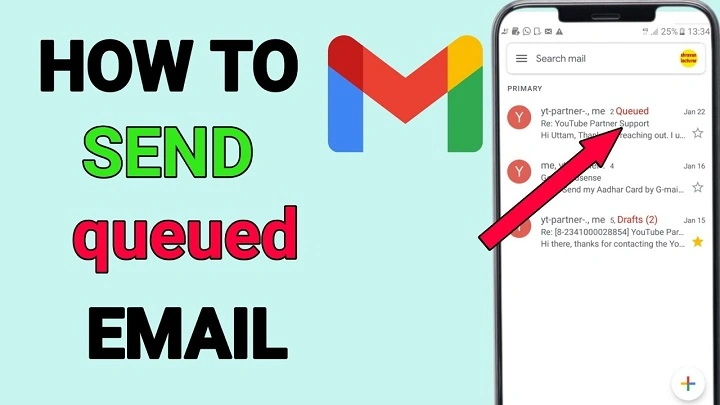
Ever seen “queued” next to your email? It’s super confusing, right? You hit send and… nothing. Your email just sits there. What gives?
Don’t worry – your email isn’t lost. It’s just waiting in line. Like when you’re at the store and need to wait your turn. In 2026, this still happens in Outlook, Gmail, and phone apps. Usually when your internet acts up or settings get weird.
Let me show you what queuing means. Why does it happen? How long it takes. And how to fix it fast.
What Does “Queued” Mean in Email?
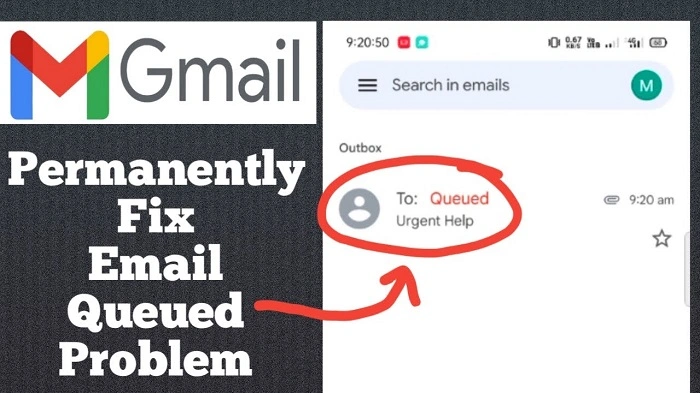
A queued email is ready to go but hasn’t left yet. Think of it like a letter sitting in your mailbox. The mail carrier hasn’t picked it up yet.
Your email waits for stuff like good internet, the server being ready, or your login working right. Once things are good? It sends on its own.
Queued doesn’t mean broken. It just means “wait a sec.”
Why Emails Get Queued Instead of Sending
Email apps are smart. When something’s wrong, they pause. Better than losing your message, right?
This pause keeps your email safe. Most times, the problem fixes itself quickly. Once you know why, you can decide. Wait it out? Or fix it now?
Common Reasons an Email Is Queued
Emails get stuck for a few reasons. Different apps, different problems. Sometimes it’s more than one thing at once.
Here’s what usually happens:
- no internet (oops)
- weak Wi-Fi or phone data
- email app is offline
- big files still uploading
- server is slow
- password problems
- VPN or firewall blocking stuff
Figure out which one? You’ll save time.
Queued Email in Outlook
Outlook users see this a lot. When Outlook can’t send right away, it queues your email.
This happens when Outlook goes offline. Or can’t reach the mail server.
What Queued Means in Outlook
In Outlook, queued emails sit in the Outbox. They stay there till Outlook connects again.
Once it’s fixed? The email moves to Sent all by itself. Still stuck? You might need to help it along.
Queued Email in Gmail
Gmail does this too. Especially on phones. When your connection is bad or the app can’t run in the background.
Gmail queued emails show a tiny notice. Not always easy to spot. Get good internet back? Gmail sends it right away.
Queued Email on Mobile Devices
Phones queue emails way more than computers. Why? Battery saving, data limits, and apps can’t always run.
When does your phone stop the app from working? Emails wait. Know your phone settings. It helps a lot.
How Long Does an Email Stay Queued?
There’s no set time. An email waits till the problem goes away. Or till you delete it.
Most times? A few minutes after you fix the issue. Sometimes? They sit there forever unless you do something. Email stuck for a while? Time to check things out.
Is a Queued Email the Same as a Failed Email?
Nope. Queued means waiting. Failed means it tried and couldn’t do it.
Failed emails tell you “hey, this didn’t work.” Queued emails don’t say anything. They haven’t tried yet. This matters when you’re fixing things.
What Happens If You Close the Email App?
Depends on your app. Some keep sending. Others stop cold.
Old email programs? Need to stay open. New cloud ones? They work even when closed. Know how yours works. Saves confusion later.
How to Fix a Queued Email
Fixing queued emails is usually easy. Most times it’s the internet or settings. First, save your email text. Just in case.
Try these fixes:
- check your internet (is it on?)
- turn off offline mode
- restart the email app
- log out, then back in
- turn off VPN for a bit
- make files smaller
These fix most problems fast.
How to Manually Send a Queued Email
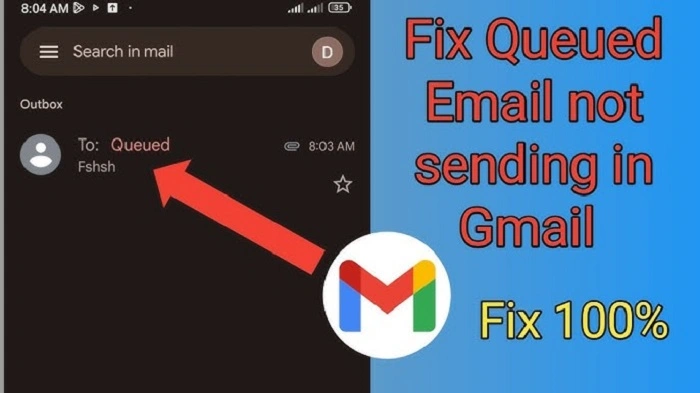
Sometimes you gotta push it yourself. Once things are better, make it send.
Open the stuck email. Hit send again. That often works. Still stuck? Copy everything to a new email. Works like magic.
Why Large Attachments Cause Queuing
Big files take forever to upload. While they upload? Email looks queued.
Is the file too big? Email never sends. Happens a lot on phones. Use cloud links instead. Way easier.
How Offline Mode Affects Email Queuing
Offline mode tells your app “don’t send anything.” Every email goes straight to the queue.
Great when you want it. Confusing when you don’t. Emails stuck? Check if you’re offline first.
Queued Emails and Email Rules
Email rules can delay sending on purpose. They might wait, scan files, or check stuff first.
Rules set up wrong? Emails wait longer than they should. Check your rules. Find hidden delays.
Security Software and Queued Emails
Firewalls, antivirus, and VPNs can mess things up. They block connections or slow uploads.
Turn them off for a sec. See if that’s the problem. Be careful with security stuff though.
When You Should Delete and Recreate the Email
Email still stuck after trying everything? Delete it. Make a new one. Faster than fighting it.
Copy your text first! Don’t lose your work. Fresh email often works right away.
Preventing Queued Emails in the Future
Stop problems before they start. Small changes help a lot. Being consistent helps too.
Try these tips:
- send big files as links
- avoid bad internet
- update your apps
- watch offline mode
- restart apps sometimes
Do these? Less waiting around.
Is Email Queuing Normal in 2026?
Yep, totally normal. It’s how email stays safe. No lost messages or half-sent stuff.
New systems handle it better. But they still need good conditions. See a queued email? Usually no big deal.
Common Myths About Queued Emails
Some folks think queuing means broken forever. Others think it has already been sent.
Both wrong. Know how queues work? Less stress for you.
Quick Summary
Queued email? It’s just waiting to be sent. Not broken. Not lost. Something’s blocking it – internet, settings, or processing.
In 2026, this will happen on computers and phones. Fix it by getting online, checking settings, or sending again.
FAQs
What does a queued email mean?
Your email is waiting to be sent. Hasn’t left your device yet.
Will a queued email be sent automatically?
Usually yes. Once the problem goes away.
Why does my email stay queued for a long time?
Could be offline mode. Big files. Bad internet.
Is a queued email the same as a failed email?
No way. The queue is waiting. Failed already tried and couldn’t.
Should I delete a queued email?
Only if nothing else works. Save your text first!
