
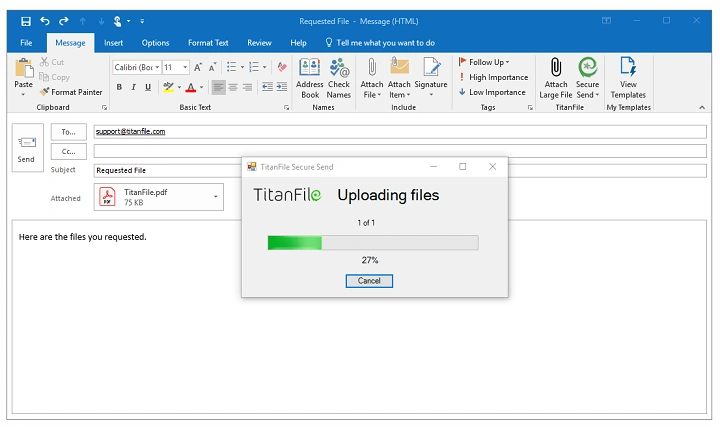
Sending files by email seems easy until—bam—it fails. You attach a file, hit send, and get an error. “File too big,” it says. That’s when you realize: wait, how do these limits even work? Why do they exist?
Here’s the thing. File size limits change based on your email provider. Your device matters too. Even the file type can make a difference. What works in Gmail might fail in Outlook. Knowing these limits helps you avoid bounced emails and delays. Super important when you’re sending work files in 2026.
This guide breaks it all down. How big can files be? Why are there limits? What happens when you go over? Plus, I’ll show you the best ways to send big files without the headache.
The Short Answer: Email File Size Is Limited
Most email providers cap attachments at 20–25 MB per email. That’s all files combined, not each one.
The exact number changes by provider. But here’s the deal: anything over 25 MB? It’s probably gonna fail. Even if your email lets it through, the person getting it? Their email might block it.
So yeah, email works great for small files. Not so much for huge videos or data files.
Why Email Providers Limit Attachment Size
Email limits exist for good reasons. Big files eat up server space. They slow everything down. They cost more to store.
Look, email was made for messages. Not for moving huge files around. If everyone sent massive attachments? The whole system would crash. Nobody wants that.
Security matters too. Big files are harder to check for viruses. Bad actors could abuse the system.
How Email Attachment Size Is Calculated
Here’s something weird. Your file size changes when you email it. When you attach a file, it gets encoded for sending. This makes it bigger.
How much bigger? About 30% more. So your 20 MB file? It might become 26 MB when attached. That’s why emails fail even when you think you’re under the limit.
Common Email Attachment Size Limits by Provider
Different email services have different rules. These numbers might change, but they’re pretty similar.
Quick reminder: the lowest limit always wins. If you have a 25 MB limit but they have 20 MB? You’re stuck at 20 MB.
Here’s what we’re looking at in 2026:
- Gmail: about 25 MB per email
- Outlook.com: about 20–25 MB per email
- Yahoo Mail: about 25 MB per email
- Apple Mail (depends on provider): usually 20–25 MB
Even when you both use Gmail? The limits still apply.
What Happens When a File Is Too Large to Email
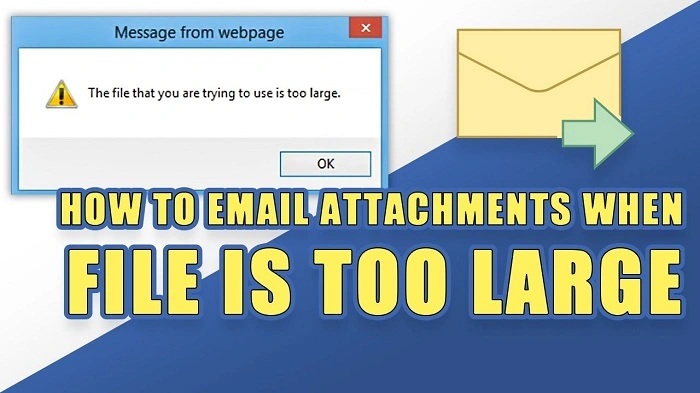
Try to send a huge file? A few things might happen. The email might fail right away. Or it might seem to send but bounce back later.
Sometimes—and this is the worst—you see no error. But the other person never gets it. Super frustrating, right?
Usually, you’ll get an error message. It’ll say your attachment is too big.
Can You Email Large Files by Compressing Them?
Compressing files? It can help. But it’s not magic. Works best for text files like Word docs or spreadsheets.
Videos and photos? They’re already compressed. Zipping them won’t do much. Maybe saves a tiny bit of space.
Think of compression as a small fix. Not a way to turn huge files into email-friendly ones.
Single File vs Multiple Attachments
Email limits count everything together. Not just one file. So five small files can still break the limit if they add up.
You could split files across emails. But honestly? It gets messy. People might miss parts. Not great for work stuff.
Why Large Files Are Risky to Email Even If They Send
Even if your big file sends, problems can happen. Large emails take forever to download. Especially on phones or slow internet.
People might not open big attachments. Storage limits, you know? Some email systems flag them as suspicious too.
Just because it sends doesn’t mean it works.
Cloud Storage as the Best Alternative
In 2026, cloud storage is your best friend. Instead of attaching files, you upload them to the cloud. Then share a link.
No more size limits. Works better for everyone. Cloud links are faster. Safer. Way easier to manage.
How Email Providers Handle Large Files Automatically
Some email services are smart about this. Gmail and Outlook sometimes convert big files to cloud links automatically.
Instead of blocking your email, they upload the file for you. Then add a download link. Pretty cool, but it depends on your settings. And how much cloud storage you have.
How Big of a File Can You Email Safely?
Want my advice? Keep files under 10 MB. They send fast. No errors. Easy for people to open.
Files between 10-20 MB? Usually okay. But some people might have issues. Over 25 MB? Just use a link instead. Think safe, not maximum. You’ll have fewer problems.
Sending Videos and High-Resolution Media
Videos are email nightmares. Even short ones can be huge. High quality means big file size.
Same with pro photos and design files. They get big fast. For the media? Cloud sharing wins every time. Both technically and professionally.
Email File Size Limits on Mobile Devices
Mobile email apps? They’re even pickier. Your provider might allow it, but the app struggles to upload.
Data limits matter. Battery life too. Background restrictions mess things up. Big files? Use a computer or cloud service. Way more reliable.
Security Concerns With Large Email Attachments
Large attachments are virus magnets. Email systems know this. They check big files extra hard.
Some companies block certain file types completely. Size doesn’t matter. Others hold big attachments for review. Cloud links? Much less risky. People trust them more.
Best Practices for Sending Files by Email
Good habits prevent problems. Think about the person getting your email. What works for them?
Give context. Pick the right method. Makes everything smoother.
Here’s what helps:
- Keep files small as possible
- Use cloud links for anything over 10-15 MB
- Name your files clearly
- Make sure they can access it
- Don’t attach stuff they don’t need
These steps save everyone time.
How to Ask Before Sending a Large File
In work settings? Ask first. “Hey, can I send you a big file?” Shows you care about their inbox.
A quick message about how they want it sent? Prevents issues. No delays. Small steps. Big impact on professionalism.
What About Emailing ZIP Files?
ZIP files follow the same rules. Too big? Email fails.
Plus, ZIP files might trigger security warnings. Especially at work. ZIP isn’t a magic workaround. Don’t count on it.
Is Email Still Meant for File Sharing in 2026?
Email still rocks for small files. Quick documents. Simple attachments. But for big file transfers? Not the best tool anymore.
Modern work uses links. Shared folders. Team platforms. Not attachments. Use email for what it does best. You’ll work better.
Common Myths About Email Attachment Size
Let’s bust some myths that confuse people.
Wrong ideas include:
- Compression always fixes size problems
- Splitting files is always fine
- If it sends, everyone can get it
- All email providers have same limits
Know the truth. Save yourself trouble.
Quick Summary
Most email providers limit attachments to 20-25 MB total. Encoding makes files bigger, so even smaller files might fail.
In 2026? Keep files under 10 MB for safety. Anything bigger? Use cloud storage links. Most reliable and professional option.
Pick the right method. Save time. Avoid errors. Communicate better.
FAQs
How big of a file can you email?
Most email services allow up to 20-25 MB per email.
Why does my email fail even when the file is under the limit?
Encoding makes files bigger during sending. Pushes them over the limit.
Can I email videos?
Small ones maybe. But most videos are too big. Share links instead.
Is compressing files enough to email large files?
Sometimes. Depends on the file. Not reliable for big media files.
What is the best way to send large files?
Cloud storage links. Most reliable. Everyone accepts them.
