
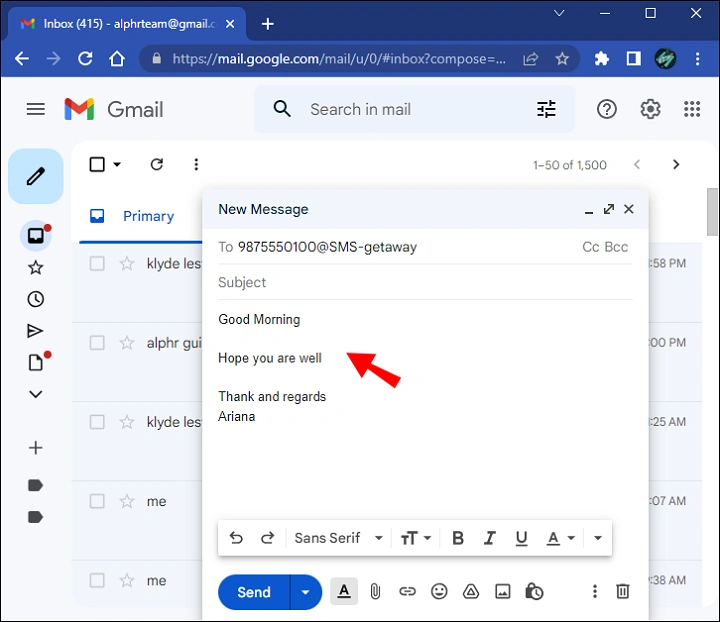
You intend to share a phone number with someone. For business education, relatives, customer service or an urgent contact they require.
You access your email. You begin writing. However you then question yourself: What is the best way to clearly email a phone number? What is the proper way to format it? What steps can I take to prevent errors? Is it necessary to add country codes? Should I dispatch it as text, a hyperlink or a file attachment?
Sending a phone number via email seems straightforward… until issues with formatting, clarity and errors, from the sender intervene.
The 2025 guide demonstrates the method to email a phone number. Neatly formatted, clear, clickable and simple to view on any device.
Why and How You Contact a Phone Number via Email Matters
A contact number must be:
- readable
- correct
- clickable
- formatted for mobile
- not mistaken for another number
- easy to save
- easy to copy
A minor error. Such as a number or incorrect formatting. Can lead to misunderstandings and lost calls. Emailing it correctly saves everyone time.
Email a Phone Number in the Simplest Way (Basic Text)

This is the most common method.
Steps:
- open your email
- click Compose
- write your message
- type the phone number plainly, for example: (555) 123-4567 or 555-123-4567
- send
This is effective for contacts and brief messages.
Suggestion: Consistently add spaces or hyphens to ensure it is easy to read.
Email a Phone Number in International Format
For people outside your country, always include country code.
Use the plus sign:
- +1 (555) 123-4567
- +44 20 7946 0000
- +61 412 345 678
Steps:
- type +country code
- space
- area code
- number
This allows the number to be used globally.
Send an Email Containing a Phone Number (tel: Link)
A phone number can be made tappable, on both devices and desktop computers.
Steps:
- type the number
- highlight it
- click Insert Link
- in link field, type: tel:+15551234567
- apply
When a person presses it their phone automatically makes a call. Great for business emails.
Email a Phone Number Using Bold Formatting for Clarity
If you wish for the number to be prominent:
Steps:
- highlight the phone number
- click Bold
- send your message
For example:
Call me at: (555) 123-4567
Ideal, for ensuring the recipient does not overlook the number.
Email a Phone Number With a Contact Name
Always include a name so the receiver can identify the owner of the number.
Example:
- Mark Wilson — (555) 123-4567
- Customer Support — +1 800-555-9000
Steps:
- type name
- type dash
- type phone number
This prevents misunderstandings when the email includes numbers.
Email a Phone Number With Extensions
If an individual must call an extension:
Examples:
- (555) 123-4567 ext. 204
- +1 555-123-4567 x204
Steps:
- write main number
- add “ext.” or “x”
- add extension
Clear and readable.
Email a Phone Number in List Format (When Sending Many Numbers)
If sending multiple contacts, list them neatly.
Example:
- John (Sales): (555) 123-7788
- Sarah (Support): (555) 123-8899
- General Office: (555) 123-9900
Steps:
- use bullet points
- assign labels
- attach roles
- arrange numbers cleanly
Makes scanning easy.
Email a Phone Number as a vCard Attachment (Professional Method)
A vCard transmits contact information, within one file.
Steps:
- open Contacts app (iPhone or Android)
- choose the contact
- tap Share Contact
- choose Mail
- send
Recipient selects file → number is saved away. Ideal for workplaces and clients.
Email a Phone Number Through Outlook Contact Share
On Outlook Desktop:
Steps:
- open Outlook
- go to People
- select the contact
- click Forward Contact
- choose As vCard
- send
Simple and clean.
Email a Phone Number From Gmail Using Google Contacts
Steps:
- open Google Contacts
- click the contact
- click Send via Email or copy/paste
- send
Works perfectly for Android-linked contacts.
Email a Phone Number With a QR Code (Advanced but Easy)
A QR code enables an individual to scan the number.
Steps:
- use a QR generator
- choose Phone Number
- enter the number
- download QR image
- attach to email
- send
Useful for business cards, events, or large groups.
How to Email a Phone Number Safely
- avoid public CC lists
- avoid sharing private numbers to groups
- remove sensitive numbers before forwarding
- double-check digits
- send only to trusted contacts
Protecting someone’s number is important.
Steps to Email a Phone Number You’ve Received from Someone (Forwarding)
Steps:
- open email
- tap Forward
- highlight the number
- place it at top of message
- include context: “Here is the phone number you requested.”
- send
This allows the number to be easily located.
How to Email a Phone Number From iPhone Contacts
Steps:
- open Contacts
- choose contact
- tap Share Contact
- choose Mail
- send
All details are wrapped up tidily. Name, phone, email.
How to Email a Phone Number From Android Contacts

Steps:
- open Contacts
- choose contact
- tap three dots
- tap Share
- choose Email
- send
Professional and organized.
Also Read: Email Dent Cassé: Meaning, Causes & Complete Troubleshooting Guide
Troubleshooting: If Someone Claims They Haven’t Gotten the Number
Possible reasons:
- email in spam
- number hidden in long text
- formatting unclear
- email sent to the ecipient
- number broken across lines
- file blocked
- missing contact file
Fix:
- send number again at top of email
- bold it
- include clickable link
- avoid long threads
A clean resend solves most issues.
Organization Tips for Sending Phone Numbers
To keep everything organized:
- always include names with numbers
- keep phone numbers in a separate line
- use consistent formatting
- avoid mixing numbers inside paragraphs
- save contacts in your phone
- double-check digits before sending
- have a template prepared if you frequently send numbers
Proper formatting prevents errors.
Quick Summary
How to email a phone number:
- basic: type the number clearly
- international: add +country code
- clickable: use tel:+15551234567
- bold: enhance its visibility
- lists: arrange digits
- vCard: dispatch, with professionalism
- contact share: iPhone/Android one-tap
- QR code: scannable option
- double-check digits
- please resend clearly if it gets missed by someone
Two lines. And the phone number is transmitted accurately.
FAQs
- How should one best send a phone number via email ?
Use plain text and include the name. Example: Sarah — (555) 123-7890.
- Am I required to add the country code ?
Yes, especially for international communication.
- What is the way to make a phone number clickable ?
Insert a link using tel:+15551234567.
- Is it possible to send emails to phone numbers simultaneously ?
Yes — use bullet points and labels.
- What is the appropriate method to convey a number professionally ?
Share the contact as a vCard.
