
Ever had this happen? You’re typing an email. Then you need to text someone. But wait – you don’t want to grab your phone. You just want to send it straight there. To their texts, you know?
So you think: Can I email a phone number?
Yes! You can do it. It’s called email-to-SMS. Or MMS for pics. It’s this cool trick most people don’t know. Here’s what you’ll learn: How to email any phone number. From Gmail. From Outlook. From any email app. How to add pics too. What format works best. And which carrier to pick. It’s fast. It’s free. And it works like magic – no downloads needed.
How Sending an Email to a Phone Number Works
Every phone company has a gateway. Think of it like a door. This door turns emails into texts.
Here’s the magic: You email [email protected]. The phone company’s server gets it. Then boom – it becomes a text. Or a picture message. And it goes right to their phone.
Your friend gets a normal text. Looks like any other message. But the sender? That’s your email address. When they text back, it goes to your inbox. Pretty neat, right?
You just need two things. Their phone number. And their carrier (like Verizon or AT&T). Once you know those? Sending an email to a phone is super easy. Just hit Send.
How to Send an Email to a Phone Number (SMS)

Want to send a plain text? Keep it under 160 letters. Use the SMS gateway.
Steps
- Open your email. Gmail, Outlook, Yahoo – any works.
- In the “To” box, type their 10-digit number. Then add their carrier’s domain.
Like this: [email protected] (that’s for Verizon).
- Write your message. Keep it short! SMS cuts off long messages.
- Click Send.
Done! In seconds, they get your text. When they reply? You get an email back.
It’s fast. It’s clean. Works on almost every phone network.
Common Carrier Domains (U.S. & Canada)
[Table remains the same as it contains essential information]
To send a text, just swap “number” with their real digits. Like for Verizon (555-123-4567), you’d email [email protected]. Easy!
Sending an Email with Attachments (MMS)
Got a pic? A video? A file? Use the MMS gateway instead.
Steps
- Start a new email.
- In “To,” use the MMS address. Like [email protected] for Verizon.
- Attach your pic or file.
- Keep it under 3MB. Carriers don’t like big files.
- Type your message. Hit Send.
They’ll get your pic as a picture text. Cool for sending photos fast. No extra apps needed.
Finding Out the Carrier
Don’t know their carrier? You gotta find out first.
Here’s how:
- Just ask them. Easiest way.
- Use a lookup tool online. Type their number. It tells you the carrier.
- Make a smart guess. Maybe you’ve texted before?
Once you know? Use the right domain from our table. Then send away!
Sending an Email to Multiple Phone Numbers
Want to text a bunch of people? You can! Type each email address. Use commas between them:
[email protected], [email protected], [email protected]
Each person gets their own text. Replies come back separate too.
But hey – don’t go crazy. Too many at once? That looks like spam. Keep groups small and friendly.
What It Looks Like for the Recipient
When they get your email-text, it shows up normal. In their text app. But the sender? That’s your email address.
Like this:
From: [email protected]
Message: “Hey, this is Alex. Meeting at 2 PM. See you!”
They hit reply? Goes to your email. You can keep talking. Email to text, text to email. Back and forth. Pretty smooth!
Sending Email-to-Phone Messages on Gmail
Using Gmail? Here’s exactly how.
Steps
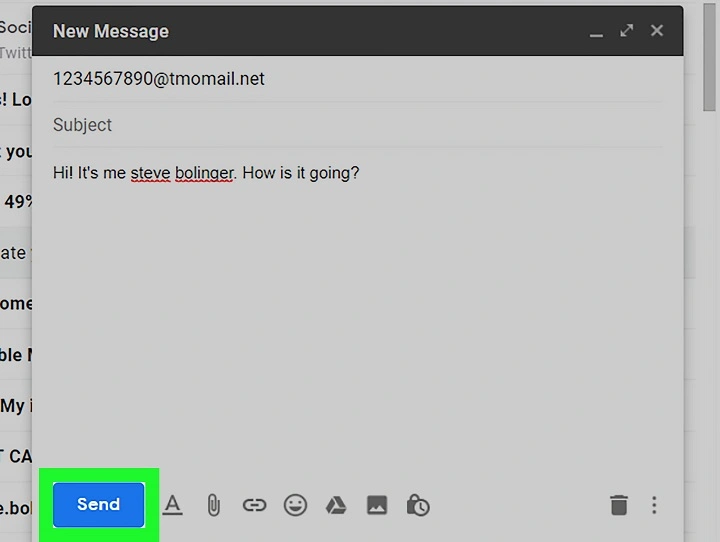
- Open Gmail on your computer.
- Click Compose.
- In To, type the number and gateway. Like [email protected].
- Write your message.
- Hit Send.
Just like normal email. But this one becomes a text. No plugins. No extras.
They text back? Shows up in Gmail. Easy peasy.
Sending Email-to-Phone Messages on Outlook

Outlook works the same. Just looks different.
Steps
- Open Outlook. Or Outlook.com.
- Click New message.
- Type the SMS gateway address. Like [email protected].
- Type message. Hit Send.
Using desktop Outlook? Your sent message saves normally. Replies come in like regular mail.
Also Read: How to Mark Gmail as Read: The 2025 Step-by-Step Guide to a Clean Inbox
Sending Internationally
Most U.S. and Canadian carriers work great. But other countries? Not so much. Some carriers in Europe or Australia don’t do this.
For those? Try Google Voice. Or Skype SMS. They handle global texts better.
Quick Troubleshooting
Message didn’t go through? Check these:
- Wrong number or domain? One typo breaks it.
- Message too long? SMS stops at 160 letters.
- Email too big? Keep files under 3 MB.
- Their phone off? Or blocking texts?
- Your work email blocking carrier domains?
Try a short test first. Just to check it works.
Automating Email-to-Text Messages
Businesses can automate this. For reminders. Alerts. Updates. Tools like Zapier help. IFTTT too. Outlook Rules work great.
Like, a school sends absence alerts. To parents’ phones. From email. Or a company texts schedule changes. All automatic!
Just remember – get permission first. Follow the rules. Keep it legal.
Best Practices for Emailing to Phones
- Keep it under 160 letters for SMS.
- Use MMS for pics or long stuff.
- Add your name. Email addresses confuse people.
- Skip emojis and fancy stuff. Plain text works best.
- Don’t text at midnight. Nobody likes that!
Be smart. Be clear. Be nice.
Quick Reference Table
[Table remains the same as it contains essential information]
Frequently Asked Questions
Q: Can you email any phone number?
Yes! If you know their carrier. And the number works.
Q: Can they reply?
Yep. Goes right to your email.
Q: Does it cost money?
Nope. But they might pay for texts. Depends on their plan.
Q: Works for other countries?
Some places. Best in U.S. and Canada.
Q: Can I send pics?
Yes! Use the MMS domain. Like @vzwpix.com.
So yeah – you can email a phone number! It’s one of those tricks that just works. At your desk? On your laptop? Using work email? You can text anyone in seconds.
It’s old-school texting meets new-school email. Perfect for quick notes. Reminders. When they’re not checking email. Next time you need to reach someone fast? Skip the phone. Just email their number.
One click. One line. Your message lands right on their phone.
