

Whether you’re a freelancer, small business owner, or corporate professional, having a business email gives you credibility and helps establish trust with clients. Instead of using a generic address like [email protected], switching to something like [email protected] boosts your brand identity and professionalism.
If you’re wondering how to get a business email, this guide will walk you through every step—from choosing a domain to setting up your inbox and choosing the right email hosting provider. Whether you’re just starting out or looking to upgrade, this covers everything you need to know in 2025.
What Is a Business Email?

A business email is an email address that uses your company’s domain instead of a free provider’s domain. For example:
- Personal email: [email protected]
- Business email: [email protected]
It gives your communication a more professional look, keeps branding consistent, and can include multiple inboxes for your organization (like info@, support@, billing@).
Why You Need a Business Email
Here’s why business emails are essential:
- Builds trust with customers and partners
- Strengthens your brand’s identity
- Helps you organize departments (sales@, hr@, etc.)
- Offers more security and admin control
- Looks professional on your website, invoices, and documents
Even if you’re a solo entrepreneur, a business email shows clients you’re serious.
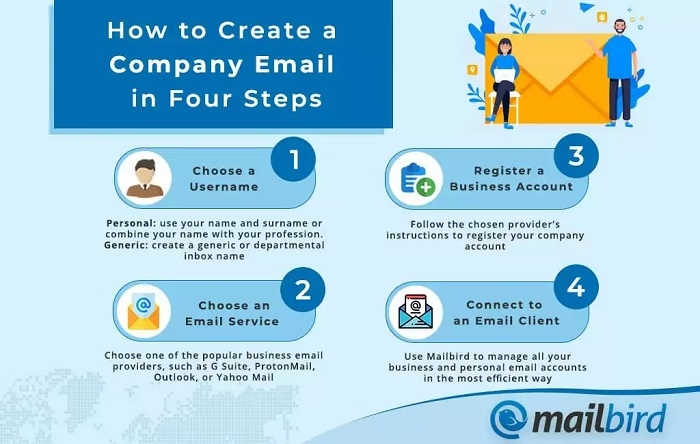
Step-by-Step: How to Get a Business Email
Register a Domain Name
Before you can set up a business email, you’ll need your own domain (like mycompany.com).
Where to register:
- GoDaddy
- Namecheap
- Google Domains
- Bluehost
- Hostinger
Choose a name that reflects your brand and is easy to remember. Most domains cost around $10 to $20 per year.
Choose an Email Hosting Provider
Next, you’ll need an email host—this is the service that will manage your emails. Some popular providers include:
| Provider | Features | Starting Price |
| Google Workspace | Gmail interface, Docs, Drive, Calendar | Around $6/user/month |
| Microsoft 365 | Outlook interface, Word, Excel, Teams | Around $6/user/month |
| Zoho Mail | Ad-free, great for startups, includes CRM options | Free & paid plans |
| ProtonMail | Secure and privacy-focused, encrypted emails | From $4/user/month |
| Bluehost Email | Free with web hosting plan | Included with hosting |
Choose a provider that matches your business needs—consider ease of use, cost, storage, and security.
Set Up Your Email Account
Once you’ve selected a provider and connected your domain, it’s time to create your email addresses.
For example:
Your provider will guide you through DNS settings to verify your domain. Most platforms offer step-by-step setup or automated processes.
Connect to Your Devices and Email Clients
Once your email is active, you can log in using:
- Webmail (like Gmail or Outlook)
- Email apps like Apple Mail, Thunderbird, or Outlook Desktop
- Mobile apps on Android or iPhone
You can use IMAP/SMTP settings (provided by your host) to connect your business email to any device.
Create Aliases and Group Addresses (Optional)
Many providers allow you to create email aliases—like forwarding hello@ to your primary inbox—or group addresses that send one email to multiple people.
This is helpful for:
- Creating team-wide addresses (like [email protected])
- Handling customer inquiries
- Organizing your inbox efficiently
Things to Consider When Getting a Business Email
Number of Users
Decide how many accounts you need. Many services charge per user.
Storage Capacity
Basic plans offer 10GB to 30GB; advanced plans may include unlimited storage.
Integration
If you use tools like Google Docs or Microsoft Excel, choosing a compatible email platform (Workspace or 365) can make things seamless.
Security Features
Look for spam protection, 2FA, encryption, and admin control panels.
Migration Support
If you’re switching from an old address, ensure the new provider helps you migrate old emails and contacts.
Can You Get a Free Business Email?
Yes, but with limitations. Some web hosting services offer free business email when you buy hosting:
- Bluehost
- Hostinger
- DreamHost
- SiteGround
These may offer one or two email addresses for free, but they might lack advanced tools and storage. They’re fine for simple use but not ideal for growing teams.
Using Gmail With a Business Email (Custom Domain)
If you prefer the Gmail interface but want a business email, use Google Workspace.
Steps:
- Sign up at workspace.google.com
- Verify your domain (from your registrar)
- Set up email addresses (e.g., [email protected])
- Access email via Gmail, but with your domain
You’ll still get access to Google Docs, Calendar, Meet, and cloud storage—perfect for teams.
Using Outlook With a Business Email
If you prefer Microsoft’s ecosystem, choose Microsoft 365 for Business.
Steps:
- Sign up at microsoft.com/microsoft-365
- Verify your domain
- Set up user accounts
- Access your business email via Outlook or Office 365
This is ideal for companies using Word, Excel, and Teams regularly.
How to Manage Your Business Email Long-Term
- Keep passwords strong and change them regularly
- Use multi-factor authentication (MFA)
- Train staff on phishing and email etiquette
- Monitor inbox storage and security logs
- Add SPF, DKIM, and DMARC records for email authentication
Managing email correctly improves deliverability, prevents spoofing, and protects sensitive business data.
Frequently Asked Questions
How much does a business email cost?
Prices start around $4 to $6 per user/month with Google Workspace or Microsoft 365. Some hosts offer it free with web hosting.
Can I use Gmail for my business email?
Yes, through Google Workspace. You can use Gmail with a custom domain like [email protected].
Do I need a website to get a business email?
No, but you do need a domain name. You can have a business email without launching a full website.
Can I get a free business email?
Some web hosts offer limited free email accounts with domain hosting, but most full-featured services are paid.
What’s the most professional email format?
Use your name or a role-based email:
