

Mobile photography has become an essential part of our daily lives. With smartphones evolving to offer powerful cameras and advanced features, almost everyone now has the tools to capture stunning photos in their pocket. Whether it’s taking selfies, documenting beautiful landscapes, or capturing moments with friends, mobile photography has made it easier than ever to preserve memories. However, as simple as it may seem, many people still struggle with common mistakes that affect the quality of their photos. The good news is that most of these issues can be easily fixed with a few adjustments and practical tips. In this article, we will explore the most frequent mistakes in mobile photography and provide solutions to help you improve your shots effortlessly.
Poor Lighting Conditions
Lighting is the most critical factor in photography, yet it is often overlooked. Poor lighting can lead to dark, grainy, or overexposed images, making them look far from professional.
Ignoring Natural Light and Overusing Flash
Natural light is your best friend in mobile photography, especially during the golden hours – early morning and late afternoon – when the light is soft and warm. Unfortunately, many people ignore natural light and rely on their phone’s flash, which often results in harsh, unflattering shadows. For example, when taking portraits, stand near a window or face the sunlight instead of using the flash. Outdoors, avoid midday sun as it casts strong shadows on the subject’s face. If you absolutely need to shoot in low light, consider using ambient lighting like street lamps, candles, or even a desk lamp for a more natural glow. Flash should be a last resort.
Not Adjusting Exposure for Better Brightness
Even with good lighting, your photos may sometimes appear too bright or too dark. Most smartphone cameras allow you to adjust the exposure manually. For instance, tapping on the subject on your screen will focus and automatically adjust the brightness, but you can also slide up or down to make the photo lighter or darker. A great tip is to experiment with exposure when shooting in challenging light conditions, such as sunsets or indoor events. If the subject is backlit, adjust the exposure so their face isn’t lost in shadow. Small tweaks can dramatically improve the overall photo quality.
Shaky Hands and Blurry Shots
Blurry shots caused by shaky hands are one of the most common problems in mobile photography, especially in low-light conditions where the camera needs more time to capture the image.
Avoiding Blurs with Proper Grip and Stability
The simplest way to reduce blur is to hold your phone with both hands and keep your elbows close to your body for added stability. If you’re taking a photo from an awkward angle, consider resting your phone on a stable surface like a table or leaning against a wall. Another trick is to use the phone’s volume button as a shutter release instead of tapping the screen. This reduces movement and makes it easier to take sharp shots. Some smartphones also allow voice commands like “smile” or “shoot,” which let you take photos hands-free.
Using Tripods and Camera Features for Support
For those who want an even steadier shot, small portable tripods are a game-changer. They’re perfect for group photos, time-lapse photography, or shooting in low light without risking blur. If you don’t have a tripod, try propping your phone against everyday objects like books or water bottles. Additionally, explore your phone’s camera settings for features like “stabilization mode” or “night mode,” which help reduce blur. With these tools, even nighttime shots can look sharp and professional.
Bad Composition and Framing
Composition is what separates an average photo from a great one. Poor framing, cluttered backgrounds, and ignoring basic photography principles often lead to disappointing results.
Overlooking the Rule of Thirds and Symmetry
The rule of thirds is a simple yet effective technique for better composition. Most smartphones have a grid feature that divides the screen into nine equal parts. Place your subject at the intersections of the grid lines rather than the center for a more visually appealing shot. Symmetry can also add balance to your photos. For instance, if you’re shooting a reflection in water, make sure the horizon line is straight. Simple adjustments like these can turn an ordinary photo into something eye-catching.
Cluttered Backgrounds and Poor Subject Focus
Many people forget to check the background when taking photos, resulting in distracting elements that take away from the subject. Before pressing the shutter, scan the frame for unnecessary items like trash bins, poles, or other people. Moving a step to the left or right can often eliminate distractions. To ensure your subject stands out, tap the screen to focus on them and blur the background if your phone supports portrait mode. For example, when photographing a friend at a café, make sure the background elements don’t overpower them. A clean, focused composition makes the photo more impactful.
Neglecting Camera Settings and Editing Tools
Modern smartphones offer numerous settings and editing tools, but many users stick to auto mode and basic filters, missing out on opportunities to enhance their photos.
Failing to Utilize Manual Settings for Control
Manual camera settings like ISO, shutter speed, and white balance allow you to have more control over the final photo. For instance, lowering the ISO in bright conditions reduces grain, while increasing it in low light helps brighten the shot. Adjusting white balance ensures the colors look natural, especially under artificial lighting. Start by experimenting with these settings in different environments. Over time, you’ll develop a better understanding of how to tweak them for the perfect shot.
Overediting Photos and Losing Natural Look
Editing tools are fantastic for enhancing photos, but overediting can make images look unnatural. Common mistakes include cranking up saturation, sharpening too much, or using filters that distort skin tones. Instead, focus on subtle adjustments like cropping, improving brightness, or tweaking contrast. For instance, when editing a sunset photo, enhance the colors just enough to make them pop without making the sky look artificial. Apps like Snapseed or Lightroom offer professional-level tools to achieve natural, polished results.
Conclusion
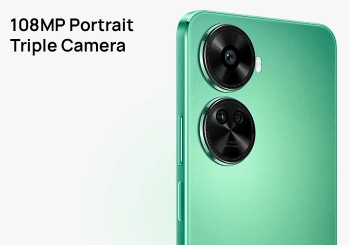
Improving your mobile photography doesn’t require expensive equipment or professional skills. By avoiding these common mistakes – like poor lighting, shaky hands, and bad composition – you can significantly enhance the quality of your photos. Remember to utilize natural light, keep a steady grip, follow basic composition rules, and make thoughtful edits to achieve stunning results. If you’re passionate about capturing clear and beautiful selfies, consider trying a phone with advanced camera features, like the HUAWEI nova 12 SE’s 32MP High-Res Front Camera. It delivers exceptional clarity and detail, ensuring your photos always look their best. With the right tips and tools, mobile photography can be both fun and rewarding!
