
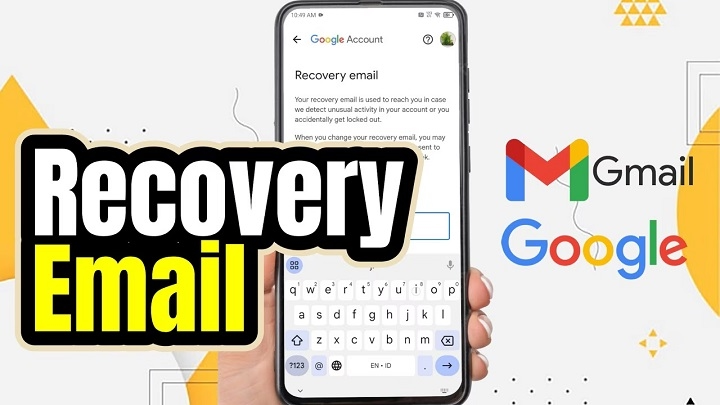
Your email holds way more than just messages. Think about it – you’ve got chats with friends, work stuff, receipts, alerts, and keys to other online accounts. Email is like the center of your online life. So when you can’t get in? Big problem. That’s where a recovery email comes in. Most people add one when they sign up and then… forget about it. Others skip it completely. They don’t realize how much they’ll need it. But when things go wrong, that missing recovery email? You’ll wish you had one.
Let me show you what a recovery email is. How it works. Why do you really need one in 2026? And how to set it up right so it actually helps when stuff goes wrong.
What Is a Recovery Email?
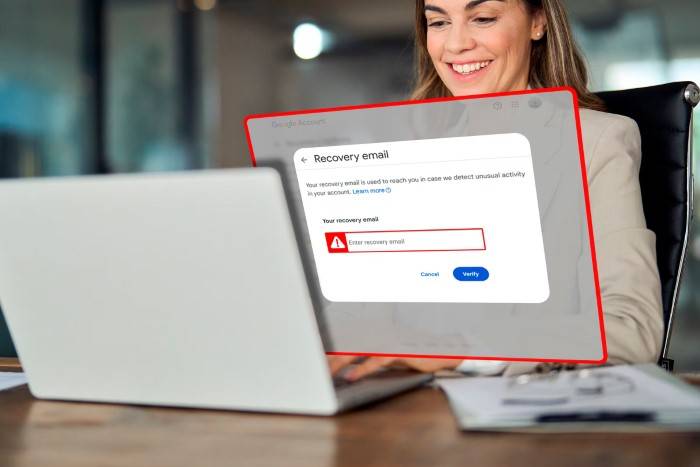
A recovery email is just a second email address. You link it to your main email. Why? To help you get back in if you forget your password. Or get locked out. Or see weird activity. Your recovery email doesn’t replace your main one. Think of it like a backup door. When the front door is locked, you can still get in through the back. The email service can reach you there when your main inbox is blocked. This backup plan? It’s often what saves you from losing your account forever.
Why Recovery Emails Exist
Email companies know people forget passwords. Accounts get hacked too. Recovery emails exist so you don’t lose access forever. Without one, how can they know it’s really you? They can’t. But with a recovery email, they have a safe place to send codes. Reset links. Security warnings. These days, recovery emails aren’t optional. They’re basic protection.
How a Recovery Email Works
When you add a recovery email, your provider saves it. They link it to your account. It sits there, waiting. Only used for security stuff. Need to reset your password? They’ll send a message to your recovery email. Usually a code or a link. Click it, and you’re back in control. Simple as that.
Situations Where a Recovery Email Is Used
You won’t use your recovery email every day. That’s why people forget about them. But when do you need one? Super important.
Common times include lockouts. Password resets. Security alerts.
Here’s when you’ll need it:
- You forget your password
- Too many wrong login tries lock you out
- Someone’s trying to hack in
- Your account gets hacked
- You change security settings
Each time, the recovery email proves you’re the real owner.
Recovery Email vs Backup Email

People use both terms – “recovery email” and “backup email.” They mean the same thing. Both are second email addresses for getting back in. Some companies say one, some say the other. Doesn’t matter. What matters is you can access this email even when your main one is locked. Get this straight and setup is easier.
What Makes a Good Recovery Email
Not all recovery emails work well. Pick wrong and you create new problems. A good one should be stable. Secure. Easy to access anytime. Think long-term here, not just what’s easy now.
Your recovery email should be:
- An account you check often
- Protected with a strong password
- Has two-factor turned on (which means extra security)
- Not linked to your main email
- Won’t get deleted or forgotten
These things make sure it works when you need it.
What Not to Use as a Recovery Email
Some choices seem good but cause problems later. Wrong recovery email? You might lock yourself out instead.
Don’t use emails that are temporary. Or shared. Or controlled by someone else.
Bad choices include:
- Work or school emails
- Old service emails that might die
- Family shared inboxes
- Old accounts you ignore
- The same email you’re trying to recover
Choose smart. Avoid future pain.
Why Recovery Emails Are Critical in 2026
It’s 2026 now. Online threats are worse than ever. Phishing attacks. Data breaches. Password leaks. Even careful people get hit. Email providers rely on recovery emails big time. They’re part of the whole security system. Without one? Recovery is slow. Maybe impossible. Recovery emails aren’t just nice to have anymore. You need them.
Recovery Email vs Phone Number Recovery
Many accounts let you use both. Recovery emails and phone numbers. Each has good and bad points. Emails are often better than phones. Especially when you change devices. Or numbers expire. Phone numbers get reassigned. Lost. Disconnected. Email addresses? They stay around longer. Better for long-term recovery. Use both together? That’s the strongest protection.
How to Set Up a Recovery Email
Setting up takes just a few minutes. Most providers ask during signup. But you can add one later too.
First, make sure your recovery email works and is secure.
General Setup Process
Steps change a bit by provider. But it’s usually like this:
To add or update:
- Open your account security settings
- Find recovery or backup options
- Type in the recovery email
- Confirm through a verification message
- Save changes
Once verified, it’s active.
How Often You Should Review Your Recovery Email
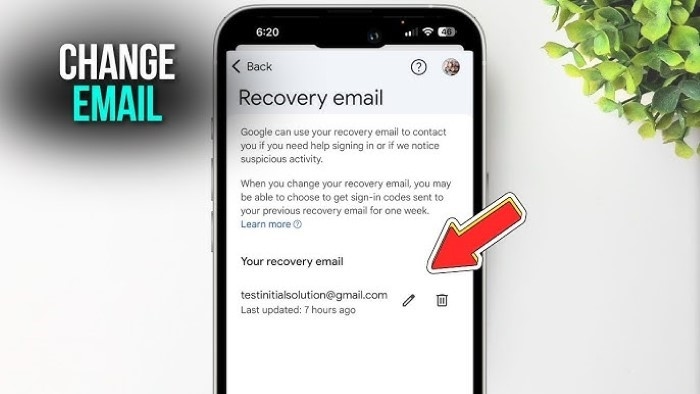
Don’t set it and forget it. Life changes. Email use changes. Check your recovery email now and then. Make sure it still works.
Good times to check:
- When you change your main password
- When you switch email providers
- When you lose an old inbox
- When you update security stuff
Regular checks prevent surprises.
Can a Recovery Email Be Compromised?
Yes. That’s why both accounts need security. If someone gets your recovery email? They might reset your main account. So protect the recovery email too. Strong passwords. Two-factor authentication (which means double security). Don’t stop at just the main account.
Privacy and Safety Considerations
Recovery emails only get security messages. Not marketing. Not regular stuff. But they still get sensitive info like reset links. Never share your recovery email access. Treat it like your main email.
Protect both. Keep full control.
What Happens If You Don’t Have a Recovery Email
No recovery email? Getting back in is super hard. Providers might ask for ID proof. Old passwords. Activity history. Even then? Not guaranteed.
Many people lose accounts forever. Just because they skipped this one step.
Common Myths About Recovery Emails
People get confused about recovery emails. Let’s clear things up.
Wrong ideas include:
- Recovery emails are optional
- They’re only for hacked accounts
- Providers can always help without them
- They hurt privacy
The truth is? Recovery emails boost security and control.
Recovery Emails for Work and Personal Accounts
Keep work and personal life separate. Using work email for personal recovery? Bad idea if you change jobs. The same goes the other way. Personal emails shouldn’t recover business accounts unless approved. Clear boundaries prevent problems.
Best Practices for Managing Recovery Emails
Good management means less stress during problems. Keep it simple. Stay consistent.
Best practices:
- Use a dedicated, secure recovery inbox
- Turn on two-factor authentication
- Update details yearly
- Skip shared or temporary emails
- Test recovery sometimes
These habits make your setup stronger.
Is a Recovery Email Still Necessary With Modern Security?
Yes! Even with password managers. Biometrics. Two-factor authentication. Recovery emails still matter. They’re your backup when everything else fails. In layered security? Recovery emails are often the last defense.
Quick Summary
A recovery email is a second email address. It helps you get back into your main account. During lockouts. Password resets. Security issues. It’s a trusted channel when your main inbox is blocked. In 2026, recovery emails are crucial for security. Pick the right one. Keep it updated. Prevent permanent account loss.
FAQs
What is a recovery email used for?
It is used to reset passwords, verify identity, and regain access to an email account.
Can I use the same email as my recovery email?
No. The recovery email must be a different account you can access independently.
Is a recovery email better than a phone number?
Recovery emails are often more stable and reliable than phone numbers, especially long term.
How often should I update my recovery email?
You should review it at least once a year or after major life or account changes.
Can someone hack my account through my recovery email?
Yes, if the recovery email is compromised. That is why it must be secured properly.
