
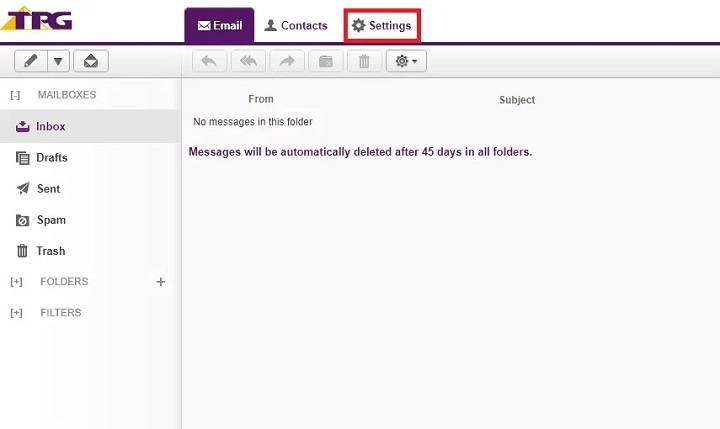
TPG Mail is a popular email service provided by TPG Telecom, one of Australia’s leading internet and telecom providers. Whether you’re a new user or someone looking to better understand TPG Mail features, setup, and troubleshooting, this guide covers it all.
What is TPG Mail?
TPG Mail is an email service offered to TPG internet customers. It provides users with an @tpg.com.au email address, enabling them to send and receive emails using TPG’s secure servers.
Key Features of TPG Mail
- Free with TPG Internet Plans: Email accounts are included at no extra cost.
- Accessible via Webmail: Conveniently check emails from any browser.
- Supports POP & IMAP: Flexible email retrieval methods.
- Spam & Virus Filtering: Protects against unwanted emails and threats.
- Multiple Mailboxes: Ability to create additional mailboxes for family or business use.
How to Set Up TPG Mail
Webmail Access
- Visit TPG Webmail.
- Log in using your TPG username and password.
Email Client Setup (Outlook, Thunderbird, Apple Mail, etc.)
Incoming Mail Server Settings (Choose POP or IMAP):
- POP Server: mail.tpg.com.au, Port 110
- IMAP Server: mail.tpg.com.au, Port 143
- Security: None or SSL (optional)
Outgoing Mail Server (SMTP):
- SMTP Server: mail.tpg.com.au
- Port: 25 or 587
- Requires Authentication: Yes (same as incoming username/password)
Mobile Device Setup
- Open your phone’s email app.
- Enter the same POP/IMAP and SMTP details as above.
Common TPG Mail Issues & Solutions
| Issue | Solution |
| Can’t send or receive emails | Double-check server settings and ports. Ensure authentication is enabled. |
| Password errors | Reset password via the TPG account portal. |
| Full mailbox | Delete old emails or increase storage quota if possible. |
| Spam filtering too aggressive | Adjust spam settings in TPG Webmail settings. |
Benefits of Using TPG Mail
- No Additional Costs: Included in internet plans.
- Reliable Service: Backed by TPG Telecom infrastructure.
- Flexible Access: Use webmail, email clients, or mobile apps.
- Security Features: Protects against common threats.
FAQs About TPG Mail
Can I use TPG Mail without a TPG internet plan?
No, TPG Mail is available only to TPG customers.
How much storage is included with TPG Mail?
Storage limits vary by plan. You can check storage usage via Webmail.
Is TPG Mail compatible with third-party email apps?
Yes, it supports popular apps like Outlook, Thunderbird, and Apple Mail.
How do I reset my TPG Mail password?
Log in to your TPG Account Portal and navigate to Email Management to reset your password.
Does TPG Mail support IMAP?
Yes, it supports both IMAP and POP protocols.
TPG Mail offers a secure, flexible email solution bundled with TPG internet services. With easy setup options and strong security features, it’s a reliable choice for personal and business communication needs.
