
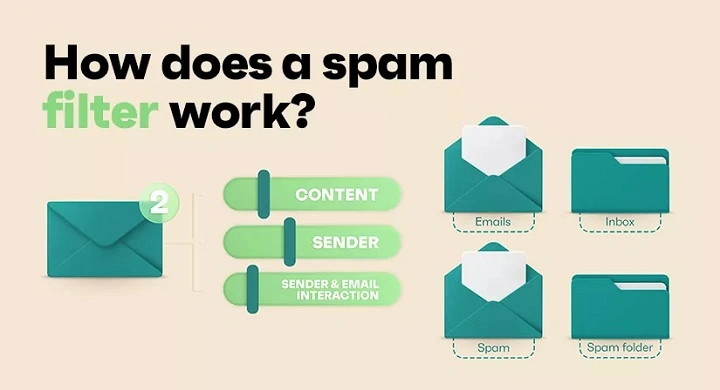
Spam emails can clutter your inbox, waste your time, and sometimes pose security risks. Understanding how to spot a spam email sender and take action can help you keep your email experience clean and safe.
What is a Spam Email Sender?
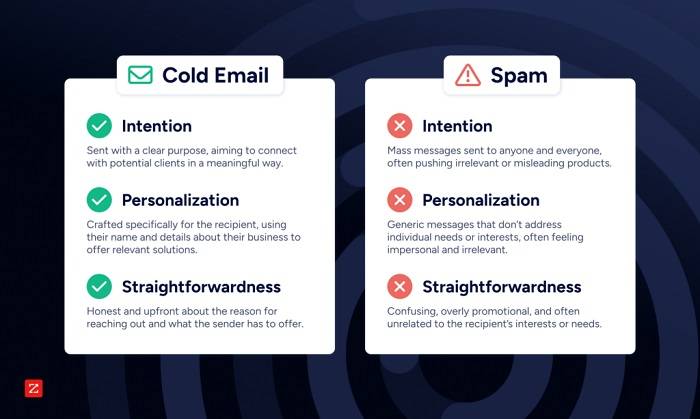
A spam email sender is someone (or a bot) who sends unsolicited emails, often in bulk, with irrelevant or malicious content. These messages typically try to sell products, spread malware, or phish for personal information.
Common Traits of Spam Senders
- Generic Email Addresses: Often long and filled with random numbers or unfamiliar domains
- Suspicious Subject Lines: Promises like “You’ve won!” or “Urgent: Verify your account”
- Poor Grammar and Spelling
- Unfamiliar Senders or Companies
- Malicious Links or Attachments
How to Identify a Spam Email Sender
- Check the Email Address: Hover over or tap the sender’s name to view the full address
- Look for Typos and Generic Greetings: Spam often starts with “Dear User” or “Hello Customer”
- Be Wary of Urgency or Threats: Scammers often try to pressure you into quick action
- Check the Domain: Legitimate companies usually have professional domain names (e.g., @paypal.com vs @paypal123.biz)
How to Block a Spam Email Sender
| Platform | How to Block Sender |
| Gmail | Open the email → Click the three dots (⋮) → Select Block [Sender] |
| Outlook | Open email → Click Junk → Select Block Sender |
| Yahoo Mail | Open email → Click the three dots (⋮) → Click Block Sender |
How to Report Spam
- Use your email provider’s “Report Spam” or “Report Phishing” button
- Forward phishing emails to [email protected] or your IT department
How to Reduce Spam Overall
- Use Spam Filters: Enable filters in your email settings
- Avoid Posting Your Email Publicly: Spambots crawl forums and websites
- Don’t Respond or Click Links: Interaction can confirm your email is active
- Unsubscribe Safely: Use unsubscribe links only from trusted sources
FAQs About Spam Email Senders
Can I trace a spam email sender?
It’s difficult. Most spammers use fake or spoofed addresses.
Is it safe to open spam emails?
Opening is generally safe, but don’t click links or download attachments.
Why do I still get spam even with filters?
No filter is perfect. Spammers constantly change tactics to bypass filters.
Should I report spam to the authorities?
Yes, especially if it involves scams or threats. Use your country’s cybercrime reporting platform.
What’s the difference between spam and phishing?
Spam is unwanted content; phishing aims to steal your information.
Dealing with a spam email sender can be frustrating, but knowing how to spot and block them keeps your inbox safer. Take advantage of built-in email protections, stay alert, and report suspicious messages to help fight email abuse.
