
Ever hit send and watch your email just… sit there? You know that stuck feeling when it says “Queued” and won’t budge? Super annoying, right? You start to wonder – did it send? Can they see it? Is my email broken?
Here’s the thing – queued emails happen to everyone. Gmail does it. Outlook does it. Your phone’s email app does it too. Most times, it’s no big deal. But yeah, your message hasn’t gone out yet.
Let me walk you through why emails get stuck. I’ll show you what “queued” really means. And we’ll fix it step by step – without losing your message.
What Does “Email Queued” Mean?
So your email is queued. What’s that mean? Your app got the message ready but can’t send it right now. Think of it like a line at the store. Your email is waiting its turn.
The person you’re emailing? They can’t see it yet. Nothing’s sent. Your message is just paused – waiting for the green light to go.
Good news though. Most queued emails send on their own once things get sorted out.
Where Queued Emails Usually Appear
Queued emails hide in different spots. Depends on what email you use. But the basic idea? Same everywhere.
You’ll find them in places like:
- the Outbox folder
- a “Sending” or “Pending” spot
- a tiny label next to your message
If it stays queued too long? Something’s blocking it from going out.
The Most Common Reason: Internet Connection Problems
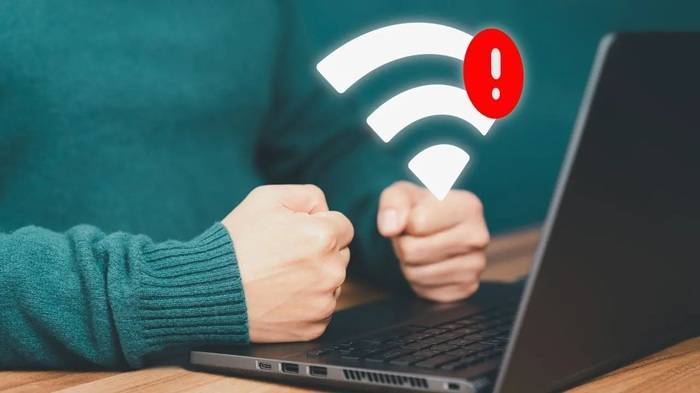
Bad internet is the top reason emails get stuck. Your email app needs a good internet to talk to mail servers.
Your phone might show bars, but the signal could still be weak. Ever notice this on shaky Wi-Fi? Or when your phone jumps between data and Wi-Fi?
How Connectivity Affects Email Sending
Email apps are pretty smart. They queue messages when the internet’s bad instead of losing them. This keeps your email safe until things get better.
This happens when you:
- switch from Wi-Fi to phone data
- use coffee shop Wi-Fi (which can be weird)
- forget airplane mode is on
- have a random internet hiccup
Once your connection gets steady? Boom – emails usually send themselves.
Large Attachments Can Cause Emails to Queue
Big files make emails huge. And huge emails take forever to upload. If they can’t finish uploading? Your email stays queued.
Photos, videos, PDFs – these are the usual suspects.
Why Attachment Size Matters
Email companies set size limits. Even when your file fits, slow internet makes uploads crawl. Phones really struggle with this.
Pro tip? Use cloud links for big files. Way easier than attaching them directly.
Outbox Errors and Stuck Sending Processes
Sometimes the app itself gets confused. Maybe it glitched. Maybe something in the background broke. Your email just sits in the Outbox looking normal – but it’s stuck.
Quick fix? Restart the app. Or restart your whole device. Usually works like magic.
Authentication or Login Problems
Email apps need the right password to send stuff. Changed your password lately? Had to verify your account? Your app might let you write emails but block sending them.
This sneaks up on people after password updates or security changes.
Signs of Authentication Issues
How do you know it’s a login problem? Watch for slow syncing. Login prompts that keep popping up. Warning messages from your email company.
The fix? Sign out and sign back in. Simple as that.
Email Server or Provider Issues
Sometimes it’s not even your fault. Email servers crash. They get overloaded. They need maintenance. When that happens, your messages queue up.
Not much you can do here. Just wait a bit. Servers usually come back pretty quick.
Send Limits and Rate Restrictions
Email companies don’t like spam. So they limit how many emails you can send. Hit that limit? Your messages start queuing.
This hits business accounts hard. Or if you’re sending lots of newsletters.
What Happens When You Hit a Limit
When you max out, the app queues messages instead of rejecting them. Once the limit resets (usually daily), your queued emails might send themselves.
Want to avoid this? Space out your emails. Don’t blast them all at once.
Email App Settings That Cause Queuing
Some settings delay emails on purpose. People turn these on and forget about them. Like delay send. Or offline mode. Or manual send settings.
Common Settings That Delay Emails
Check if you have these turned on:
- “Send only on Wi-Fi”
- scheduled send options
- offline mode
- background data turned off
Quick peek at your settings might solve everything.
Why Emails Queue on Mobile Devices More Often
Phones love saving battery. They limit what apps can do in the background. Which means? Your email app might not send messages right away.
Both Android and iPhone do this. It’s super common.
Battery Optimization Effects
Got a battery saver on? Your email might wait until you open the app. Phones think they’re helping by saving power.
You can turn off battery limits for your email app. Helps a ton.
Queued Emails in Outlook Explained
Outlook users see this a lot. Especially on computers.
Outlook queues emails when it’s offline. Or when the Outbox gets jammed. Sometimes add-ins mess things up too.
Common Outlook-Specific Causes
In Outlook, check for:
- Work Offline mode
- broken add-ins
- old Outlook versions
- profile sync problems
Look at Outlook’s bottom bar. It usually tells you what’s wrong.
Queued Emails in Gmail Explained
Gmail mostly queues emails for two reasons. Bad internet or huge attachments. The mobile app is built to queue messages safely until things improve.
This actually helps – prevents lost emails.
Open Gmail and pull down to refresh. Often kicks queued messages into gear.
How to Fix a Queued Email Step by Step
Got a queued email? Don’t panic. Most fixes take seconds. First, ask yourself – do I still need to send this? Or can I just resend it fresh?
Quick Troubleshooting Steps
Try these in order:
- Check your internet
- Turn airplane mode off
- Close and reopen your email app
- Open the stuck email again
- Remove big attachments
- Sign out and sign back in
- Restart your phone or computer
One of these usually does the trick.
When You Should Cancel and Resend the Email
Email still stuck after trying everything? Time to cancel and resend. This gives you a fresh start. Before resending, double-check your attachments. And make sure the email address is right.
Will the Recipient Know My Email Was Queued?
Nope! They have no clue. To them, your email either shows up or it doesn’t. All that queuing stuff? That’s just on your end.
Can Queued Emails Be Lost?
Usually they’re safe as long as you can see them in your app. But careful – deleting the app or clearing data might wipe them out.
Got an important queued email? Copy the text somewhere safe. Just in case.
Preventing Emails From Queuing in the Future
Want fewer queued emails? It’s mostly about good habits and stable settings. Keep your apps updated. Be smart about attachments. Pretty simple stuff.
Best Practices to Avoid Queued Emails
Here’s what works:
- Send big files through cloud links
- Keep your apps updated
- Avoid sketchy Wi-Fi
- Don’t go crazy with battery saving
- Check your Outbox after sending important stuff
Do these things? Way fewer problems.
Why Queued Emails Are Not Always a Bad Thing
Okay, queued emails are annoying. But they’re actually protecting you. Instead of sending a broken message, your app waits for better conditions.
Think about it – would you rather lose the email completely? Or have it queue and send later?
Queuing keeps your messages safe.
Is Email Queuing Still Common in 2026?
Yep, it still happens. Even with faster internet and smarter apps. Why? Because nothing’s perfect all the time.
We use phones everywhere. Security checks slow things down. Servers need protection. All this means occasional delays.
Quick Summary
When your email is queued, it means the message is waiting to be sent due to connectivity, settings, attachments, or system limitations. The email has not been delivered yet, but it is usually safe and recoverable.
Most queued emails are sent automatically once the underlying issue is resolved. With simple troubleshooting and good habits, queuing can be minimized.
FAQs
Why does my email say queued but not sent?
This usually happens due to internet issues, large attachments, or app settings that delay sending.
Will queued emails be sent automatically?
Yes. Most queued emails are sent automatically once conditions improve.
How long can an email stay queued?
It can remain queued indefinitely until the issue is fixed or the message is canceled.
Can I lose a queued email?
Only if the app is removed or data is cleared. Otherwise, queued emails are usually safe.
Should I resend a queued email?
If it stays queued for a long time, canceling and resending often fixes the problem.
Meta Description
Why is my email queued? Learn what queued emails mean, common causes, fixes, and how to prevent sending delays in 2026 across Gmail and Outlook.
