
Texting an email address doesn’t work like tapping send in a chat app. Email moves freely across systems by design. SMS lives inside carrier-controlled networks. Connecting the two means understanding layers beneath the apps — parts people rarely notice. Tools exist, but what matters is how they link pieces behind the scenes.
Carrier Email-to-SMS Gateways
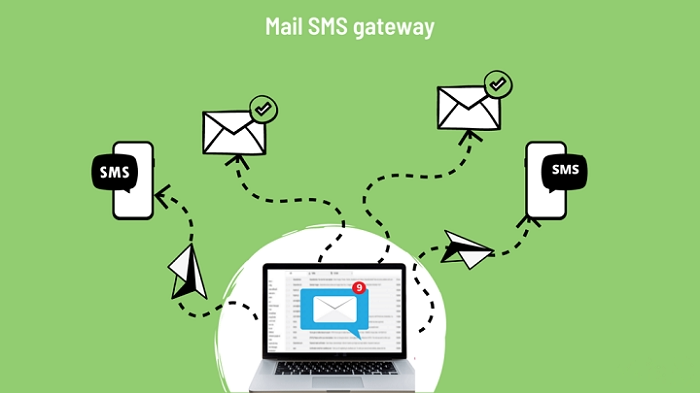
One way to send messages uses email systems tied to phone networks. Most big American carriers run setups that convert texts into emails automatically. The technology has existed for decades inside communication infrastructure.
Getting started needs two things:
- A mobile number
- The carrier used by that number
If either part is missing, nothing arrives.
Example:
Emailing [email protected] sends a message to a Verizon user.
Each carrier has its own format.
| Carrier | Email Gateway |
| Verizon | [email protected] |
| T-Mobile | [email protected] |
| AT&T | [email protected] |
These formats are listed in official filings with the FCC.
Delivery Limits and Filters
Knowing the format does not guarantee success. Messages may arrive late or not appear at all. Some networks block gateway traffic to reduce junk mail. Many systems limit how many messages can pass through.
| Sending Pattern | Result |
| Many messages quickly | Often blocked |
| Five messages per hour | Sometimes accepted |
| Messages spaced apart | More likely delivered |
Sending messages about every ten minutes often works better.
Phone Number Formatting Problems
Formatting errors stop delivery. The gateway expects exactly ten digits.
| Number Format | Result |
| 1234567890 | Works |
| +11234567890 | Rejected |
| (123)456-7890 | Rejected |
| 123-456-7890 | Rejected |
Saved contacts often include +1 automatically. That single extra digit prevents delivery.
External Tools That Forward SMS

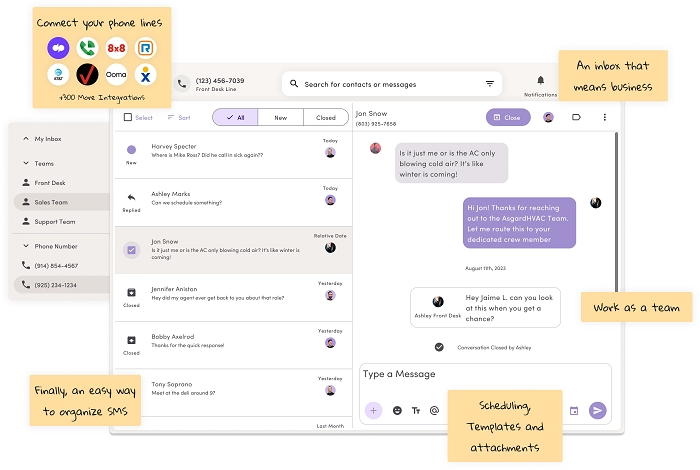
Some services promise email alerts from texts. These setups often use real phones stored in server rooms. SIM cards receive SMS messages, then software forwards copies through automated code. The system works, but delays appear. It also depends on equipment managed by someone else. When rules change or systems fail, the connection disappears. One service lost its free plan overnight in 2021 after wireless partners changed policies.
Using Messaging Apps Instead
Some phone systems offer indirect ways to access texts. With Google Messages, Android users can connect their phone to a browser. Messages appear online and can be copied into email manually. Apple devices handle messages through iMessage, syncing them across devices using the same iCloud account. This works smoothly when everyone uses an iPhone. These approaches follow official channels rather than hidden tricks.
Privacy and Legal Questions
Responsibility matters when messages move between systems. Sending private texts to email may count as handling protected information depending on location. Automated transfers that include names or personal details may fall under rules like GDPR. Personal use usually stays within acceptable limits, but repeated automated transfers may cross boundaries.
Device Compatibility Issues
Not every device sends traditional SMS signals. Tablets or Wi-Fi devices often send messages through services such as iMessage or RCS. These appear as normal texts but travel as internet data instead of GSM signals. Older gateways expect real SMS signals. Without that format, conversion to email fails.
Automation Tools and Their Limits
Automation tools promise smooth transfers to email.
Examples include:
- IFTTT
- Zapier
These apps depend on deep access to phone systems. Modern devices limit background activity through power management settings.
Because of this:
- tasks pause unexpectedly
- messages arrive late
- delivery becomes inconsistent
Testing shows delays from minutes to days.
Methods That Sometimes Help
Several approaches improve results.
- Use carrier gateways when the carrier is known
- Always enter exactly ten digits
- Send messages late at night or early morning
- Test systems occasionally with trial messages
- Combine manual checks with automated tools
No single method works perfectly.
Why Email and SMS Don’t Connect Easily
Email developed as an open system. Anyone could build tools that connect to it. Messaging networks took another path, controlled by carriers and private platforms. Bridging those worlds exposes divisions built into everyday tools. Linking them easily would weaken business models used by telecom companies and messaging platforms.
FAQs
Can you text an email address ?
Yes, through carrier SMS gateways.
Why do some messages never arrive ?
Filters, limits, or formatting errors block them.
Do all carriers support email-to-SMS gateways ?
Most major carriers do.
Can automation tools send texts to email ?
Yes, but delays often occur.
Why do Wi-Fi devices sometimes fail ?
They send internet messages instead of SMS signals.
Sending texts to email addresses depends on hidden systems working together. Carrier gateways, device formats, automation tools, and filtering rules all influence whether messages arrive. Each method solves one problem while introducing another. Because the systems were built separately, no universal solution exists. Reliability often comes down to careful formatting, testing, and patience.
