
It happens to everyone. You created an email years ago. You set up a new phone. You log into a computer you haven’t used in forever. You join an app that asks for an email you barely remember.
And suddenly you’re wondering:
What is my email address? Where do I check it? How do I find the one I’m signed into? Where does my phone store it? Which email is linked to my account?
The good news: finding your email address is simple — if you know where to look.
This 2025 guide walks you through every method on iPhone, Android, Gmail, Outlook, Yahoo, school emails, and device settings. Clear, fast and step-by-step guide.
Why You Might Need to Find Your Email Address
People search for their email when:
- setting up a new phone
- logging into apps
- recovering forgotten accounts
- checking which email is linked to social media
- helping someone reset a password
- accessing school or work portals
- reconnecting with an old account
- updating billing information
Your email is your digital identity — and knowing it matters.
Find Your Email Address in Gmail (Desktop)
Steps:
- open Gmail.com
- sign in if needed
- look at the top-right corner
- click your profile picture or initial
- your email address appears under your name
Find Your Email Address in Gmail App (iPhone & Android)
Steps:
- open Gmail app
- tap your profile picture at the top right
- your Gmail address appears instantly
- if logged into multiple accounts, they show in a list
Gmail stores all your added accounts here.
Find Your Email Address in Outlook (Desktop)
Steps:
- open Outlook
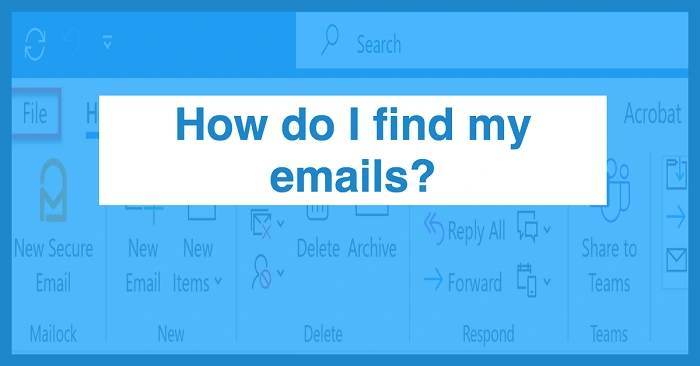
- click File (top left)
- look under Account Information
- your email address appears under your name
Find Your Email Address in Outlook App (iPhone & Android)
Steps:
- open Outlook app
- tap your profile icon (top left)
- tap the gear icon
- tap the email account
- your email address shows at the top
Find Your Email Address on an iPhone (Apple ID Email)
Apple devices hide your main email inside settings.
Steps:
- open Settings
- tap your name at the top
- look under your name
- your Apple ID email appears there
Find Your Email Address for Mail App on iPhone
Steps:
- go to Settings
- scroll to Mail
- tap Accounts
- choose the account you want
- tap the email account again
- your email appears next to Email or Account
This shows all emails added to your phone.
Find Your Email Address on an Android Phone
Steps:
- open Settings
- tap Accounts or Users & Accounts
- choose Google or another provider
- your email address appears at the top
Most Android phones allow multiple accounts.
Find Your Email Address in the Yahoo Mail App
Steps:
- open Yahoo Mail
- tap your profile icon
- your Yahoo address appears under your name
If you have multiple Yahoo accounts, they appear in a list.
Find Your Email Address in Facebook Settings
Sometimes people only remember the email connected to Facebook.
Steps:
- open Facebook
- tap menu
- go to Settings & Privacy
- tap Personal Information
- tap Email Address
Your login email is shown there.
Find Your Email Address in Instagram Settings
Steps:
- open Instagram
- go to Profile
- tap Edit Profile
- scroll to Email
This tells you which email your Instagram account uses.
Find Your Email Address in Your Phone’s App Store
Your app store always shows your main email.
iPhone:
- open App Store
- tap your profile
- email appears under your name
Android (Google Play Store):
- open Play Store
- tap your profile
- your email appears at the top
This is the email tied to app purchases and downloads.
Find Your Email Address Through a Sent Email
If you can send mail:
Steps:
- open your email app
- go to Sent folder
- open any sent message
- check the From: field
Your email address is listed as the sender.
Find Your Email Address Through Your Browser
Browsers often store emails automatically.
On Chrome:
- go to Gmail.com
- click the profile icon
- all logged-in emails display
On Safari:
- open Mail app
- check Accounts
- see which email is connected
On Edge:
- click profile icon
- see saved accounts
Find Your Email Address Used for School or Work
Most organizations use these:
- Microsoft 365 email
- Google Workspace email
- school-issued email
- company-managed email
Steps:
- check welcome email from school/work
- see your username on ID card or portal
- sign in to school portal
- open Account Settings
- look for Email, User ID, or Username
Common formats:
[email protected]
[email protected]
[email protected]
Find All Emails Linked to Your Name
If you’re unsure which email is yours:
Search your name on these services:
- Gmail
- Outlook
- Yahoo
- iCloud
- Hotmail
- AOL
Or use:
- Apple ID login
- Google account finder
- Microsoft account recovery
They show all accounts associated with your phone number.
Recover an Email Address You Forgot
If you cannot locate it anywhere:
Try recovery via phone number.
For Gmail:
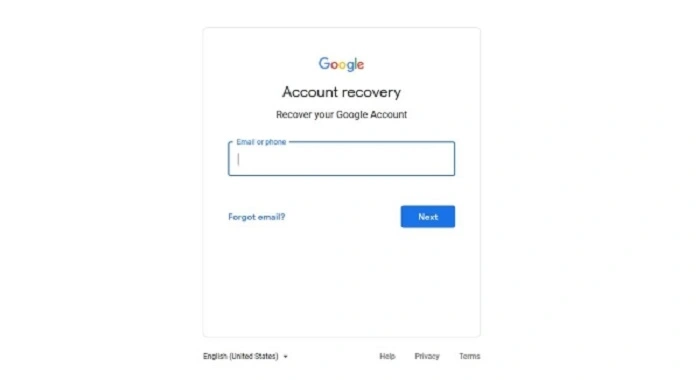
- go to Google Account Recovery
- enter your phone number
- Google lists matching accounts
For Outlook:
- use Microsoft’s account recovery page
For Apple ID:
- use iforgot.apple.com
These tools help you identify all emails linked to your phone or name.
Also Read: How Do I Retract an Email in Outlook: The 2025 Step-by-Step Guide to Undoing Mistakes Quickly
Troubleshooting: When You Still Can’t Find Your Email Address
Try:
- checking all apps where you logged in before
- checking password managers
- looking at saved logins in your browser
- searching your phone for “Mail,” “Gmail,” or “Outlook”
- checking under Accounts in device settings
- searching for old screenshots or notes
- checking cloud backups for account info
Most people find their email inside phone settings.
Organization Tips After Finding Your Email
- write your email in a safe notes app
- save it in a password manager
- label which email is for work or personal
- avoid creating too many addresses
- update emails in all important apps
- turn on recovery options
- add backup phone number
- check which accounts are linked
A clear email setup saves time and prevents confusion later.
Quick Summary
How to find your email address:
- Gmail: tap your profile
- Outlook: File → Account Information
- iPhone: Settings → Your Name
- Android: Settings → Accounts
- Mail apps: open account settings
- Sent folder: check From field
- App Store/Play Store: email shows under profile
- Recovery tools: use phone number to find accounts
Two taps — and your email address appears.
FAQs
- How do I find my Gmail address?
Tap your profile icon in Gmail. - How do I find my email on my iPhone?
Settings → Your Name or Mail → Accounts. - How do I find my Outlook email?
Open Outlook → File → Account Information. - Can I see all the emails linked to my phone?
Yes — through recovery tools and account settings. - What if I forgot which email I used for an app?
Check the app’s account settings or your phone’s saved accounts.
