
Ever send an email…
Then realize:
- It failed
- Nobody replied
- Attachment was missing
- Wrong address got used
- Message never delivered
And suddenly you’re thinking:
“Okay… how do I resend this thing?”
Honestly?
Resending emails happens all the time. Way more than people admit.
Especially with:
- Work emails
- Job applications
- School projects
- Client messages
- Invoices
- Important documents
The good news?
Resending emails is usually super easy.
But honestly?
There is a right way and wrong way to do it.
Because resending incorrectly can:
- Confuse people
- Create duplicate emails
- Look spammy
- Cause awkward misunderstandings
Let’s break down exactly how email resending works and how to do it properly without creating chaos.
What Does Resend an Email Mean?
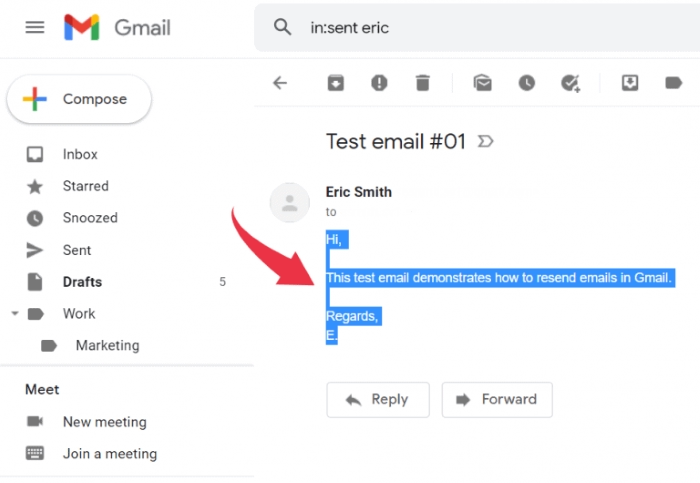
Resending means:
sending the same email again.
Usually because:
- Recipient didn’t get it
- You forgot something
- Delivery failed
- Follow-up needed
Very common honestly.
Why People Need to Resend Emails
Lots of reasons honestly.
Missing Attachments
Classic mistake.
Probably the most common honestly.
Wrong Recipient
Autocomplete disasters happen constantly.
No Response
Sometimes follow-ups require resending.
Delivery Failure
Email bounced or failed sending.
Incorrect Information
Need corrected version.
Internet Problems
Email got stuck in Outbox.
Difference Between Resend and Forward
People confuse these constantly.
Resend
Sending the same email again to the intended recipient.
Forward
Sending email to completely different people.
Big difference honestly.
How to Resend an Email in Gmail
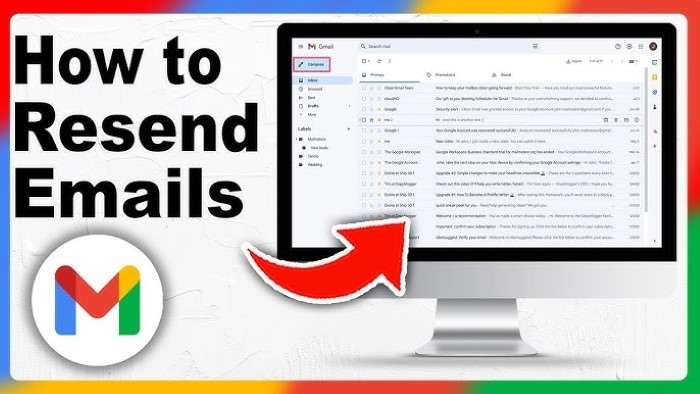
Gmail doesn’t have a giant “Resend” button exactly.
But honestly?
Still easy.
Gmail Resend Method
Usually:
- Open Sent folder
- Open original email
- Click Reply or Forward
- Edit if needed
- Send again
Simple honestly.
Better Gmail Resend Trick
Another option:
- Open Sent Mail
- Copy original content
- Compose fresh email
Cleaner sometimes honestly.
How to Resend Emails in Outlook
Microsoft Outlook actually includes:
Resend This Message.
Pretty handy honestly.
Outlook Resend Steps
Usually:
- Open Sent Items
- Open original email fully
- Click File
- Select Resend or Recall
- Choose Resend This Message
Outlook creates duplicate drafts automatically.
Why Outlook Resend Is Useful
Because it preserves:
- Formatting
- Attachments
- Subject lines
- Recipients
Saves time honestly.
How to Resend Emails in Yahoo Mail
Yahoo Mail works similarly to Gmail.
Usually:
- Open Sent folder
- Open old message
- Forward or copy content
- Send again
Easy honestly.
How to Resend Emails in Apple Mail
Apple Mail also supports easy resending.
Usually:
- Open Sent Mail
- Forward or duplicate email
- Edit and resend
Very straightforward honestly.
What Happens When You Resend an Email?
Usually recipient receives:
a brand new copy of the message.
Sometimes with:
- Same timestamp chain
- Same subject
- Same attachments
It depends honestly.
Should You Mention It’s a Resend?
Honestly?
Usually yes.
Especially professionally.
Very helpful for avoiding confusion.
Good Resend Intro Examples
Simple examples:
- Resending in case this didn’t come through earlier
- Reattaching the file here
- Following up on my previous email
- Sending this again just in case
Polite and clear honestly.
Why Blind Resending Can Look Spammy
Because duplicate emails confuse people honestly.
Especially if:
- Sent multiple times
- No explanation included
- Different timestamps appear
Looks messy fast.
How to Resend Missing Attachments Properly
Classic office panic honestly.
Best method:
reply to original thread and say:
“Apologies, attaching the missing file here.”
Very professional.
Should You Create a New Email or Reply to an Existing Thread?
Depends honestly.
Same Topic?
Usually reply in the same thread.
Completely New Situation?
Fresh email may work better.
Why Email Threads Matter
Threads keep conversations organized.
Especially for:
- Work
- Projects
- Clients
- School communication
Much easier honestly.
What Happens If the Recipient Already Read the Original Email?
Usually no big deal honestly.
Most people understand resends happen.
Especially for:
- Missing attachments
- Corrections
- Follow-ups
Very common.
Can Resending Cause Duplicate Emails?
Absolutely yes.
Especially if:
- Original email eventually delivers later
- Internet reconnects
- Outbox retries automatically
Very annoying honestly.
How to Avoid Duplicate Sending
Do this stuff honestly.
Check Sent Folder First
See whether the original has already been sent.
Check Outbox
Sometimes stuck emails are still waiting.
Wait Before Panic Resending
Servers can delay sometimes.
Verify Delivery Failure
Bounce messages help.
What Is a Bounce Email?
Bounce emails mean:
delivery failed.
Usually caused by:
- Wrong address
- Full inbox
- Server issue
- Blocked email
Very important honestly.
Can You Resend Failed Emails Automatically?
Sometimes yes.
Certain apps retry automatically after:
- Internet returns
- Server reconnects
Especially Outlook honestly.
Why Emails Stay Stuck in Outbox
Usually because:
- Weak internet
- Huge attachments
- SMTP problems
- Server issues
Very common honestly.
Can You Edit Email Before Resending?
Absolutely.
Honestly recommended sometimes.
Good chance to:
- Fix typos
- Correct mistakes
- Add missing files
- Clarify wording
Should You Change the Subject Line When Resending?
Sometimes honestly.
If Following Up
Keep the same subject usually.
If Correcting Mistake
Add something like:
- Updated
- Corrected
- Resending with attachment
Helps clarity honestly.
Can You Resend Emails on Phones?
Absolutely.
Mobile apps make resending pretty easy now.
Usually:
- Open Sent Mail
- Forward/reply
- Send again
Very simple honestly.
Why Businesses Resend Emails Frequently
Super common honestly.
Especially for:
- Contracts
- Invoices
- Deadlines
- Missing documents
- Customer support
Professional follow-ups matter.
Common Email Resending Mistakes
People do these constantly.
Forgetting Attachment Again
Honestly hilarious but common.
Sending Duplicate Emails Too Fast
Creates confusion.
Using Wrong Recipient Again
Autocomplete strikes twice honestly.
Resending Without Explanation
Looks weird sometimes.
Sending Too Many Follow-Ups
Can annoy recipients honestly.
Best Practices for Resending Emails
Want cleaner resends?
Do this stuff.
Be Polite
Especially follow-ups.
Explain Why You’re Resending
Very important honestly.
Double-Check Attachments
Seriously every time.
Verify Recipient Address
Avoid repeating mistakes.
Keep Subject Consistent
Helps thread organization.
What If Someone Never Replies Even After Resending?
Honestly?
Could mean:
- Busy inbox
- Spam filtering
- Ignoring intentionally
- Missed email
Eventually a polite follow-up works better than endless resends.
How Long Should You Wait Before Resending?
Depends honestly.
Urgent Work Emails
Maybe the same day.
Normal Business Emails
1–3 days usually.
Casual Emails
Longer honestly.
Can Resending Emails Trigger Spam Filters?
Sometimes yes.
Especially if:
- Mass sending
- Duplicate messages
- Too many links
- Repeated rapid sends
Businesses must be careful honestly.
FAQs About Resending Emails
Can you resend an email in Gmail?
Yep by forwarding or copying the original.
Does Outlook have a resend button?
Absolutely.
Should I explain why I’m resending?
Usually yes honestly.
Can resending create duplicate emails?
Definitely sometimes.
What if attachment was missing?
Reply and attach corrected file.
Can phones resend emails?
Absolutely.
Does resending change timestamps?
Usually yes because new sends occur.
Is resending the same as forwarding?
Nope. Very different.
Resending emails honestly happens constantly.
Missing attachments.
Failed delivery.
No replies.
Wrong files.
Typos.
Everybody does it eventually.
The important thing honestly isn’t avoiding every mistake…
Its handling resends clearly and professionally.
Usually all it takes is:
- A quick explanation
- Correct attachment
- Proper recipient
- Calm follow-up
And honestly?
Most people completely understand.
