
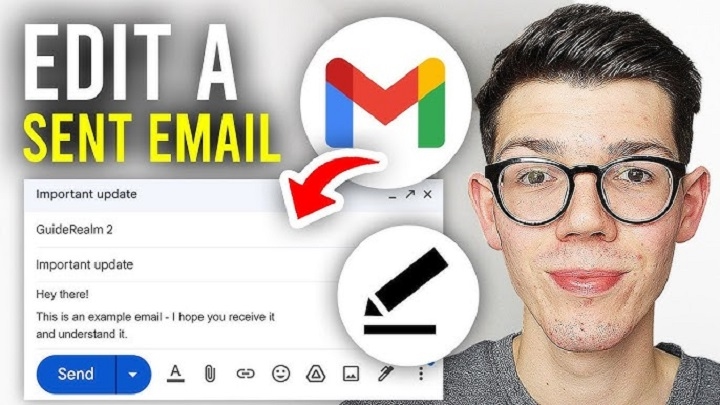
Most people think fixing an email means correcting spelling or smoothing awkward words. Yet something larger often goes unnoticed. Each change quietly signals who you are, what matters to you, and why it matters. Adjusting wording shows how carefully someone approaches communication. Every small edit shifts how the message feels to the reader. Clarity helps, but perception can change even faster when edits feel deliberate.
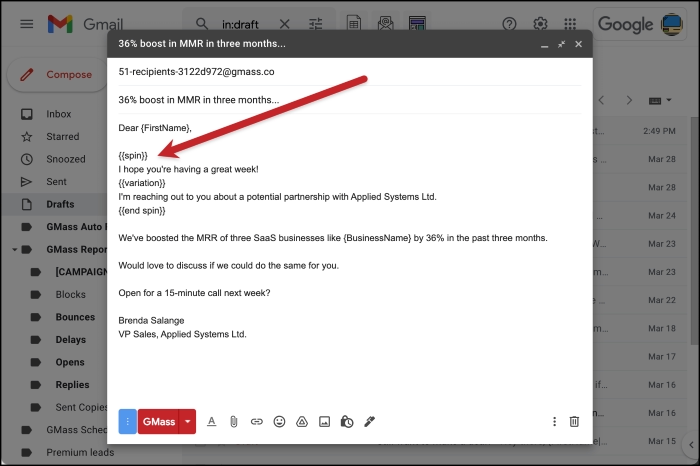
Sometimes it helps to skip the greeting at the beginning of an email. Many people start messages with “Hi [Name],” believing politeness always improves communication. Research on workplace messages shows that when colleagues already know each other, replies are understood nearly a fifth faster when greetings are removed. The difference is not about being impolite. It relates to mental effort. Each extra element in a message requires attention and processing. Removing routine openings can help conversations move faster when both people share familiarity. In those situations, skipping “Hope you’re well” reflects a shared rhythm rather than coldness. However, first messages and communication with outside contacts still benefit from greetings because courtesy carries more weight in those contexts.
Using Exact Dates Instead of Vague References
Later in the week someone may mention that a discussion already happened. Calendars and conversations often overlap, making it difficult to remember when something occurred. Instead of referencing events loosely, using exact dates helps immediately. A short note such as “6/12 call” removes confusion quickly. That small detail replaces long explanations with something precise. When conversations stack up across meetings, dates preserve clarity. Most people rarely admit losing track of scheduling details, yet it happens constantly. Messages that include exact timing quietly show someone is paying attention rather than guessing.
Handling Attachments the Right Way
One of the most common mistakes in email involves attachments. Nearly a third of email errors relate to files that were meant to be included but were forgotten. Placing a generic line such as “[See attached]” at the bottom does little to help. Readers do not always move through an email from top to bottom. A clearer approach is to reference the file directly where it becomes relevant in the message. For example:
“The new version reflects client feedback — [Attachment: v4_Specs.pdf].” This placement connects the file with the idea it supports. People process information more easily when references appear exactly where they are needed.
| Attachment Practice | Result |
| Attachment mentioned at the end | Easy to miss |
| Attachment referenced beside the idea | Clear connection |
| Generic “see attached” line | Weak expectation |
| Specific file name shown | Stronger awareness |
Why Empty Space Works Better Than Bold Text
Writers often highlight important points with bold text, believing it naturally draws attention. Eye-tracking studies suggest the opposite sometimes happens. Readers skim faster across bold letters because advertising has trained them to look past visual emphasis. Empty space can create stronger focus. When a key sentence stands alone on its own line, the surrounding silence draws the reader’s attention naturally. That pause before the sentence begins prepares the mind to notice something important. Important ideas often gain more presence when they appear alone without labels, frames, or heavy formatting.
Endings That Guide What Happens Next
Many emails end with a phrase like “Let me know your thoughts.” The intention feels polite and collaborative, yet it shifts responsibility to the reader. Clearer endings describe what will happen next.
For example:
“I’ll update the timeline by EOD Thursday unless I hear otherwise.” This approach does not sound forceful. Instead it gently guides the next step. People tend to follow established paths once they are described. Clear next actions reduce the number of follow-up messages needed later.
Removing Vague Pronouns
Pronouns can create confusion in email communication. Consider a line such as “We should probably schedule something soon.” The word “we” leaves responsibility unclear. The word “soon” provides no specific timing. Changing the sentence to “I’ll send two time slots Friday morning” removes uncertainty. The action becomes visible and the timing becomes clear.
| Vague Wording | Clear Alternative |
| We should schedule something soon | I’ll send two slots Friday morning |
| We might review this later | I’ll review this after the meeting |
| Let’s check back later | I’ll follow up Tuesday |
Reducing vague references turns polite uncertainty into direct action.
Writing the Subject Line After the Message
Many people write the subject line first. Editing works better when the subject comes later. After finishing the message body, the true goal of the email becomes clearer. Reading the completed message helps reveal what decision or action is required. The subject line can then reflect that purpose precisely. Instead of vague titles such as “Quick Update,” a subject line might read “Decision needed: vendor choice by 6/15.” Company email data shows that precise subject lines can increase replies by roughly 11 to 14 percent, especially in distributed teams.
Punctuation and Tone in Email
Punctuation can quietly influence how messages are received. Even the period at the end of a sentence can shape tone depending on context. Gratitude written simply often avoids unintended signals. Tone shifts easily across cultures and relationships. What feels polite to one person may appear distant to another. Because of this, structure often protects meaning better than charm. A short closing such as “Next steps outlined above” keeps attention on the work rather than emotion.
Checking Links Carefully
Attachments are not the only elements that create problems. Hyperlinks can also introduce errors. Many users paste web addresses quickly without confirming where the link actually leads. Replacing generic or shortened links with descriptive labels improves clarity. For example, instead of a shortened address like “bit.ly/x3f8a,” a message might include “Q2 Budget Draft viewable until 7/1.” Opening each link in private browsing mode before sending ensures the page loads correctly and access permissions work properly.
| Link Practice | Outcome |
| Shortened or unclear link | Reader uncertainty |
| Descriptive link label | Clear destination |
| Unchecked shared document | Access errors |
| Tested link before sending | Reliable access |
Taking a Short Break Before Sending
After finishing an email, stepping away for a few minutes can change how the message appears. A short pause creates distance from the writing process. What feels wrong after returning is rarely grammar. It usually relates to choices made too quickly. Moving away from the screen, even briefly, helps reveal those decisions more clearly. Slowing down challenges the belief that quick responses always represent better thinking.
How Emails Shape Workplace Behavior
Every message influences expectations about time, effort, and responsibility. Email communication does more than transmit information. It subtly shapes how work moves forward. Small edits guide behavior without needing explanation. People often learn these patterns through repetition rather than formal rules. The skill rarely appears in training manuals, yet it appears in daily communication. Fixing an email therefore involves more than correcting words. Each revision quietly reshapes how the message will be understood and how others respond to it.
FAQs
Should every email start with a greeting ?
Not always. When people already know each other, skipping greetings can speed communication.
Why do attachments get missed in emails ?
Often because they are only mentioned at the end of the message.
Does bold text always highlight important points ?
Not necessarily. Empty space can draw attention more effectively.
When should the subject line be written ?
After the message is finished the purpose becomes clearer.
Why should links be checked before sending ?
To confirm the page loads correctly and access permissions work.
Fixing an email is rarely just about correcting words. Each small edit changes how the message is understood and how the reader reacts. Greetings, attachments, subject lines, and wording all shape the rhythm of communication. Clear messages guide action without forcing it. They remove uncertainty, reduce follow-ups, and help people focus on what matters next. Over time these small editing habits quietly influence how work moves forward. Clarity becomes part of the process, not just part of the message.
