
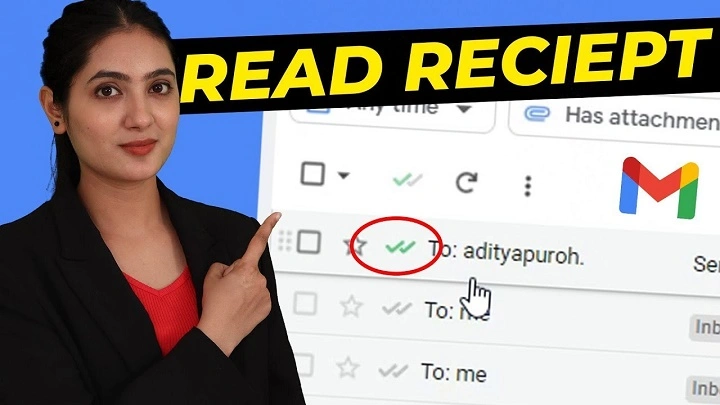
Figuring out if someone read your email? It’s less about spying, more like walking a line where tech meets what people expect and what they keep private. Most folks think those hidden dots in messages – or requests saying “tell me when opened” – always work, but reality gets messy fast.
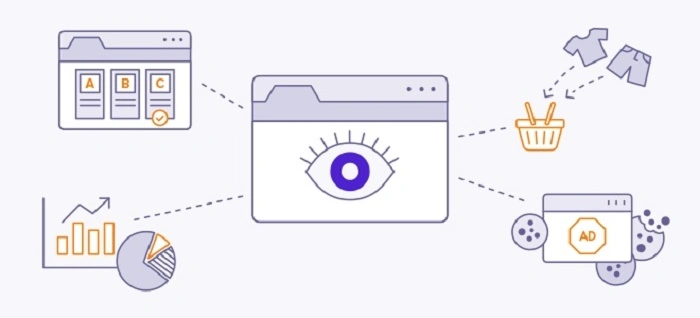
Marketing teams love their open stats, though those numbers rest on shaky ground. They need images turned on. Block images – and plenty do automatically – the tracker never phones home, so the system logs it as unopened. Sneaky truth? That message probably got seen just fine, only without downloading its extras.
Mobile Email Behavior and Privacy Tools
One thing people often miss is how mobile email users behave differently. When someone uses Apple Mail with iCloud Private Relay turned on, their real location gets hidden behind encrypted tunnels. Apps that automatically apply privacy settings can reroute messages through anonymous hubs too.
Because of this, even when trackers run, they struggle to pinpoint where a person actually is. Telling one device apart from another turns fuzzy under these conditions. In some companies, every outgoing email passes through shared infrastructure before it leaves the building.
That means time stamps show up based on server logs instead of personal usage patterns. A worker might open an email early in the morning, yet the record shows delivery much later via the main gateway.
Why Read Receipts Do Not Prove Anything
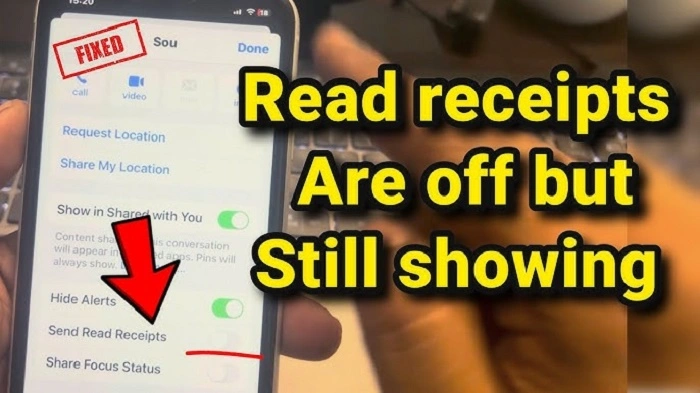
Getting a read receipt doesn’t always mean much. Even though programs like Outlook offer them, people don’t have to agree to send one back. If someone decides not to confirm they’ve seen the message, the sender won’t know it was refused – just that nothing came back.
Silence could mean the email was never opened or simply blocked on purpose. The system cannot tell which reason caused the lack of response. Not every message landing out of sight gets treated the same.
Some still fire tracking pixels based on how the software handles folded items. Opening a pane to glance at a message, even without clicking through, might be enough for signals to go out, depending on setup choices made long before.
| Email Signal | What It Means |
| Read receipt returned | User allowed confirmation |
| No receipt returned | Could be blocked or unopened |
| Preview pane open | Might trigger signals |
| Folded email view | May still activate trackers |
Behavioral Signals Outside Technology
Signals show up where tech data does not reach. Minutes-long waits before a reply often mean someone was already tuned in. When answers come late, it may reflect scheduling choices rather than disinterest – workloads shift, focus moves.
One moment alone tells little. What repeats holds meaning. A person usually answering in about four hours might still be reachable, yet now it has been forty-eight without a word.
Perhaps they noticed the note but chose delay, particularly when their schedule displays stretches of deep effort. Reading that quiet means knowing things bots cannot grasp.
Clues Found in Email Headers
Clues hide in email headers, if you know where to look. Arrival at the target server shows up clearly through delivery reports – though that does not mean anyone saw it.
The time stamps, especially those tagged “Received,” tell how fast each stop handled the message, including delays after handoff. When the last entry comes much later than prior ones, something slowed it down.
Maybe filters, maybe network paths, not necessarily avoidance. Reading these details takes knowledge of SMTP, yet even then, proof of reading stays out of reach.
| Header Detail | What It Shows |
| Received entries | Server handling sequence |
| Time stamps | Speed of delivery between servers |
| Delivery report | Arrival at destination server |
| Network delay | Possible filtering or routing delay |
Device Behavior and Link Tracking Confusion
What happens on a user’s device adds another layer of confusion. When links arrive in Gmail, it removes tracking tags automatically. Checking clicks only works if someone rebuilds those links through indirect redirects.
Some platforms fetch webpage data ahead of time while organizing incoming messages. This logs activity even though nobody clicked anything.
Google’s system, for example, checks every URL right after delivery to test for threats. Outside tools may see that scan as real interaction. That supposed click at 8:03 AM might just be code running its routine.
Also Read: Loan Officer Email List: What It Is, How It’s Used, and Best Tips for 2026
Organizational Systems and Security Policies
How an organization runs affects how messages appear. Where private data matters, systems frequently block HTML entirely so only basic text shows up.
When that happens, tiny trackers disappear without a trace. Lawyers often remove hidden details and attachments when passing on outside emails.
This wipes out any sign someone opened it. Not because of distrust. Just part of following rules.
| Security Practice | Effect |
| HTML blocked | Trackers removed |
| Plain text email | No pixel tracking |
| Attachment stripping | Metadata removed |
| Legal forwarding rules | Hidden elements deleted |
Practical Ways to Handle Email Uncertainty
Concrete approaches include:
- Disable rich formatting when sending testable messages, reducing variables like automatic image loading.
- Start tracking your links through trusted platforms such as Bitly. Access needs a logged-in account so you can watch where traffic flows. Watch for sudden jumps in clicks, especially ones that match patterns bots leave behind when they probe URLs.
- Start messages with tags like “Project Kestrel – Action Required by Thu” so repeats can be spotted later. These labels help follow what gets reused across replies. Each header acts as a marker, making loops easier to trace. Tracking shifts becomes possible when every thread opens the same way. Consistent naming shows patterns others might miss. A clear tag sets the stage without confusion. Repeatable formats reveal flow others overlook.
- Wait two workdays, then send a brief recap. Ask if everything looks right and keep it neutral. Skip blame language when checking in. A short note works best here. Confirm without pressure. Tone matters more than speed sometimes. Clarity comes through simplicity. Silence isn’t always refusal. Patience often helps move things forward. Missteps happen most when rushing. Slow steps still get there.
- Start by checking how you handle messages. When some emails sit unopened for days, other people may leave yours waiting just the same.
FAQs
Can you prove someone read your email?
No. Most systems only suggest activity, not actual reading.
Do tracking pixels always work?
No. They depend on image loading.
Do read receipts confirm reading?
Not always. People can refuse them.
Can link clicks be inaccurate?
Yes. Security scans may appear as clicks.
Why might someone not respond quickly?
Workload or scheduling changes may delay replies.
Surety slips through the fingers of users and programs alike. Not everything tracked carries real value. Those little seen indicators in chat tools have shaped how people expect emails to behave, even though the technology behind them works differently.
Chasing quick answers through yes-or-no signals ignores how office workers actually handle messages. Emails are often read across scattered moments. One note might be glanced at again and again, bits taken in slowly, without leaving a clear record.
Proof stays out of reach every time. The closest anyone gets mixes careful guesses with limits on belief. Attention slips through digital nets, and it always has.
