
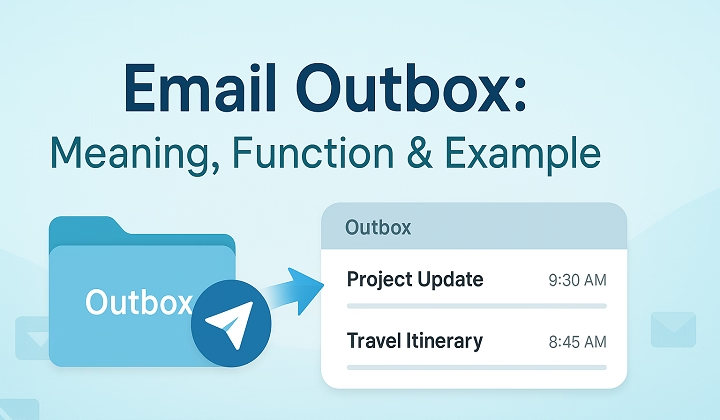
Ever send an email Then notice it never actually left? Yeah. Super frustrating honestly.
You hit Send.
Close your laptop.
Move on with life.
Then later you suddenly realize:
Wait That important email never arrived. You check your email app and there it is.
Sitting awkwardly inside something called:
“Outbox.”
A lot of people honestly don’t even notice the outbox folder until something breaks.
Then suddenly:
- Work emails won’t send
- Attachments get stuck
- Messages freeze
- Important replies disappear into limbo
And you’re left wondering:
“What even is the outbox anyway?”
Good news. The outbox is actually pretty simple once you understand it. Let’s break down what the email outbox does, why messages get stuck there, and how to fix the problem fast.
What Is an Outbox in Email?
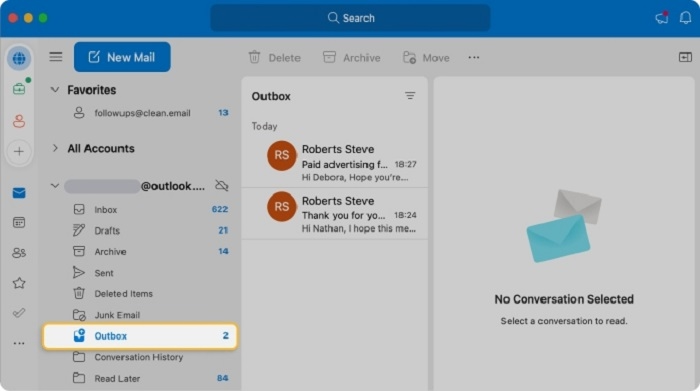
The outbox is basically:
a waiting room for emails.
When you hit Send, your email app usually:
- Places message into Outbox first
- Prepares it for sending
- Connects to internet/server
- Sends message completely
Once email successfully sends?
It normally leaves Outbox and moves to:
Sent folder.
Simple honestly.
Why Does Email Need an Outbox?
Because email sending isn’t always instant.
Your app may need time to:
- Upload attachments
- Connect to servers
- Verify account
- Process message
The outbox temporarily stores messages during that process.
Difference Between Outbox and Sent Folder
People confuse these constantly.
Outbox
Emails still waiting to send.
Sent Folder
Emails already successfully delivered.
Huge difference honestly.
What Happens When an Email Gets Stuck in Outbox?
Usually it means:
email failed to send properly.
Very common honestly.
The message stays trapped waiting for:
- Internet connection
- Server response
- Retry attempt
Sometimes forever until fixed.
Why Emails Get Stuck in Outbox
Lots of possible reasons honestly.
Poor Internet Connection
Most common issue easily.
No internet?
No sending.
Large Attachments
Huge files upload slowly or fail entirely.
Wrong Email Settings
Incorrect SMTP settings break sending.
Server Problems
Sometimes Gmail or Outlook servers temporarily fail.
Antivirus or Firewall Issues
Security software may block outgoing mail.
Corrupted Email App
Apps glitch sometimes honestly.
How Outbox Works in Gmail
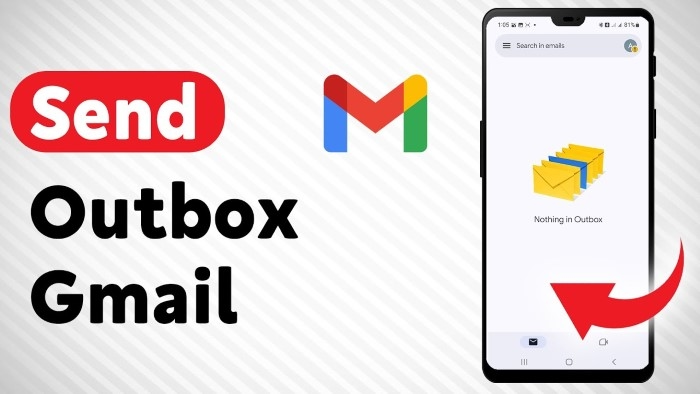
Gmail handles outbox mostly automatically.
Usually:
- Emails send quickly
- Outbox appears briefly
- Failed emails retry automatically
Mobile Gmail apps show Outbox more often honestly.
Gmail Outbox on Phones
Especially when:
- Offline
- Weak mobile signal
- Attachment uploads fail
Messages may sit waiting inside Outbox.
How Outlook Outbox Works
Microsoft Outlook uses Outbox heavily.
Especially desktop Outlook.
Emails often stay there until:
- Full upload completes
- Server confirms sending
Outlook outbox problems are honestly super common.
Why Outlook Emails Get Stuck More Often
Usually because Outlook handles:
- Offline mode
- Large attachments
- Corporate servers
- Exchange syncing
More moving parts honestly.
What Happens If You Close Laptop Too Fast?
Sometimes email gets interrupted mid-send.
Especially with:
- Weak internet
- Big files
- Slow syncing
Then message stays trapped inside Outbox.
Can People See Emails Sitting in Outbox?
Nope.
Outbox emails haven’t fully sent yet.
Recipients usually cannot see:
- Draft
- Partial upload
- Waiting message
Until sending finishes completely.
Can You Edit Emails in Outbox?
Usually yes.
That’s honestly one nice thing about Outbox.
You can often:
- Open email
- Fix mistakes
- Remove attachment
- Edit text
- Delete message
before it finally sends.
Can You Delete Emails From Outbox?

Absolutely.
Very common fix honestly.
Especially if:
- Wrong attachment included
- Message froze
- Email too large
- Wrong recipient
Deleting stuck emails often solves problems quickly.
Why Large Attachments Cause Outbox Problems
Because uploading huge files takes time.
Especially:
- Videos
- PDFs
- ZIP folders
- Photos
If upload fails halfway?
Email gets stuck.
Best Attachment Size for Emails
Usually:
under 20–25 MB.
Anything larger honestly works better through:
- Google Drive
- OneDrive
- Dropbox
How to Fix Emails Stuck in Outbox
Usually pretty simple honestly.
Check Internet Connection
Always first step.
Restart Email App
Fixes many glitches.
Remove Large Attachments
Huge files commonly break sending.
Delete and Resend Email
Classic fix honestly.
Restart Device
Still works surprisingly often.
Check Email Server Status
Sometimes provider problems exist.
Why Airplane Mode Causes Outbox Problems
Because device disconnects from internet entirely.
Emails queue inside Outbox waiting for connection again.
Very common on phones honestly.
What Happens to Emails Sent Offline?
Most apps:
store them in Outbox temporarily.
Then automatically send once internet returns.
Actually pretty useful honestly.
Does Outbox Mean Email Failed Permanently?
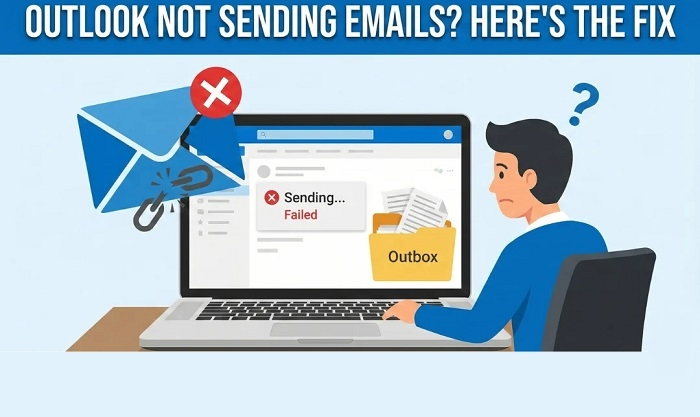
Not always.
Sometimes message simply waits for:
- Better internet
- Retry attempt
- Server response
Could still send later automatically.
Why Duplicate Emails Sometimes Happen
Outbox glitches may resend emails multiple times.
Especially if:
- User keeps clicking Send
- App reconnects repeatedly
- Sync issues happen
Very awkward honestly.
Can Outbox Emails Send Automatically Later?
Yep.
Once connection returns:
many apps automatically retry sending.
Why Emails Sometimes Stay Forever in Outbox
Usually because something keeps blocking sending.
Like:
- Wrong password
- Huge attachment
- Corrupted message
- Bad SMTP settings
Needs manual fixing honestly.
What Is SMTP in Email?
SMTP means:
Simple Mail Transfer Protocol.
Basically:
the system handling outgoing email delivery.
If SMTP breaks?
Outbox problems happen.
Why Work Email Outboxes Break More Often
Corporate email systems are honestly more complicated.
Especially with:
- VPNs
- Exchange servers
- Security software
- Large attachments
- IT restrictions
Lots more can go wrong.
Can Antivirus Software Block Outbox Emails?
Absolutely yes.
Some antivirus tools scan outgoing mail and accidentally freeze sending.
Common honestly.
Why Drafts and Outbox Are Different
People confuse these too.
Drafts
Emails intentionally unfinished.
Outbox
Emails already trying to send.
Big difference honestly.
Can Mobile Phones Have Outbox Problems?
Oh definitely.
Especially:
- Weak Wi-Fi
- Mobile data drops
- Battery saving modes
- Large videos
Phone email apps struggle sometimes honestly.
How to Prevent Outbox Problems
Want fewer stuck emails?
Do this stuff.
Avoid Huge Attachments
Use cloud links instead honestly.
Check Internet Before Sending Important Emails
Very important.
Keep Email Apps Updated
Old apps glitch more.
Don’t Close Device Immediately After Sending
Especially with large files.
Restart Apps Occasionally
Simple but helpful honestly.
What Happens If You Ignore Outbox Messages?
Sometimes:
important emails never send.
Very risky honestly.
Especially for:
- Job applications
- Work deadlines
- School submissions
- Customer replies
Always check Sent folder honestly.
How to Know If Email Actually Sent
Usually:
- Leaves Outbox
- Appears in Sent folder
That’s safest confirmation honestly.
Common Outbox Mistakes
People hit these constantly.
Assuming Email Already Sent
Dangerous honestly.
Sending Massive Videos Directly
Classic issue.
Ignoring Internet Problems
Weak connection causes chaos.
Forgetting Stuck Emails Exist
Very common honestly.
FAQs About Email Outbox
What is an outbox in email?
Temporary folder holding emails waiting to send.
Why are my emails stuck in Outbox?
Usually internet, attachment, or server issues.
Can recipients see Outbox emails?
Nope.
Can I delete emails from Outbox?
Absolutely.
Does Gmail have an Outbox?
Yep especially on mobile apps.
Does Outlook use Outbox?
Very heavily honestly.
Will stuck emails eventually send automatically?
Sometimes yes once connection returns.
How do I know email actually sent?
It moves from Outbox to Sent folder.
The Outbox honestly sounds mysterious until you realize it’s basically just:
a temporary waiting room for outgoing emails.
Most times?
You barely notice it.
But when emails get stuck there…
it suddenly becomes very important.
Especially for:
- Work emails
- Important attachments
- Deadlines
- Time-sensitive messages
The good news though?
Most Outbox problems are pretty fixable.
Usually it comes down to:
- Internet issues
- Large attachments
- App glitches
- Server problems
And once you understand how the Outbox works… Those “why didn’t my email send?” moments get way less confusing.
