
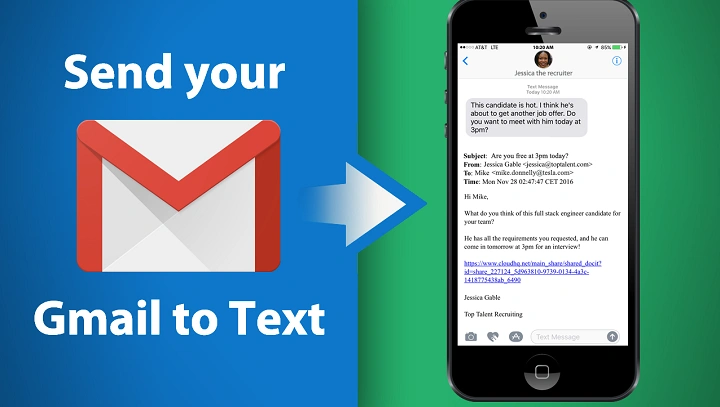
Sometimes email feels way too slow. You need that person to see your message NOW. Maybe it’s an alert. Maybe a reminder. Or just a quick note they’ll see right away – even if they’re not checking email. That’s when sending an email to someone’s phone as a text comes in super handy.
Email-to-text lets you send an email that shows up as a text message on someone’s phone. It’s been around forever, but lots of folks still don’t know how it works. Or how to use it right. Even in 2026, people use it all the time for alerts and quick messages.
This guide shows you how to send email to text. We’ll cover how carrier gateways work (I’ll explain that). What limits you’ll hit. Common problems. And tips to make sure your messages actually get there.
What Does “Email to Text” Mean?
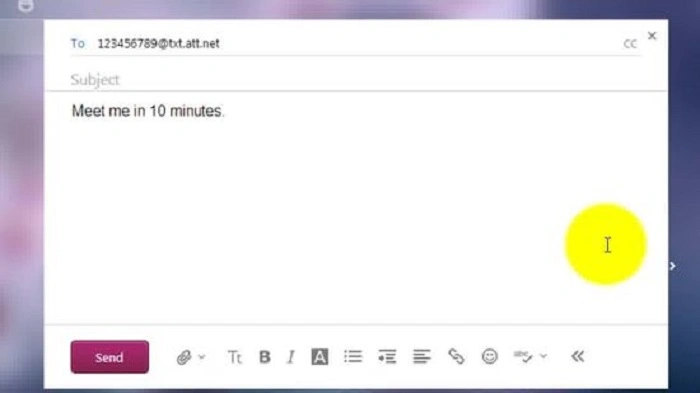
Email to text means sending an email that turns into a text message. Instead of typing a regular email address, you use their phone number plus a special domain from their carrier.
The carrier gets your email. Change it to SMS or MMS format. Then sends it to their phone just like any text. The person getting it doesn’t need any app. Nothing special. Just needs their carrier to support it.
This really helps when you can’t text directly. Or it’s just not practical.
How Email to Text Works Behind the Scenes
When you send an email to a carrier gateway, it goes through regular email servers first. Then it hits the carrier’s gateway. That’s where the magic happens – they process it and reformat it for phones.
Short, plain emails usually become SMS messages. Longer ones? Or ones with attachments? Those become MMS messages. But only if the carrier supports it.
If your email breaks the rules or goes over limits, it might get delayed. Cut short. Or blocked completely.
When Email to Text Is Most Useful
Email to text works best when you need speed. When you need them to see it fast. Formatting doesn’t matter much here. It’s mostly for alerts, not chats.
Here’s the thing – this isn’t for long conversations. It’s for quick, direct messages.
Common uses? Let me list them:
- appointment reminders
- system or server alerts
- delivery notifications
- emergency messages
- monitoring and automation alerts
These all need that instant SMS delivery.
Information You Need Before Sending an Email to Text
To send an email as text, you need two things. Without both, it won’t work. Or it’ll go to the wrong person.
First, you need their 10-digit phone number. Second, you gotta know their mobile carrier. Each carrier uses a different email gateway (that’s the special address).
Don’t know their carrier? You might have to ask them. Or try a few carefully.
Email to Text Gateway Addresses by Carrier
Mobile carriers give you special domains. These convert emails to texts. You MUST use the right format or it won’t work.
Quick tip – remove all spaces and dashes from the phone number. Just use digits. That’s it.
Common Carrier Email-to-Text Gateways
Here’s what works in the US:
- AT&T: [email protected]
- Verizon: [email protected]
- T-Mobile: [email protected]
- Sprint (old one): [email protected]
Each carrier handles messages a bit differently.
How to Send an Email to Text Step by Step
Sending email to text is pretty simple. Once you get the format. You can do this from Gmail, Outlook, whatever email you use.
Just make your message short and clear first.
Step-by-Step Process
Here’s how you send an email as text:
- Open your email app
- Click Compose
- Type the phone number and carrier gateway in “To”
- Leave subject blank (or super short)
- Write your message – plain text only
- Click Send
Usually arrives in seconds. Depends on the carrier though.
Subject Lines and Formatting Tips
Subject lines act weird with email-to-text. Sometimes they show up at the start of your text. Sometimes they replace part of your message.
My advice? Leave it blank. Put everything in the message body.
Skip the fancy stuff. No HTML. No emojis. No special characters. They might look weird on some phones.
Character Limits You Should Know
Text messages have length limits. Email-to-text follows those same rules.
Know these limits. Otherwise your message gets cut off. Not fun.
SMS Length Limits
Regular SMS messages? About 160 characters. Go longer and it might split into multiple texts. Or just get cut off.
MMS Considerations
MMS handles longer stuff. And attachments. But there’s still size limits. Big files might fail. Or get blocked.
Keep it short. Works better that way.
Can the Recipient Reply to an Email-to-Text Message?
Sometimes yes! But replies work differently than normal texts. When they reply, it usually goes back to your email address.
Reply formatting can be weird. Some carriers block replies based on settings.
Want two-way talking? Test it first.
Also Read: How Your Email Finds Me” Meme
Common Problems When Sending Email to Text
Email-to-text usually works. But problems happen. Most times it’s formatting errors. Or carrier restrictions.
Know the common problems. Makes fixing them way easier.
Frequent Causes of Failure
Problems usually happen because:
- Wrong carrier gateway
- Bad phone number
- Message too long
- Attachments that don’t work
- Carrier thinks it’s spam
- Person turned off email-to-text
Check these first. Fixes most issues.
How to Troubleshoot Email-to-Text Issues
Message didn’t arrive? Don’t just guess randomly. Take it step by step.
Make the message simpler. Check your details. Then try again.
Basic Troubleshooting Steps
If it fails, try this:
- Double-check the phone number
- Make sure you got the right gateway
- Make the message shorter
- Remove any attachments
- Use plain text only
- Ask them to check their settings
These steps fix most problems fast.
Security and Privacy Considerations
Email-to-text messages aren’t encrypted end-to-end. Which means carriers can see them. They might store them temporarily too.
So don’t send sensitive stuff this way. No passwords. No personal data. No bank info.
Need secure messaging? Use encrypted apps instead.
Email to Text for Businesses and Automation
Lots of businesses use email-to-text for automated alerts. Systems send emails that trigger SMS alerts. No special SMS software needed.
You see this in IT monitoring. Healthcare alerts. Package tracking. Emergency notifications.
Keep it simple and consistent. That’s the key.
Differences Between Email to Text and SMS Apps
Email-to-text and messaging apps do different things. Email-to-text works everywhere. No app needed.
Messaging apps? They’re better for real conversations. They have encryption. Media sharing. All that good stuff.
Think of email-to-text as a notification tool. Not a texting replacement.
Best Practices for Reliable Email-to-Text Messaging
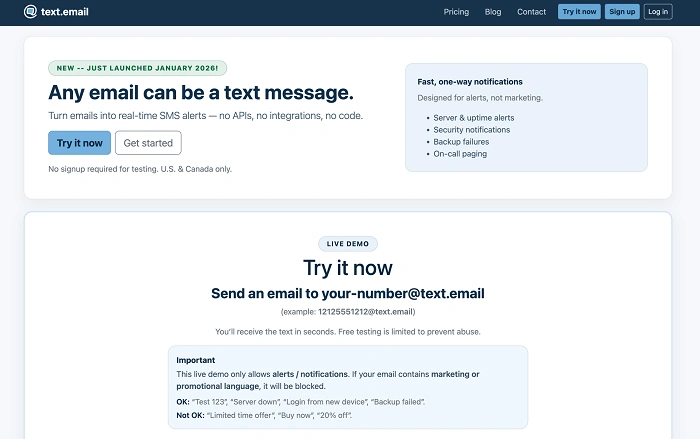
Want your messages to actually arrive? Follow best practices. Less frustration for everyone.
Being consistent matters more than being clever with formatting. Good habits to follow:
- Keep messages short and clear
- Skip attachments when you can
- Send at reasonable times
- Test with your own phone first
- Make sure the carrier supports it
Do these things. Your success rate goes way up.
Legal and Consent Considerations
In many places, sending unwanted messages to phones breaks the rules. Even though you’re using email, it still becomes an SMS.
Always get permission first. Especially for business messages. Or marketing stuff. Respect consent. Builds trust. Avoids legal trouble.
Is Email to Text Still Relevant in 2026?
We’ve got all these messaging apps now. But email-to-text still matters. Why? It works on every phone. No setup needed.
It’s perfect for alerts. Reminders. System messages. When you need reliability more than fancy features. In 2026, it’s still that simple bridge between email and SMS.
Limitations to Keep in Mind
While useful, email-to-text has limitations. It is not guaranteed to deliver instantly, may be filtered as spam, and lacks advanced features.
Understanding these limits helps set realistic expectations.
Email-to-text should be used as a supplement, not a primary messaging system.
Quick Summary
Messages hop right into phones when sent as texts through email. Using the proper format matters, so does trimming down what you write. Each carrier sets rules – follow them closely for better delivery. Short notes travel faster, fitting neatly inside mobile screens. Any inbox can start this process without extra tools. Correct addresses keep things moving smoothly between systems.
Still handy in 2026, email turned into text works well for quick updates or automated nudges. When getting things fast is key, this method holds up – simple, direct, no extra steps needed. Speed wins here, so does ease.
Frequently Asked Questions (FAQs) About How To Send Email To Text
What is email to text ?
It is a method of sending an email that is converted into a text message by a mobile carrier.
Do I need special software to send email to text ?
No. You can send email-to-text from any standard email service.
Can recipients reply to email-to-text messages ?
Sometimes. Replies usually go back to the sender’s email address.
Why didn’t my email-to-text message arrive ?
Common causes include wrong carrier gateway, long messages, or spam filtering.
Is email to text secure ?
No. Avoid sending sensitive or confidential information.
