
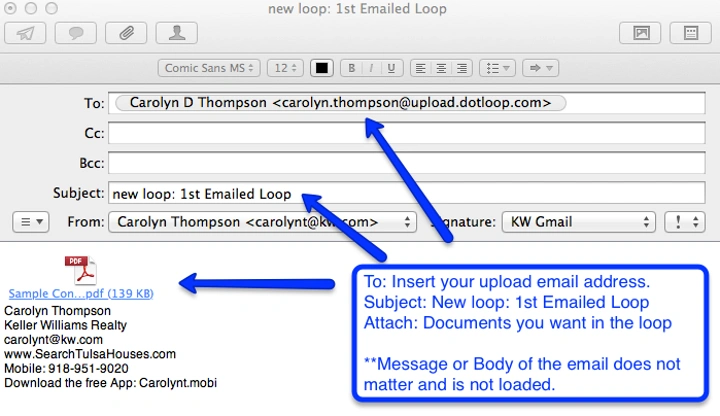
Slipping a name into an email might look simple – just add it to cc and go. Yet getting it right takes more than pressing send. Each extra person tugs at who pays attention, who answers, where power sits. Many think tossing someone in is harmless, nearly invisible. In truth, each new recipient bends the unspoken rules ever so slightly.
Why Looping Someone In Matters

What seems like a small action carries weight. Adding someone to an email:
- shifts who feels responsible
- changes who speaks and who stays silent
- affects how fast decisions move
- creates a record that can be used later
Every added name reshapes the conversation.
Timing Is Everything
Timing often gets ignored. When you bring someone into a conversation after several exchanges, it hints they were left out at the start – this breeds tension. Reading through seven prior messages, they notice they weren’t included when things began. Doubt creeps in about why their thoughts weren’t asked for earlier.
Yet bringing them on board too soon might drown them in confusion while ideas are still messy.
Best timing:
- after key points become clear
- before final decisions are locked
- when their input can still change direction
Right after things line up is where it works best: clarity shows up, yet paths stay wide.
Where You Place Their Name Matters
First comes power, tucked inside order. A name’s spot plays a quiet role – how it shows up shapes how it’s seen.
- In To → active role, expected to respond
- In CC → aware, optional response
- In BCC → hidden, passive presence
Even among equals, front spots speak louder than those trailing behind. Some systems sort automatically, but when you can control order, it sends signals.
CC Is Not Always Casual
Most think adding someone on cc is casual. Not always true. Across strict fields – like hospitals or banks – cc creates a paper trail.
- protects decisions
- shows who knew what
- acts as evidence later
What looks like teamwork often acts as protection.
The Hidden Cost: Mental Load
When names appear, people feel pressure to respond. Inboxes fill fast.
Researchers have found employees check email multiple times per hour. The real drain is not replying – it is deciding whether to reply.
Every extra person means:
- more notifications
- more hesitation
- more wasted focus
Make Your Purpose Clear
Most confusion disappears when purpose is stated early.
Try adding simple tags:
- [For awareness]
- [Action needed]
- [Feedback by EOD]
- [No reply needed]
These small cues:
- reduce guesswork
- speed up reading
- guide responses
Even small clarity boosts make a difference over time.
A Smarter Way to Loop People In
Here’s a better approach many overlook:
- Don’t add people to every update
- Wait until there is something meaningful
- Summarize before adding them
Example:
Instead of:
looping someone into a long thread
Say:
“We discussed X and Y. These two options remain. Adding you for input – which direction works best?”
This:
- saves their time
- gives clear entry point
- avoids overload
Culture Shapes Email Behavior
Looping someone in isn’t universal. Culture matters.
- In hierarchical cultures → people avoid looping in seniors directly
- In flat cultures → direct communication is normal
Cross-border teams often misunderstand each other here. What feels normal in one place may feel disrespectful in another.
Tools Also Shape Behavior
Email tools influence how we act:
- Gmail mixes urgent and non-urgent messages
- Outlook separates unread items clearly
- some systems remove read receipts to reduce pressure
Features may look small, but they shape:
- urgency
- stress
- response habits
Also Read: Evier Email Blanc: Everything You Need to Know in 2026
When to Remove People (Almost Never)
Out comes deletion. Removing people after they’ve had their say? Rarely happens.
Instead:
- start a new thread
- bring in only relevant people
- summarize key points
This keeps conversations clean without hurting trust.
Silence Is Not Agreement
Quiet moments carry weight. With several people copied, silence may look like approval.
But silence can mean:
- confusion
- hesitation
- distraction
For important decisions, ask clearly:
- “Please confirm by Thursday”
- “Let me know if you disagree”
Clarity beats assumptions.
Quick Tips to Loop Someone in Email
- add people only when needed
- explain why they are included
- summarize before adding them
- use subject lines that reflect the current context
- avoid long, messy threads
- respect time zones
- don’t overuse CC
FAQs
- What does “loop someone in” mean in email?
It means adding someone to an email conversation so they can see or participate. - Should I use CC or To when looping someone in?
Use To if they must respond. Use CC if they only need awareness. - Is it rude to add someone late to an email thread?
It can feel that way. Always explain why you’re adding them to reduce tension. - Should I always reply-all when looping someone in?
Not always. If the message only concerns a few people, keep it limited. - How do I reduce confusion when adding someone?
Give a short summary and clearly state their role in the conversation.
What happens inside a loop goes beyond names on a screen. Assumptions shape roles, trust, and workload. Each added person carries a hidden cost.
Before you hit send, pause and ask: Does this person truly need to be here?
When the answer is clear, communication flows better. When it isn’t, noise builds quietly.
