
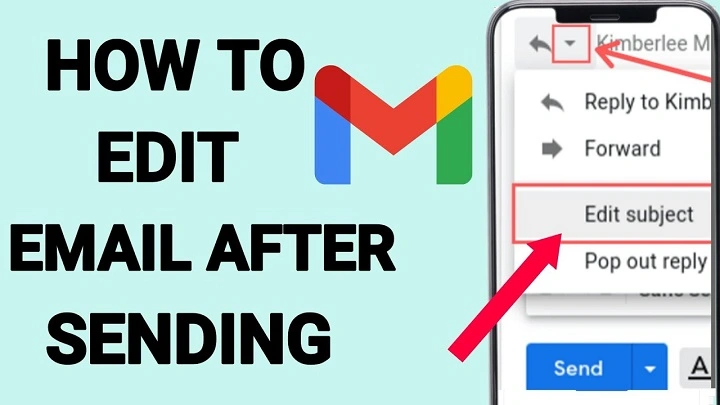
Fast as a flicked switch, emails race ahead. After hitting send, they seem locked down – carved into the web like stone. Yet maybe fixing them isn’t clinging to command. Perhaps changing a message already gone shows growth – not guilt. Sent words shift, just like minds do.
Messages sent usually can’t be changed after they arrive. Because SMTP, the tech sending emails since the 1980s, never included updates. Once off, a note acts as if sealed. Like paper mail tossed into a post slot. Editing everything everywhere at once isn’t possible. Changing even one version messes up server copies, storage spots, user views. The whole structure relies on messages staying fixed.
Why Emails Cannot Be Changed After Sending
Messages sent usually cannot be changed after they arrive. SMTP, the system moving emails since the 1980s, never included updates. Once a message leaves, it behaves like paper mail dropped into a post slot.
Editing one version everywhere would disrupt server copies, stored archives, and how users view messages. The entire system depends on messages remaining fixed once sent.
| Email System Feature | Result |
| SMTP delivery | Message moves across servers |
| No update mechanism | Sent messages stay fixed |
| Multiple stored copies | Editing everywhere impossible |
| Archive systems | Records remain unchanged |
Why People Still Want to Fix Sent Emails
Fingers move quicker than thoughts sometimes. Still, folks want room to adjust. Messages fly off before minds catch up. After pressing enter, second guesses arrive.
Might find some options here – none quite replacements, yet ways around problems where hopes outpace what systems actually offer.
Message Recall in Corporate Systems
Here’s one way: pull it back and send again. Certain work email setups, such as Outlook running under company-controlled Exchange Servers, include a “recall” option.
That feature does not change the message. Instead, it tries to erase the first version before anyone sees it. Whether that works relies on several things. Users must share the same internal system. Recipients should not have opened the mail yet. Their devices need to update immediately.
Fails happen without warning outside corporate systems. Not a single trace of recall exists in Google Workspace.
| Recall Requirement | Condition |
| Same internal system | Sender and recipient share Exchange |
| Message unopened | Recipient has not read it |
| Device sync | Inbox updates quickly |
| Corporate environment | Feature limited to internal systems |
Sending a Second Message
A twist on replacement comes off as too basic at first glance: try sending another message labeled “Ignore Previous.” Brief. To the point. Unemotional.
That taps into how people actually use their inbox. Eyes slide across subjects fast. A bold heading like that pulls attention better than fixes hidden within fresh emails.
Evidence gathered by Litmus, an email tracking company, reveals about seven percent of engagement stems from opening based only on the subject line – a small share yet significant when time is tight.
Why Timing Matters
Yet when things happen shapes how well they work. Research watching delays in replies – like studies at University of California about office messages – shows most active users see new items within roughly two minutes.
Past that point, the initial message sticks. The mind builds views based on what it reads first. Words turn into a mental benchmark. Changes afterward rarely shift understanding already set.
Quiet Edits Inside a Conversation Thread
Start by fixing a detail right after you send it – reply to yourself. That tweak hides in plain sight, tucked into the original string of messages.
Speed matters here. Fast edits feel like part of the flow. The system sees one talk, not two. Threads stay intact when changes blend instead of break.
Together, those two pieces show up when someone scrolls through messages. It works like document history people use while working in groups – just handled by hand.
When Attachments Complicate Things
Stuff gets messy when you add files. When someone sends a newer one labeled “Revised draft,” how people open them shifts.
The old ones still sit around, already pulled down. Copies stick on personal devices, out of reach. Some lawyers handle it by tacking on clear versions – “Proposal_v3_final_REVIEW” – even if “final” shows up too much.
It does not look clean. Still, at least it turns up in searches.
| File Version Example | Purpose |
| Proposal_v1 | First draft |
| Proposal_v2 | Revised document |
| Proposal_v3_final | Updated version |
| Proposal_v3_final_REVIEW | Review copy |
How Wording Changes Perception
Surprisingly, the words we pick can shift how others see things. Saying “Apologies for confusion” tends to invite grace more easily than blunt statements such as “Correction needed.”
Shifting tone subtly changes who seems responsible – even when nothing is directly owned.
Researchers observing speech patterns find that lines like “There was a formatting issue” feel less accountable than clear admissions like “I misaligned the figures.”
It’s not always about honesty. Word choice quietly guides response. How something lands often depends on how it’s built.
“Undo Send” Is Not Editing
A few apps suggest live changes happen instantly. Features such as Superhuman or Gmail’s “Undo Send” add short delays – often thirty seconds max.
In that gap, stopping a message feels like it was never sent. People say they lean on this more now, especially when typing fast on phones with thumbs.
Those pauses do not mean you are editing. They only pretend to offer another try right before it goes out.
Delayed Sending Creates Editing Space

Odd thing happened. Those delay options, built for handling different hours across regions, quietly turned into edit timeouts.
Email waits before sending. Five minutes sit between clicking send and actual departure. Space opens up. No extra tool needed.
A twist in how it is set changes what it does.
Also Read: Remittance Emails: The Quiet Messages Behind Global Money Transfers
Why Email Records Stay Permanent
Stuff gets messy because of metadata. When content changes, the old time it first moved still shows up in headers. Logs on networks keep shadows behind.
For fields with strict oversight, removing something does not mean wiping it clean – just marking it gone.
Banks save every copy they make since regulations like SEC Rule 17a-4 demand it. Actually replacing data breaks what audits expect.
| Metadata Record | Meaning |
| Header timestamp | Original send time |
| Network logs | Activity history |
| Archive systems | Stored copies |
| Compliance records | Regulatory storage |
When Small Errors Do Not Matter
Sometimes quiet does more than speaking. Tiny mistakes in typing almost never block clear reading.
The mind overlooks little errors easily. Researchers call this word resistance. Brain activity barely flickers when letters scramble, only if sense breaks.
Changing “receive” pulls focus harder than letting it sit untouched.
How People Adapt Instead
Still, email feels like talking – yet it is really one voice shouting to many. Because there are no edits once sent, what lands stays fixed.
People adjust their habits instead of waiting for better tools. Changes come quietly through how we act, not what machines offer.
Life shifts. A moment stops. Then thought steps in. Gaps get used. Waiting turns useful.
Pausing can shape a scene just like cutting words. Rhythm often matters more than precision. Moments stretch when you slow them down.
FAQs
Can you edit an email after sending it?
No. Most email systems do not allow editing once a message is sent.
Does Outlook recall actually change the email?
No. It only tries to remove the message before someone reads it.
Does Gmail allow editing sent emails?
No. Gmail only allows a short “Undo Send” delay.
What is the easiest way to fix a sent email?
Send a quick follow-up message correcting the earlier one.
Do small typos need correction?
Usually not. Readers often understand them easily.
What feels most like changing an email after hitting send is not altering the words. It is shaping how someone understands the message from that moment forward.
Because there are no edits once sent, people adapt. They pause, clarify, follow up, or let small errors remain.
Sent messages stay fixed. What changes instead is how people respond to them.
