
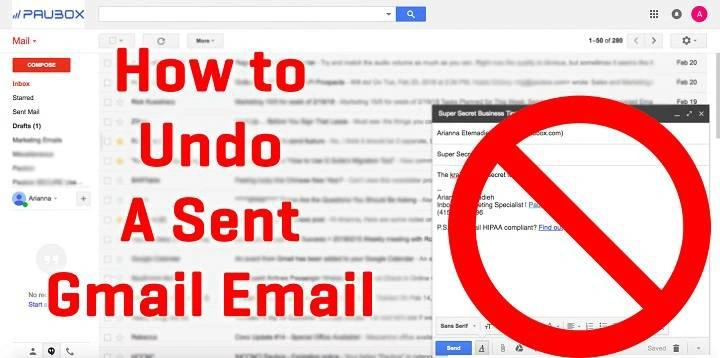
You send an email.
Then immediately your stomach drops.
Maybe you attached the wrong file. Maybe you typed something embarrassing. Maybe you sent it to the wrong person.
And suddenly you’re smashing buttons trying to fix it.
The first thing most people do?
Delete the email.
Then comes the big question:
“Wait… if I delete it, does that unsend it too?”
Honestly, tons of people think this works.
Makes sense too. If the email disappears from your inbox, you’d think it disappears everywhere.
But email doesn’t work like messaging apps.
Deleting an email and unsending an email are two different things.
And knowing the difference can save you from awkward moments.
What Happens When You Send an Email?
The second you click Send, your email starts moving fast.
Really fast.
Usually this happens:
- Your email app sends the message
- Email servers process it
- The recipient’s email provider accepts it
- It lands in their inbox
This entire process often takes just a few seconds.
Sometimes less.
That’s why fixing mistakes after sending can be really difficult.
Once the other person’s email server accepts the message, they basically have their own copy now.
Does Deleting an Email Unsend It?
Short answer?
Nope.
Deleting an email only removes your copy.
It does not remove:
- The recipient’s copy
- Attachments
- Photos
- Files
- Conversation history
So even if you delete the email from:
- Sent folder
- Inbox
- Trash
- Archive
…the other person can still usually see it completely fine.
Why People Think Deleting Unsends Emails
Honestly, modern apps caused this confusion.
Apps like:
- Messenger
- Telegram
…let people unsend or delete messages for everyone.
Email is older though.
Way older.
Email systems were never originally built for take-backs.
Once messages leave your account, they usually become independent copies sitting on another server.
Very different from chat apps.
Difference Between Deleting and Unsending
This part matters a lot.
Deleting an Email
- Removes your copy only
- Cleans your mailbox
- Doesn’t affect recipient
Unsending an Email
- Stops delivery before completion
- Only works briefly sometimes
- Depends on email service
Totally different things.
Can Gmail Actually Unsend Emails?
Kind of.
But not exactly how people think.
Gmail Undo Send Explained
Gmail has an Undo Send feature.
But here’s the trick:
Gmail doesn’t truly pull emails back after delivery.
Instead, Gmail delays sending for a few seconds.
During that delay, you can cancel it.
Smart system honestly.
How Gmail Undo Send Works
After clicking Send:
- Gmail pauses briefly
- Shows Undo option
- Waits for your timer
- Then fully sends email
If you click Undo fast enough:
- Email stops sending
- Draft reopens
- You can edit or delete it
If you wait too long though?
Too late.
Gmail Undo Send Time Limits
Gmail lets you choose:
- 5 seconds
- 10 seconds
- 20 seconds
- 30 seconds
Most people choose 30 seconds for safety.
How to Turn On Gmail Undo Send
- Open Gmail
- Go to Settings
- Click See All Settings
- Find Undo Send
- Pick cancellation period
- Save settings
Very worth doing honestly.
Does Outlook Let You Unsend Emails?
Sometimes.
Outlook has something called Recall This Message.
But it’s not perfect at all.
Outlook Recall Usually Works Only If:
- Both people use Outlook Exchange
- Same company network
- Recipient hasn’t opened email yet
Pretty limited honestly.
Outlook Recall Often Fails When:
- Recipient already opened email
- Different email providers involved
- Mobile apps used
- Email already synced
So yeah… don’t rely on it too heavily.
How to Recall an Email in Outlook
- Open Sent Items
- Double-click email
- Click File
- Select Resend or Recall
- Choose Recall This Message
Then Outlook tries its best.
Keyword: tries.
What Happens If You Delete an Email Immediately?
People think speed helps.
Sometimes maybe slightly.
But usually?
Email already delivered.
Modern email systems move insanely fast.
Even deleting within seconds often won’t matter.
Can Recipients Still Read Deleted Emails?
Usually yes.
If the email reached them:
- They can read it
- Download files
- Save attachments
- Reply to it
- Forward it
Your deletion won’t affect their copy.
What Happens to Attachments After Deleting?
Attachments stay with the recipient too.
That includes:
- PDFs
- Photos
- Contracts
- Documents
- Videos
Deleting your sent email won’t remove those from their inbox.
Important to remember.
Can You Delete an Email Before Someone Reads It?
Usually no.
Read or unread doesn’t change much.
Once delivered:
- It’s already theirs
- Their inbox keeps it
- Their server stores it
Unread emails still exist fully.
What If You Sent an Email to the Wrong Person?
Happens constantly honestly.
Autocomplete causes chaos.
If this happens:
- Use Undo Send immediately
- Try Outlook Recall if possible
- Send apology email
- Politely explain mistake
- Ask them to delete it
Most people understand when mistakes happen.
Can Deleted Emails Be Recovered?
Often yes.
Most email apps keep deleted messages temporarily.
Gmail
Trash keeps emails for around 30 days.
Outlook
Deleted Items folder stores messages temporarily.
Yahoo Mail
Depends on settings.
Apple Mail
Depends on the provider.
So deleting doesn’t always mean permanently gone.
Are Permanently Deleted Emails Really Gone?
Sometimes not fully.
Emails may still exist in:
- Server backups
- Cloud systems
- Security archives
- Company records
Especially work emails.
This surprises lots of people honestly.
Why Companies Keep Email Records
Businesses often archive emails for:
- Legal reasons
- Compliance
- Security
- Audits
- Backup recovery
Work emails are rarely truly private.
Common Email Mistakes People Regret
Everybody has at least one.
Sending Angry Emails
Never goes well.
Reply All Accidents
Absolute chaos.
Wrong Attachments
Classic mistake.
Wrong Recipient
Autocomplete strikes again.
Typos or Bad Wording
Tiny mistakes become huge sometimes.
Best Ways to Avoid Email Regret
Honestly?
Prevention matters most.
Slow Down Before Sending
Even five seconds helps.
Double-Check Recipients
Always worth checking.
Turn On Undo Send
Seriously useful feature.
Review Attachments Carefully
Wrong files cause disasters.
Avoid Sending Emails Angry
Draft first if emotional.
Re-Read Important Emails
Especially work emails.
Are Emails Private?
Not really completely.
Emails can be:
- Forwarded
- Saved
- Screenshot
- Archived
- Monitored
- Shared
Always assume emails may survive longer than expected.
Can Employers Read Deleted Work Emails?
Sometimes yes.
Many companies monitor and archive work communication.
IT departments may recover old emails depending on policies.
Very common in larger organizations.
Also Read: If I Forward an Email, Who Can See It? Everything You Need to Know
Difference Between Deleting and Archiving Emails
People confuse these too.
Deleting
Moves toward trash removal.
Archiving
Simply hides email from the inbox.
Archived emails still fully exist.
Email Safety Tips Everyone Should Know
Want fewer problems?
Do these things.
Use Strong Passwords
Weak passwords create huge risks.
Turn On Two-Factor Authentication
Extra security helps tons.
Avoid Clicking Suspicious Links
Scam emails are everywhere now.
Be Careful With Attachments
Malware often spreads this way.
Never Share Security Codes
Huge scam warning sign.
FAQs About Deleting Emails
Does deleting an email unsend it?
Usually no. It only deletes your copy.
Can Gmail actually unsend emails?
Only during the Undo Send delay period.
Does Outlook Recall work reliably?
Not always. Very limited honestly.
Can recipients still see deleted emails?
Usually yes if delivery already happened.
Can deleted emails be recovered?
Often yes from trash or backups.
Do attachments disappear if I delete the sent email?
Nope. Recipients usually keep them.
Can unread emails still be deleted remotely?
Usually not after delivery.
Are work emails permanently saved?
Many companies archive them for years.
Final Thoughts
Deleting an email does not usually unsend it.
Once the recipient gets their copy, your delete button can’t touch it anymore.
That’s why features like Gmail Undo Send exist. They give you a tiny safety window before emails fully leave your account.
But honestly?
The best protection is slowing down before hitting Send.
Double-check recipients. Review attachments. Re-read important emails once.
Because after an email truly leaves your inbox?
Getting it back becomes way harder than most people think.
