
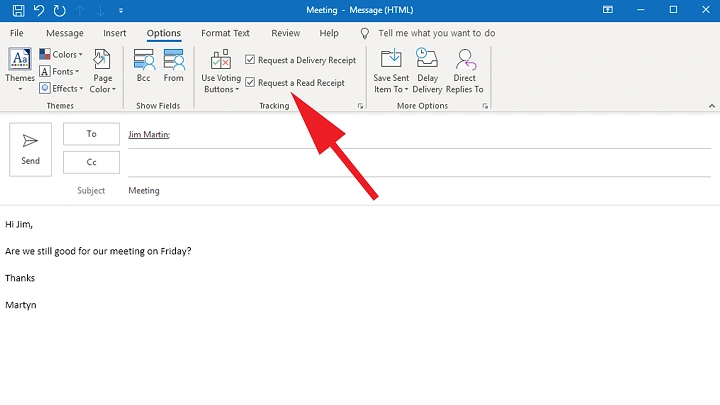
Emails move across networks built to send messages, not to chat. Some apps show checkmarks or “seen” signs. Regular email does not include tools that show whether someone actually looked at your message.
That gap is not broken. It is intentional. SMTP, the system guiding most emails, focuses only on moving messages from one place to another. It does not track how people read messages.
Because of this design, tracking engagement depends on workarounds. Some methods stay within acceptable limits. Others are less reliable.
Understanding how these systems work helps explain why knowing whether someone read your email is often uncertain.
Why Email Systems Do Not Show Read Status
Email technology was never built to monitor readers. Sending and receiving messages are separate processes.
SMTP moves the email to the recipient’s server. After that, what happens depends entirely on the recipient’s setup.
Different factors affect what happens next:
- Inbox sorting rules
- Notification settings
- Email client behavior
- Security filters
Once the message arrives, the sender cannot see how the message is handled.
This separation between sending and reading creates uncertainty.
Tracking Pixels: The Hidden Method
One common workaround is the tracking pixel.
A tracking pixel is a tiny hidden image placed inside an email. When the email opens, the email program may load the image from a remote server.
When that image loads, the server records the request. This creates a signal suggesting the message was opened.
| Tracking Element | What Happens |
| Hidden image | Inserted inside the email |
| Image loads | Email app downloads the image |
| Server records request | Suggests the email was opened |
But this signal is not always reliable.
Many things affect whether the image loads. The email program may block images. Internet conditions may affect loading. Each person’s software behaves differently.
Why Tracking Pixels Are Often Uncertain
Tracking pixels only work when images load correctly.
Several conditions can prevent the pixel from firing.
- Images blocked by the email client
- Security settings blocking remote images
- Privacy tools removing trackers
- Network problems affecting loading
Some systems also create misleading signals.
For example, Apple Mail introduced privacy protection that preloads images automatically. The server may record an open even when the user never saw the email.
Because of this, pixel tracking often shows estimates rather than certainty.
| Factor | Effect on Tracking |
| Image blocking | Pixel does not load |
| Privacy tools | Tracking removed |
| Apple Mail image preload | False open signals |
| Weak connection | Pixel may fail |
Click Tracking: Another Way to Measure Engagement
Click tracking takes a different approach.
Instead of relying on images, it records link interactions.
Links inside the email do not lead directly to their destination. They first pass through a tracking system.
When the link is clicked, the tracking system records the event and then redirects the user.
| Step | What Happens |
| Link clicked | User selects a link in the email |
| Tracking system records | Click is logged |
| Redirect happens | User reaches the final page |
This confirms that the recipient interacted with the message.
However, even click tracking has limits.
Some users avoid clicking email links entirely. They may type the address directly into the browser instead.
In those cases, the tracking system records nothing.
Why Email Tracking Often Fails
No single method guarantees correct results.
Tracking pixels fail when images do not load. Click tracking fails when links are avoided. Security tools also remove trackers before they register activity. Even when tracking works, it measures presence rather than attention.
A quick glance at an email counts the same as careful reading.
| Tracking Method | Limitation |
| Pixel tracking | Requires image loading |
| Click tracking | Requires link interaction |
| Privacy tools | Remove tracking data |
| Short views | Count the same as long reading |
Because of these limitations, tracking results can be misleading.
The Deeper Design Gap in Email
Beyond technical problems lies a deeper design issue. Sending email and receiving email operate in separate environments. Once a message is sent, it enters the recipient’s system. Their software decides how messages appear.
Messages may be filtered, sorted into tabs, or hidden by notifications.
Microsoft Research found that nearly four out of ten work emails remain untouched for more than forty-eight hours.
Even so, senders often assume replies are coming. This gap between expectation and reality creates confusion.
Silence may feel meaningful even when nothing happens.
The Emotional Side of Unread Messages
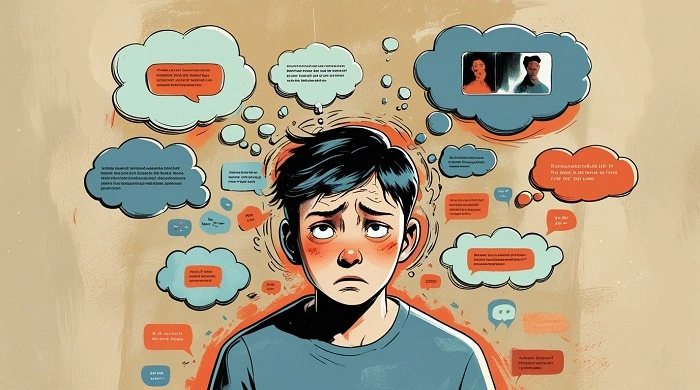
Unread messages often carry emotional weight.
Silence can feel like rejection or disinterest. Waiting can feel like being ignored. But the silence may simply mean the message was missed.
Some companies tried to solve this uncertainty with read notifications. Tools like ReadNotify and Yesware can notify senders when messages open inside Gmail or Outlook.
However, not everyone uses these tools. When tracking happens without the reader knowing, it can create discomfort.
In workplaces, it may affect trust between managers and employees. In personal relationships, it can feel even more complicated.
Also Read: Why Blocking an Email Address Doesn’t Always Stop Messages (And What Actually Helps)
Privacy Rules Around Email Tracking
Because tracking involves collecting information, it raises legal questions. Different regions approach email tracking differently.
| Region | Rule |
| European Union | GDPR may treat tracking as personal data processing |
| United States | No single national law |
| Industry sectors | Some follow special privacy standards |
Under GDPR, tracking email activity may require a valid reason or permission.
No law forces email systems to show read receipts. Users still control how much information they share.
Changing Expectations Around Email
The real issue may not be technology.
It may be expected. Traditional letters never showed whether someone opened them. Email originally worked the same way.
Today people often expect quick confirmation, similar to text messaging. But the technology still runs on systems designed decades ago. Expecting instant responses from email may not match how the system was built.
A Different Way to Approach Email
Instead of trying to prove whether someone read your message, another approach is possible. Treat email as communication sent into uncertainty.
Focus on moving forward instead of waiting for confirmation.
Practical habits can help:
- Send a follow-up only when new information appears
- Avoid repeated messages asking the same question
- Accept that silence may have many meanings
Sometimes silence simply reflects busy schedules or missed notifications.
FAQs
Can email show if someone read a message ?
Usually no. Email systems do not include built-in read tracking.
What is a tracking pixel ?
A hidden image used to estimate when an email is opened.
Are email open trackers reliable ?
No. Many privacy tools and settings block them.
What does click tracking show ?
It shows when someone clicks a link inside an email.
Why might someone not reply to an email ?
The email may be missed, filtered, or delayed in a busy inbox.
Figuring out whether someone opened your email often comes down to guesswork.
Tracking pixels and click tracking offer clues, but they rely on signals that can easily fail. Privacy tools, blocked images, and different software behaviors all affect the results.
This gap in tracking may reflect something intentional. Email was designed to allow people freedom in how they manage messages.
