
Ever sent an email to someone else and then freaked out?
Yeah, me too. Happens more than you’d think.
Maybe you shared a funny joke with your buddy. Maybe you passed along work stuff to your boss. Maybe you sent receipts or private chats to someone.
Then your brain starts racing:
“Wait… can the first person see I sent this?”
Or maybe:
“Can everyone see who else got this email?”
Sending emails to others sounds easy. But honestly? Tons of people get mixed up about who sees what.
Here’s the good news though.
Email forwarding keeps things more private than most folks think.
But yeah, there’s still stuff you should know before hitting that forward button.
Let’s break it down nice and simple.
What Does Forwarding an Email Mean?
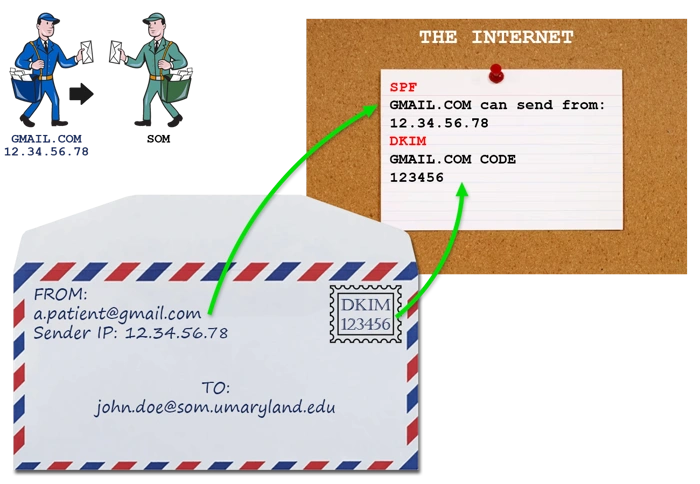
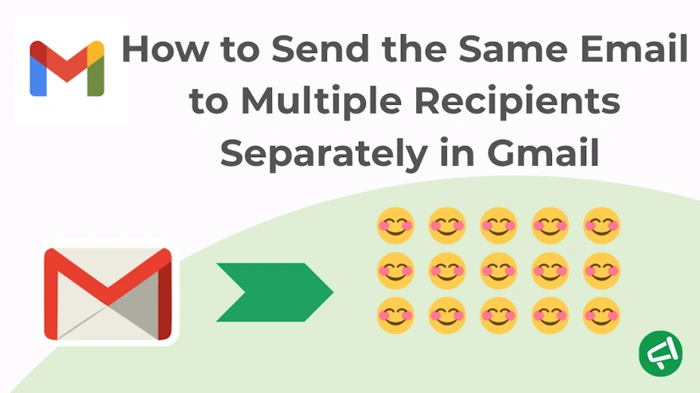
Forwarding means sending someone else’s email to a new person.
Instead of typing the whole thing again, you just click Forward and boom – off it goes.
When you forward, it usually includes:
- The first message
- Who sent it
- When they sent it
- Any files attached
- Old messages in the chain
Basically? You’re passing the email to someone new.
Who Can See a Forwarded Email?
Usually just the people you send it to.
That means:
- You (obviously)
- The person getting your forward
- Anyone you put in To, CC, or BCC
The person who sent the first email? They usually have no clue you forwarded it.
Does the Original Sender Get Notified?
Nope, not really.
Most email apps don’t tell people when you forward their stuff.
So if you’re using:
- Gmail
- Outlook
- Yahoo
- Apple Mail
…the first sender won’t know a thing.
There’s no popup saying:
“Hey! Someone forwarded your email!”
Email just doesn’t work that way.
Can the Person You Forwarded It To See the Original Sender?
Oh yeah, for sure.
Forwarded emails show who sent them first.
The person getting your forward can see:
- The sender’s name
- Their email address
- When they sent it
- What they wrote
They’ll know exactly where it came from.
Can They See Previous Replies Too?
Yep, often they can.
If you forward a long email chain, they might see:
- Old replies
- Past chats
- Other people’s names
- Old files
This catches folks by surprise sometimes.
Always check the whole chain before you forward.
Can Forwarded Emails Include Attachments?
You bet they can.
If the first email had files, they usually come along unless you delete them.
That includes:
- Photos
- PDFs
- Documents
- Videos
- Spreadsheets
Super important to check before hitting send.
Can You Forward Emails Without Attachments?
Sure can.
Most email apps let you remove files first.
Here’s how:
- Open your forward draft
- Find the file
- Delete it
Easy as that.
Does Forwarding an Email Share My Email Address?
Yeah, usually it does.
The person getting your forward sees your email since you’re the one sending it.
They might also see:
- Other people’s emails
- CC lists
- Reply chains
Another reason to check before forwarding.
Can People See If You Forwarded Their Email?
Not directly, no.
But indirectly? Sometimes yeah.
Like when:
- Someone replies to your forward by mistake
- Your forward gets shared again
- Someone mentions what you forwarded
So while email doesn’t tattle on you, people can still figure it out.
What Happens If Someone Replies to a Forwarded Email?
Depends how they reply.
Usually:
- Replies come to you (the forwarder)
- Not to the first sender
But if old addresses are still in there? Replies might reach multiple people by accident.
Gets awkward real fast, trust me.
Can Forwarded Emails Be Tracked?
Regular emails don’t track forwarding.
But some businesses use fancy systems that track:
- Who opens emails
- Who clicks links
- Internal forwarding
- Security stuff
Mostly in work settings though.
Normal personal emails? They stay pretty private.
How Forwarding Works in Gmail
Gmail makes it super easy.
Steps:
- Open the email
- Click Forward
- Type who gets it
- Hit Send
Done deal.
You can also change the message before sending.
How Forwarding Works in Outlook
Outlook’s pretty much the same.
Steps:
- Open the message
- Click Forward
- Add who gets it
- Send
Outlook keeps the format and files too.
How Forwarding Works in Apple Mail
Apple Mail? Same basic idea.
Steps:
- Open the email
- Tap or click Forward
- Add who gets it
- Send
Really simple stuff.
Difference Between Forward and Reply
People mix these up all the time.
Reply:
Goes back to the sender.
Forward:
Goes to someone new.
There is a big difference there.
Reply keeps the chat going.
Forward shares it with new folks.
Can You Forward Emails Secretly?
Pretty much, yeah.
Since the first sender doesn’t get told, forwarding stays quiet.
But remember:
Once you send it, you can’t control it.
Forwarded emails can get shared again.
Is Forwarding Emails Safe?
Usually yeah. But be careful.
Some emails have:
- Personal stuff
- Password resets
- Money details
- Private chats
- Work secrets
Forward these wrong? Big problems.
Common Reasons People Forward Emails
People forward stuff all the time.
Sharing Information:
Passing details to friends or coworkers.
Sending Documents:
Forwarding bills, files, or receipts.
Asking for Help:
Showing someone a problem.
Work Collaboration:
Keeping the team in the loop.
Event Information:
Sharing invites or schedules.
Can Forwarded Emails Be Edited?
Yep, totally.
Before sending, you can:
- Delete parts
- Add your thoughts
- Remove files
- Change stuff
Super handy for privacy.
Should You Delete Old Email Chains Before Forwarding?
Honestly? Yeah, usually.
Long chains might show:
- Personal chats
- Old messages
- Contact info
- Private stuff
Clean it up first. Smart move.
What Is Inline Forwarding?
Some apps let you add notes inside the forward.
That’s inline forwarding.
Work folks use it to review stuff.
Can You Automatically Forward Emails?
Oh yeah, for sure.
Most email services let you auto-forward.
New emails? They go somewhere else automatically.
Great for:
- Business accounts
- Backup emails
- Job changes
How to Automatically Forward Emails in Gmail
- Open Gmail Settings
- Go to Forwarding and POP/IMAP
- Add where emails go
- Confirm it works
Pretty handy feature.
Can Automatic Forwarding Create Privacy Risks?
Oh boy, yes it can.
Set it up wrong and:
- Secret emails might leak
- Work stuff goes outside
- Private info spreads
Always double-check your settings.
Can Employers See Forwarded Work Emails?
Sometimes yeah.
Lots of companies look at email systems.
They check for:
- Security stuff
- Data safety
- Following rules
Work email? Not so private.
Also Read: Evier Email Blanc: Everything You Need to Know in 2026
Common Forwarding Mistakes
People mess up all the time.
Forgetting Attachments:
Classic goof.
Forwarding Entire Private Conversations:
Oops, that’s bad.
Leaving Sensitive Information Visible:
Phone numbers. Addresses. Passwords. Yikes.
Accidentally Forwarding to Wrong Person:
Auto-complete causes chaos.
Not Reviewing Old Email Chains:
Super common mistake.
Best Practices Before Forwarding Emails
Want to avoid trouble?
Try these first.
Read Everything Carefully:
I mean everything.
Remove Unnecessary Replies:
Clean up that chain.
Double-Check Attachments:
Make sure the right files stay.
Verify Recipient Addresses:
Wrong person? Big problem.
Protect Private Information:
Delete sensitive stuff first.
Are Forwarded Emails Legally Private?
Depends on lots of things.
Work emails might have:
- Secret rules
- Company policies
- Legal stuff
Forward work emails wrong? Could be serious trouble.
Can Forwarded Emails Be Deleted?
You can delete your copy.
But once you forward? The other person keeps theirs.
Just like regular emails.
FAQs
Does the original sender know if I forward an email?
Nope, usually not. Most email apps don’t tell them.
Can recipients see the original sender?
Yeah, they usually can.
Can forwarded emails include attachments?
Yep, unless you remove them first.
Can I edit forwarded emails before sending?
Sure can!
Is forwarding an email private?
Mostly, but people can share it again.
Can workplaces monitor forwarded emails?
Sometimes, especially on company systems.
What’s the difference between reply and forward?
Reply goes back to the sender. Forward goes to new people.
Can automatic forwarding be dangerous?
Yeah, if secret emails get forwarded by mistake.
Final Thoughts
Forwarding emails? Super common and pretty simple.
Most times, the first sender won’t know you forwarded their email.
But that doesn’t mean you should be careless about it.
Always remember:
Forwarded emails show way more than people think.
Names. Files. Old replies. Email addresses. Whole conversations.
That’s why taking a few seconds to check before forwarding? One of the smartest email habits you can build.
